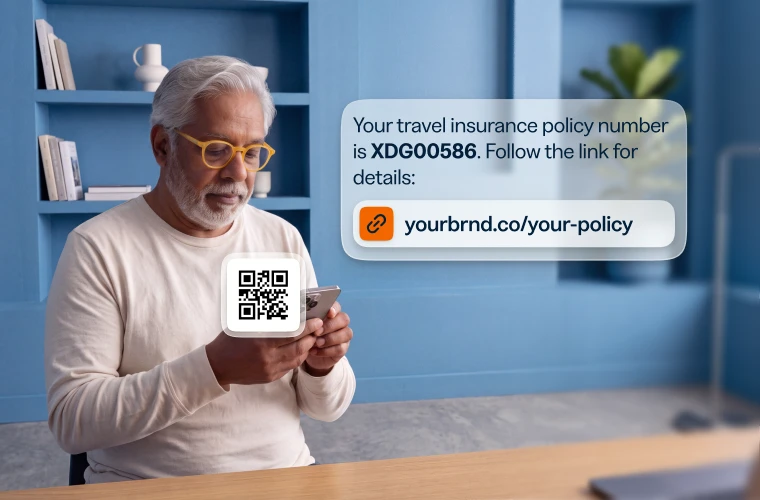
BITLY MCP
Bitly in your AI agent, powered by MCP
The Bitly Model Context Protocol (MCP) Server connects Bitly to AI agents, including Claude, ChatGPT, Cursor, Windsurf, and VS Code. Create branded links, QR Codes, and landing pages, and check performance without leaving your AI conversation.


แบรนด์ใหญ่เล็กทุกที่ต่างชื่นชอบ






- Create branded short links for a whole list of URLs at once, with consistent tags, titles, and UTM parameters
- Generate customized QR Codes with brand colors, frames, and your logo, or build and publish Bitly Pages at scale
- Add dynamic routing rules that send people to different destinations by country, region, device, or OS

Track and manage links without switching tabs
- Pull engagement for any link or QR Code: total clicks, top countries, referrer sources, and device breakdown
- See AI traffic on your links—how often AI assistants like ChatGPT visit them, counted separately from clicks
- Update a link or QR Code’s destination URL, title, or tags with a single prompt, so links stay current

Account management, right in the conversation
- Filter your link list by tag, date range, domain, or keyword to find the exact links you need
- Set up a custom domain and pick the group you need, so every link lands in the right workspace from the start
- See your group’s top-performing links sorted by clicks over any time period, so you know what’s working


เชื่อมต่อการตลาดของคุณด้วย Bitly
ใช้ URL shortener และตัวสร้าง QR Code ของเราเพื่อสร้าง branded link และ QR Code ได้ในไม่กี่วินาที จากนั้นติดตามทุกคลิกและการสแกนใน Bitly

URL Shortener
short link ที่ทำได้มากกว่า
ปรับแต่ง แชร์ และติดตามลิงก์ ทุกคลิกบอกคุณได้มากขึ้นว่ากลุ่มเป้าหมายต้องการอะไร
- สร้างลิงก์ด้วย AI
- custom domain และ back-half
- redirect URL
- ย่อลิงก์จำนวนมาก

QR Code
โค้ดที่แก้ไขและติดตามได้
QR Code แบบไดนามิกสำหรับงานพิมพ์และบรรจุภัณฑ์ อัปเดตปลายทางได้ทุกเมื่อ ไม่ต้องพิมพ์ใหม่
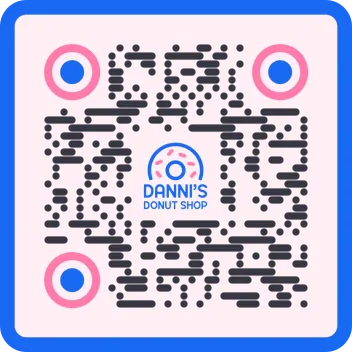
- สี รูปแบบ และโลโก้ที่ปรับแต่งได้
- QR Code แบบไดนามิก
- ดาวน์โหลดไฟล์ PNG/JPEG/SVG
- สร้าง QR Code จำนวนมาก

Analytics
ดูทุกคลิกและสแกน
ประสิทธิภาพแบบเรียลไทม์ของทุกลิงก์และทุกโค้ด แสดงเคียงข้างกัน
- ติดตามภูมิศาสตร์ referrer และอุปกรณ์
- dashboard analytics ข้ามช่องทาง
- analytics และข้อมูลเชิงลึกด้วย AI
- ประสิทธิภาพของแคมเปญและ UTM
Frequently asked questions (FAQs)
Glad you asked! Here’s a few basics to get you started.
The Bitly MCP is a hosted server that connects Bitly to AI agents that support the Model Context Protocol (MCP) standard. It makes Bitly links, QR Codes, landing pages, and analytics available through plain English prompts, so AI agents can take actions in a Bitly account on the user’s behalf.
No. The Bitly MCP is designed for use through plain English prompts in a compatible AI agent. Configuration requires pasting an endpoint URL into the AI tool’s settings and signing in. Step-by-step setup guides are available at dev.bitly.com/bitly-mcp/overview/quickstart/
The Bitly MCP works with any AI agent that supports the MCP standard. Confirmed compatible tools include Claude, ChatGPT, Cursor, VS Code, and Windsurf.
The Bitly MCP covers creating short links, QR Codes, and Bitly Pages; adding dynamic routing; analyzing clicks, scans, and AI traffic; setting up custom domains; and searching and organizing your links.
Log in with an existing Bitly account. Most compatible AI tools walk through a standard sign-in flow; others ask for an API token, which is available at bitly.com/settings/api. Either way, branded domains, permissions, and plan settings carry over automatically. No additional subscription is required.
ดูว่าธุรกิจอื่นใช้ Bitly อย่างไร