How One Memorable Bitly Link Connects 1,900 Sequoia High School Students to their Library
1
link to connect 1,900 students
1
link to connect 1,900 students
Halfway through a research lesson at Sequoia High School in Redwood City, CA, Betsy Snow started reading out the address for the library’s website. She didn’t get to finish. A few students who had dropped in during a free period started chanting it back to her, in rhythm, like the chorus of a song they’d known for years.
They had known it for years. And for a librarian who runs the media center on her own, that moment showed her the library had a front door students could find without a second thought—all thanks to one powerful Bitly link.
Sequoia High School has been part of Redwood City, California, since 1895. Today, the comprehensive public high school serves about 1,900 students and is a California Distinguished High School. Its International Baccalaureate (IB) program exceeds the international pass rate, and it’s home to California’s oldest digital arts academy.
At the heart of campus is the media center, which Betsy Snow has run as the library media specialist for 10 years. A former digital photography and journalism teacher, she teaches research skills, runs a storytelling society, oversees the IB extended essay, and keeps the library a calm place to catch your breath.
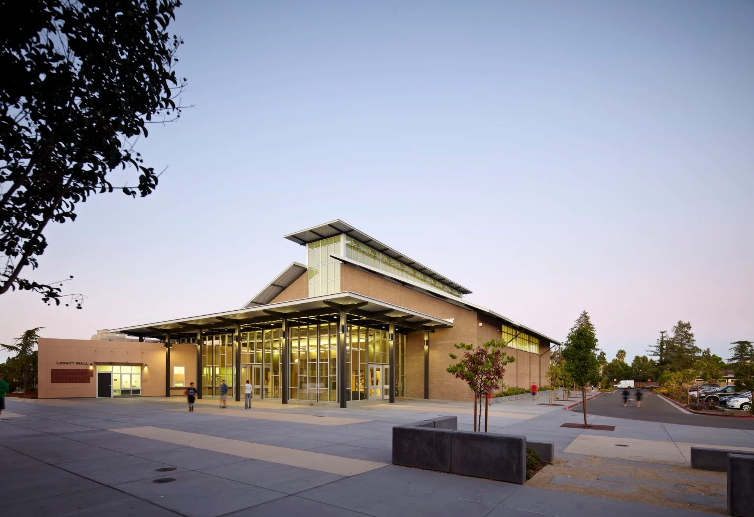
When Betsy started at Sequoia High, the media center had wood paneling and about one outlet. She wanted to build a “library 2.0” that lived online, so students could check out books, find research help, and sign up for Adobe lessons from anywhere.
She also does it solo. Betsy is the school’s only teacher librarian, with no tech staff to build the site for her. She teaches research skills, runs a storytelling society, and oversees the IB extended essay.
Getting students to the library’s website turned out to be the hard part. Long URLs didn’t stick. A student suggested another link shortener, but nobody recognized it, so Betsy spent more time explaining shortcuts than using them. A spot in the Canvas sidebar, the online platform where students find their coursework, didn’t work either and Betsy envisioned making access to the library effortless, welcoming students with an inviting, seamless online entry point.
“Students are overstimulated with homework portals and different apps to keep track of. So my thought was, ‘I just need to be able to provide one easy-to-remember URL with everything on that one link.’”
—Betsy Snow, Library Media Specialist, Sequoia High School
After the school reopened following the pandemic, Betsy created a Bitly Link with a custom back-half built from the school’s initials: SEQ for Sequoia, HS for high school, and MC for media center. bit.ly/seqhsmc became the starting point for every lesson. It’s in her email signature, on the bookmarks she hands every visitor, and in the newsletter she sends students on the first of each month.
Then she said it out loud, and it had a beat.
Betsy started saying the link like a jingle. Her student ambassadors, a group who helped promote the media center, wanted to make a video of it. Once they asked to keep their faces off camera, she turned them into cartoon characters and set the animation to their chant. She offered a pizza party to anyone who’d stand up and chant it in class. A year later, students were still saying it back to her mid-lesson.
“I had to put myself out there and maybe risk making a fool out of myself, which is kind of what you have to do to get teenagers to pay attention.”
The main link opens a hub of other Bitly Links. The storytelling society link leads to the program that replaced summer reading. There, students can make book trailers, write reviews, or curate a virtual bookshelf, with nothing graded. For IB extended essay supervisors, bit.ly/paymeEE points to the form they fill out to get paid. Betsy can mention it in the mail room, and they know where to go.
As programs evolve, the links stay put. The storytelling society started as a summer literacy experience and changed names a few times. Instead of printing new links or rebuilding pages, Betsy used redirects to update where each link points.
“I could keep repointing the bit.ly to different landing places, and that was huge because I could keep updating the content without having to make a completely new page or get rid of what I already had.”
Betsy has kept the account going on her own, because the links have become part of how the library works. She’s also designed QR Codes for the media center with its logo in the center. This year, as Sequoia moves toward phone-free classrooms, the link students can say, type on a Chromebook, or chant from memory carries the load.
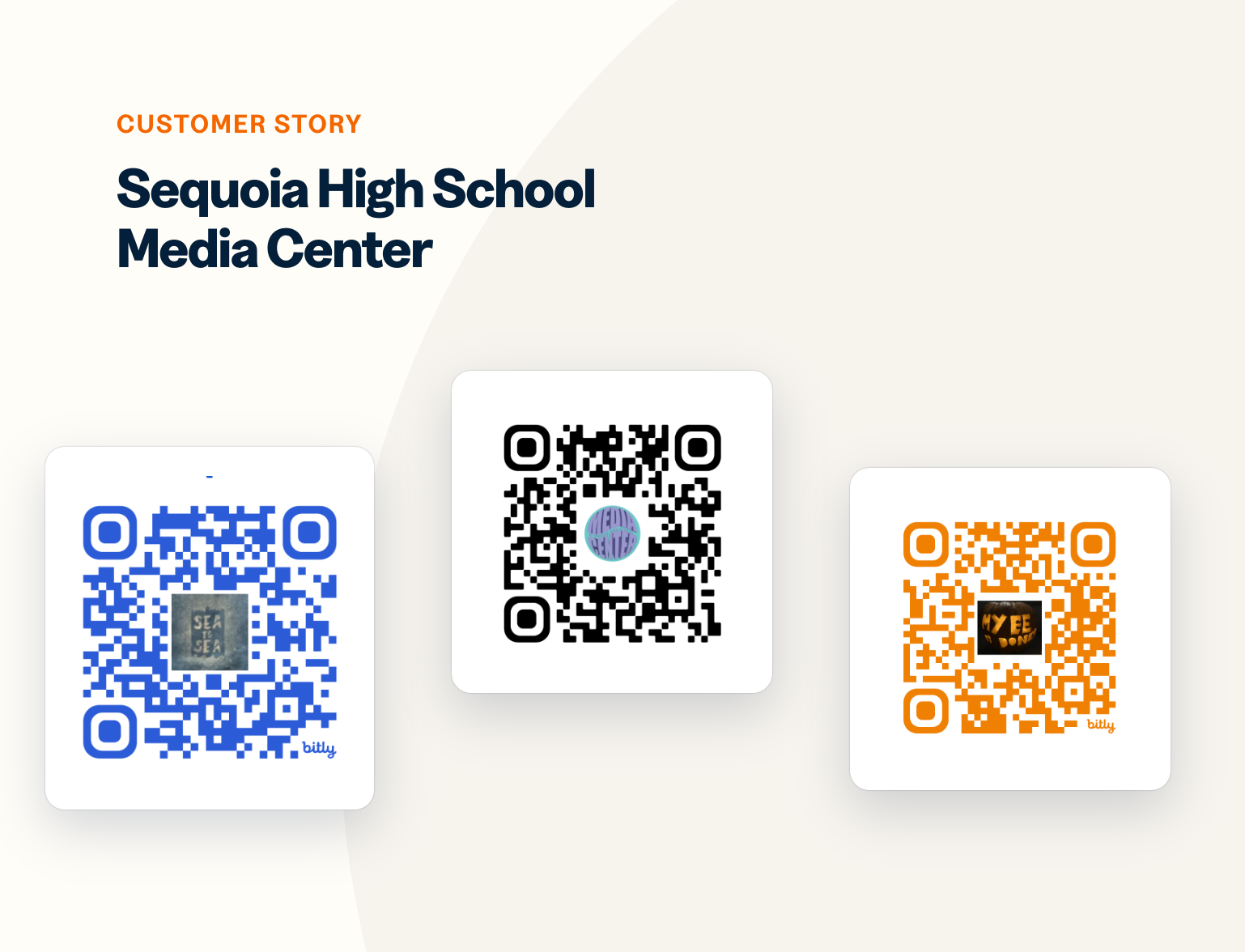
This year, Betsy wants the chant to reach beyond the library regulars. Her back-to-school teacher newsletter includes the link and a challenge: get your class to learn the chant, and she’ll bring cupcakes. Betsy’s advice to other librarians is to choose something catchy you can keep for years. You’ll have a landing page you can update yourself, without waiting on a district webmaster.
For Betsy, it all comes back to making the library easy to reach for every student, during the school day and long after the last bell.
“In the library media world, bit.ly means access. It’s direct access to all of the engagement we hope happens in the library and beyond. Kids are busy. Teens are pulled in all different directions. Bit.ly allows for access 24/7.”
Ready to give your audience a link worth remembering? Create a branded Bitly Link or QR Code in seconds, update where it points anytime, and see every click and scan in one place. Chant optional.
Three creators show how QR Codes transform touchpoints into memorable brand experiences
From tech layoffs to sweet success with Bitly QR Codes.