
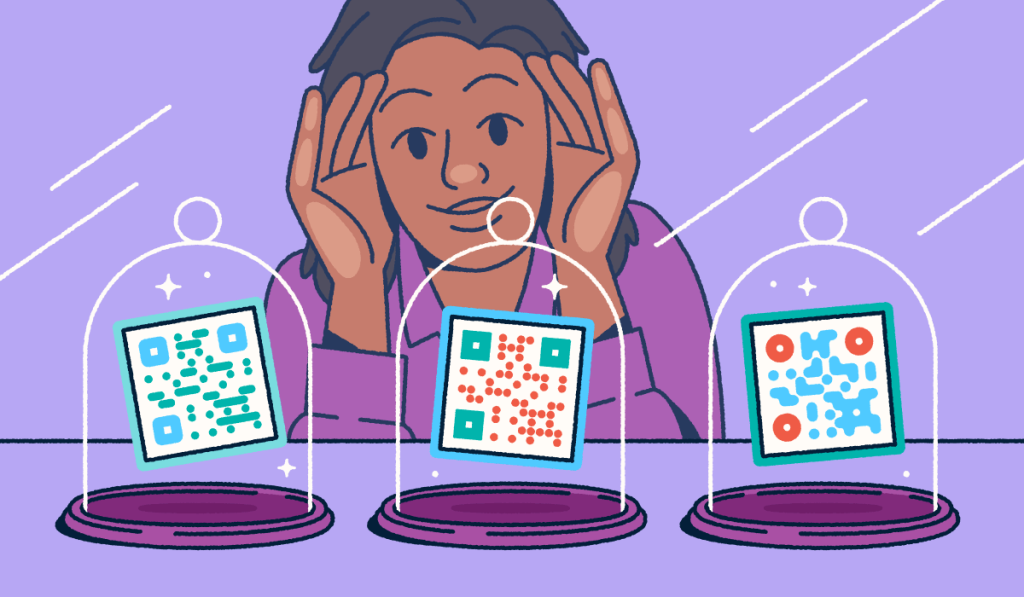
Quick response codes (QR Codes) turn postcards, letters, catalogs, and other mailers into trackable digital entry points. Recipients can act in a single scan, and marketers can measure responses after the drop. Print still earns attention in a crowded inbox. Scan-to-mobile is now the expected next step when someone wants the offer without typing a long URL.
This article explains how to get the most out of QR Codes in your direct mail campaigns.
Key Takeaways
- Add a Dynamic QR Code to every mailer so you can track scans and update the destination after printing without needing to reprint anything.
- Pair each code with a clear call to action (CTA), such as “Scan to unlock your offer,” so recipients know exactly why they should scan.
- Design for the mailbox: Keep codes large enough to scan, use high contrast, and keep them clear of folds, seams, and address blocks.
- Send scanners to a mobile-first destination that aligns with the mail promise, ideally a focused landing page rather than a generic homepage.
- Measure response end-to-end with scan volume, response rate, location and device mix, and post-scan conversions. Use UTM tracking and scan data analytics.
What is a direct mail QR Code?
A direct mail QR Code is a scannable code printed on a piece of mail. When scanned, it opens a URL such as a landing page, form, video, coupon, or booking flow on the user’s smartphone.
That scan bridges offline mail and online action. Recipients skip typing a long URL, and your team can move them from the mailbox to the next clear step in seconds.
Common destinations include:
- A campaign landing page or product detail page
- A lead form, survey, or feedback flow
- A video, demo, or how-to resource
- An offer, coupon, or exclusive content unlock
- An app store listing or newsletter sign-up
- An event RSVP or appointment booking page
The benefits of QR Codes for direct mail marketing
QR Codes for direct mail marketing help you connect print to digital action, measure response, reduce friction, and keep destinations editable after the mail drops.
Bridges offline and online experiences
A single scan can move someone from a physical mailer to a fully digital journey without having to type a URL.
Imagine a spa postcard promoting a first-visit discount and featuring a QR Code. When the customer scans it, their phone opens a landing page where they can browse services, watch a video tour, and book.
That scan turns static mail into an interactive next step.
Trackable engagement
Traditional mail shows delivery, not engagement. QR Codes reveal scan data over time, by location, and by device, so you can see which creatives and lists actually work.
Postcards and catalogs alone rarely show whether someone opened, read, or acted. A scannable code gives marketers a measurable response event after the drop.
Chris S., who works in nonprofit organization management, needed a way to show how mailers converted. Bitly links and QR Codes made clicks and conversions visible so the team could change outreach and test content. Nonprofit and political mailers often use the same scan-and-measure pattern.
With Bitly Analytics, you can review clicks and scans together to track direct mail marketing results.
Instant action
QR Codes cut the steps between interest and conversion so recipients can act while the offer is still top of mind. Whether someone buys, signs up, or books, a simple scan moves them from curiosity to conversion in seconds.
A clothing retailer can print a QR Code that opens the sale page and applies the discount. No searching. No promo code. Without that code, shoppers hunt for the sale and manually enter a coupon. Each extra step raises drop-off risk.
Dynamic and editable
Dynamic QR Codes use a redirect layer, so you can change the destination URL for any code at any time, even after the mail has been sent. Static codes lock the URL into the printed pattern and lack any native scan analytics.
Once a printer finishes a traditional mailer, offer or page updates generally require a reprint. Dynamic codes avoid that cost so you can fix a page, extend an offer, or swap pricing without touching the printed pieces that may already be in your customers’ hands or mailboxes.
If a limited-time package changes mid-campaign, a Dynamic QR Code lets you point scanners to a refreshed landing page and offer new details, all without reprinting.
Bitly Codes are dynamic by default. Compare the formats in our analysis of Static vs. Dynamic QR Codes, or create an editable code to test with Bitly Codes.
Response lift from digital links: Keypoint Intelligence’s 2023 direct marketing research found a clear pattern. Direct mail campaigns that included digital links saw an average response rate nearly 9% higher than static campaigns. Treat that lift as support for adding a scannable connector, not as a Bitly-specific claim.
How to add QR Codes to a direct mail campaign
Follow these eight steps to use QR Codes for direct mail campaigns with clear goals, trackable codes, print-ready design, and post-drop measurement.
- Define one goal and one primary CTA. Pick a single outcome such as “claim offer”, “book a meeting”, “donate”, “shop sale”, “download”, or “RSVP”. Write a short CTA that states the value of scanning.
- Choose the destination first. Build or select the mobile landing page, form, or Bitly Pages destination before you design the mailer. The post-scan experience should match the promise on the print piece.
- Create a Dynamic QR Code. Build the code in Bitly. Then add UTM parameters for channel=direct_mail, plus campaign and version names. That way, analytics can attribute traffic after the mailing.
- Brand the code. Add colors, a frame with your chosen CTA, a logo, and a pattern that all match your brand while maintaining contrast and the required quiet zone.
- Place the code. Put it near the offer on the front or in a high-attention panel. Keep it off folds, bleeds, and the address block.
- Print-test. Test on the final stock with multiple phones and under various lighting conditions before you approve the full run.
- Mail, then monitor scans. Watch performance in Bitly Analytics and update the destination URL for your Dynamic QR Code if the offer changes after mailing.
- Follow up. Use customer relationship management (CRM) segments to reach scanners and non-scanners. Continue with email, SMS (text), or ads that carry the same offer.
Add a short URL from Bitly Links next to the code for non-scanners. For broader offline placement ideas, see our print advertising use case.
Use cases for QR Codes in direct mail marketing
QR Codes in direct mail marketing support traffic, feedback, sign-ups, events, and offers when each code points to one clear action.
Driving traffic to a landing page or product
A QR Code on a mailer can send recipients directly to product details, reviews, or a focused offer page without typing a URL.
A cosmetics brand launching a skincare line can print a postcard QR Code that opens product details, a demo video, and an early-buyer discount.
When you need a mobile destination without the expense of engineering time, create it with Bitly Pages. For personalization, assign unique codes or destinations (names, prefilled fields, or segment offers) so that relevance and attribution remain clear.
Collecting customer feedback or survey responses
QR Codes are ideal for opening a short survey while the experience is still fresh.
After a purchase or service visit, send mail with a code that opens a brief feedback form. Recipients can respond without hunting for an email or mailing a paper form, which can lift response rates.
Enabling app downloads or newsletter sign-ups
One scan can open your app store listing or newsletter form, so people can skip searching and typing in long URLs.
With QR Codes, customers can reach a sign-up form or app download page in one step. Fewer barriers increase the chance they complete the action.
Promoting events or booking appointments
QR Codes simplify RSVPs and bookings by linking straight to event details or a scheduling tool.
Customers can scan, view event details, and secure a seat without extra pages. That shorter path can lift attendance.
Offering discounts or exclusive content
QR Codes deliver coupons, limited-time promotions, and exclusive content on demand when the CTA states the value of scanning.
Label the code with offer-tied language such as “Scan to claim your discount.” Personalized destinations can also serve segment-specific discounts after the scan.
Best practices for using QR Codes in direct mail marketing
Direct mail QR Code results improve with dynamic tracking, on-brand design, and print-ready scannability. Mobile destinations, clean short URLs, and clear return on investment (ROI) math also help.
Use Dynamic QR Codes for tracking and flexibility
Dynamic QR Codes keep destinations editable after print and unlock native scan analytics your team can act on.
With Bitly Codes, you can update the destination at any time without reprinting. If a promotion underperforms, swap the link or send traffic to a stronger page.
Bitly Codes are dynamic by default and support metrics such as:
- Total number of scans
- Scans over time
- Top-performing codes
- Scans by location (city and country)
- Scans by device and browser
- Scans by referrer (using UTM tracking)
Review those insights in Bitly Analytics and adjust creative, lists, and follow-up while the campaign is live.
Design the QR Codes to match your branding
QR Code design choices such as custom colors, frames, logos, patterns, and a clear CTA make codes easier to notice and trust in the mailbox.
Plain black-and-white codes still scan, but branded designs feel intentional. Customized QR Codes see a 3.8x increase in scans compared to uncustomized codes. Keep contrast high and leave space around the code so customization never hurts readability.
Print for scannability (size, quiet zone, placement, contrast)
Print scannability means sizing the code for the actual scan distance and protecting the quiet zone. Keep high contrast, and place the code where phones can lock on quickly.
| Spec | Guidance |
|---|---|
| Minimum size | At least about 2 cm × 2 cm (≈ 0.8 in × 0.8 in) for close-range mail; many mail programs prefer closer to 1 in × 1 in when space allows |
| Distance rule | About 10:1 size-to-distance ratio (larger codes for farther scan distance) |
| Quiet zone | Keep a clear margin around the code; do not crowd with copy or imagery |
| Contrast | Dark modules on a light, non-busy background; avoid low-contrast brand color pairs |
| Placement | Near CTA; avoid folds, seams, gloss glare, and the address block |
| Fallback | Print a redirectable short URL next to the code for non-scanners |
For deeper production guidance, read our explainers on the minimum size for a QR Code and how to use QR Codes in print advertising.
Make sure destination pages are optimized for mobile
Because people scan with their phones, the first screen after the scan must load quickly, be easy to read, and match the promise your mailer made.
Hard-to-read or slow-to-load pages lose scanners quickly. Mobile optimization means adaptive text, tappable buttons, and fast-loading images.
Bitly Pages give you no-code, mobile-optimized templates for text, images, and video. Keep the post-scan page aligned with the mailer CTA to minimize user friction.
Shorten URLs before generating the code for cleaner output
Shorter destination URLs produce cleaner QR patterns that are easier to scan and simpler to print as a typed fallback.
Long URLs pack more data into the code and can make the pattern denser. With Bitly Links, you can create compact URLs that still support UTM tracking and generate your QR Codes from them. Place that short URL beside the code for anyone who cannot scan or doesn’t want to.
Measure response and prove ROI
Measure direct-mail QR Code performance by tracking response rate, conversion rate, and cost per response. Then connect QR Code tracking to downstream conversions using UTM tags and unique codes.
Use these simple formulas:
- Response rate = scans (or tracked responses) ÷ mail pieces sent
- Conversion rate = conversions ÷ scans (or responses)
- Cost per response = campaign cost ÷ responses
Add UTM parameters to every QR destination so website analytics can correctly attribute visits and conversions to the mail drop. Create unique codes by list, region, or creative so tests stay clean. Read the results in Bitly Analytics, then pass conversions into your CRM or analytics stack using our open API or one of the 60+ prebuilt integrations available on the Bitly Marketplace.
For deeper frameworks, see print marketing metrics and how to track direct mail marketing results. Some mailers may qualify for United States Postal Service technology promotions when you meet digital integration requirements; check current USPS promotions before you plan postage incentives.
Turn every mailer into a measurable next step
Direct mail still earns attention in the mailbox. QR Codes make the next step obvious, trackable, and editable after printing if you use dynamic, branded, well-placed codes and mobile destinations that match the promises your mailers make.
Bitly brings that loop together with Bitly Codes, Bitly Analytics, Bitly Pages, and Bitly Links for a complete mobile destination and typed fallback ecosystem. That stack helps you see what’s working across print and digital, then do more of what works on the next drop.
Add trackable QR Codes to your next direct mail drop and see which creative drives scans. Get started today for free.
Frequently Asked Questions
How do you use QR Codes in a direct mail campaign?
Use this sequence for a direct mail campaign:
- Start with one goal and one mobile destination.
- Create a Dynamic QR Code with campaign tracking parameters.
- Brand it for visibility.
- Place it near a clear CTA off the fold and address block.
- Print-test on final stock.
- Monitor scans and update the destination if the offer changes.
Bitly Codes keep the destination editable after the mail is in the market.
What size should a QR Code be on a postcard or letter?
Use at least about 2 cm × 2 cm (roughly 0.8 in × 0.8 in) for close-range scans. Size up when recipients will scan from farther away. Follow a 10:1 size-to-distance rule, preserve a quiet zone, and keep strong contrast so phone cameras can lock on quickly.
Should you use a static or Dynamic QR Code for direct mail?
Choose a Dynamic QR Code for almost every mail campaign. Dynamic codes support destination updates after print and native scan analytics. Static codes hard-code the URL into the pattern, which creates reprint risk and weak measurement when offers, pages, or dates change.
How do you track QR Code scans from direct mail?
Use Dynamic codes and review scan volume, scans over time, location, and device in your QR platform analytics. Add UTM parameters so website analytics can attribute visits and conversions to the mail drop. Assign unique codes to list segments or creative versions for cleaner tests.
Do QR Codes improve direct mail response rates?
Digital connectors such as QR Codes help recipients act without typing a URL and give marketers a measurable response event. Keypoint Intelligence’s 2023 research found that direct mail campaigns that included digital links saw an average response rate nearly 9% higher than static campaigns. Results still depend on offer strength, list quality, CTA clarity, and the post-scan experience.
What should a direct mail QR Code link to?
Link to a single, mobile-optimized action that matches the mail promise. Good options include a focused landing page, a form, a coupon flow, an event RSVP, an app download, or a booking page. Avoid dumping scanners on a generic homepage. Bitly Pages can help teams ship a clean mobile destination without engineering time.
More Articles

More than a link shortener
Knowing how your clicks and scans are performing should be as easy as making them. Track, analyze, and optimize all your connections in one place.



