
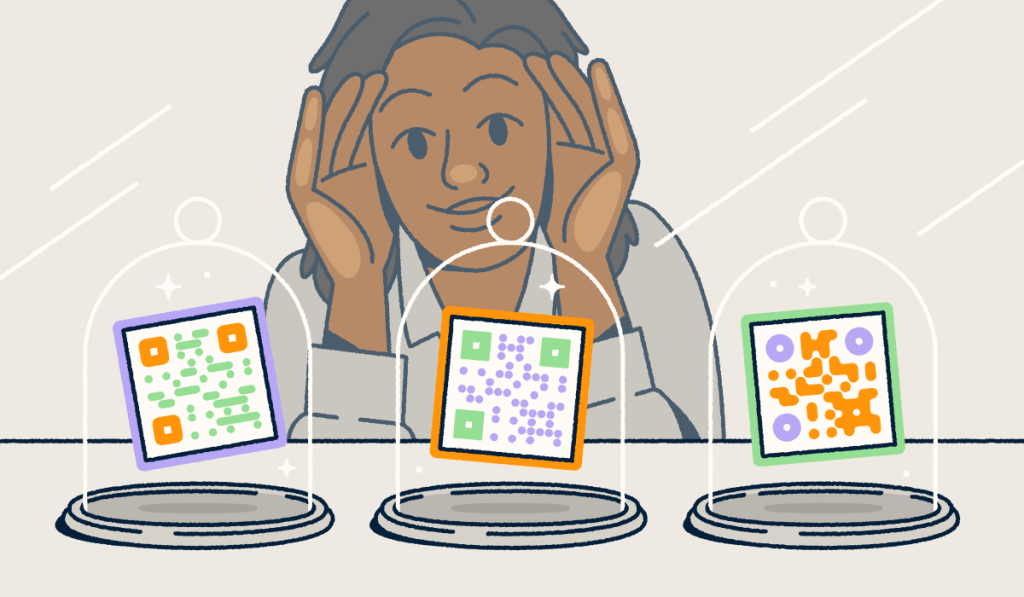
QR Codes now connect print and physical spaces to digital action faster than any other tool. Marketers place them on packaging, posters, menus, product displays, mailers, and event signage, where one quick scan can move someone from offline interest to online engagement in seconds.
But not every QR Code gives you the same flexibility and functionality. Understanding the restrictions of Static QR Codes, which lock in the destination from day one, is important. If you need to swap a landing page, fix a broken link, or update an offer, you often need a brand-new code. Dynamic QR Codes solve that problem by routing scans through an intermediary link, giving you room to adapt your campaign as it grows.
That flexibility matters more than ever. Marketing campaigns change fast. Offers expire. Event details shift, and product pages evolve. Dynamic QR Codes help you keep pace without burning time or budget on reprints. With Bitly, you can create QR Codes that connect physical touchpoints to trackable digital experiences and bring your links, Codes, and campaign insights together in one place.
Key takeaways
- Dynamic QR Codes let you update the destination behind the code after you publish it.
- They work through an intermediary short link, which gives marketers more control.
- They help you track engagement so you can see how people respond.
- Bitly’s free plan gives you unlimited QR Code scans, so your codes keep working no matter how popular they get, while some other free tools cap allowed scans per month.
- Bitly brings QR Codes, link management, and campaign tracking together in one connected platform.
What is a Dynamic QR Code?
A Dynamic QR Code uses the same Quick Response code technology originally developed by Denso Wave for Static QR Codes, but points to a short intermediary URL rather than embedding the final destination directly in the code. This setup gives you much more flexibility.
When someone scans the code with their camera app, the short link sends them to the destination you choose. If your campaign changes later, you can update the destination users reach by simply updating the link, rather than printing out new physical materials using a new JPEG, PNG, or SVG file.
That one difference gives Dynamic QR Codes their biggest strengths. With these codes, you can update destinations, support changing campaigns, track scans, and keep pricey printed materials useful for much longer. When you compare Static vs. Dynamic QR Codes side by side, it’s no mystery which offers greater value.
Common uses for Dynamic QR Codes
Dynamic QR Codes fit naturally into real marketing workflows. A retailer can place one on an in-store display and send shoppers to a seasonal product page today, then switch that destination to a new promotion next month. A restaurant can link table tents to a menu, a special offer, or a loyalty sign-up page, rotating the destination as needed. An event team can place codes on signage and direct attendees to schedules, maps, or last-minute updates.
These codes also work well on product packaging, print ads, direct mail, business cards, and support materials. The big win stays the same across every use case: You keep the printed code, then update the destination behind it as your campaign changes, collecting engagement analytics information and deep UTM tracking attribution at the same time.
How to create a free Dynamic QR Code with Bitly
Bitly keeps the setup process for Dynamic QR Codes simple, making it easy to move from idea to a live campaign quickly. Our free plan currently includes 2 QR Codes per month, along with unlimited clicks and scans, so you can test the channel before committing to a larger rollout.
Here’s the step-by-step workflow:
- Sign up for a free Bitly account.
Start with a free account. Sign up and complete the simple onboarding questionnaire so we can better understand your needs. - Choose the option to create a QR Code.
From the main dashboard, choose Create new and select Create a QR Code. - Enter your destination URL.
In the field labeled Destination URL, add the URL of the page you want people to visit, such as a landing page, event registration page, product page, menu, WiFi login details page, or contact information breakdown. - Customize the link details.
Use the other fields to give your code and its dynamic link a clear title and, if you have the option, adjust the back-half of the link to match your brand or naming schema. Then select Design your code and add any customizations. - Generate your QR Code.
Select Create your code, and Bitly will generate a high-quality, scannable QR Code that links to an underlying Bitly Link generated via our URL Shortener. - Download, copy, or share your code.
Select a file type and download an image of your code. From there, you can add it to printed materials, packaging, signage, or digital assets.
This workflow matters because it ensures that the QR Code you make connects to a Bitly Link rather than directly to the final page.
How to edit a Dynamic QR Code after creating it
When you edit a Dynamic QR Code, you do not change the QR Code image itself. You update the destination behind the encoded short link. That means your printed code can stay in the market while your digital campaign keeps moving forward.
This flexibility helps in real-world situations every day. You might need to swap out an expired promo, redirect traffic to a new event page, fix a typo, or reuse the same printed material for a fresh campaign. Instead of reprinting signs, packaging, or flyers, you update the link and keep going.
Link and QR Code redirects generally require paid plans, so teams that need ongoing destination control can scale into those features as their programs grow.
Why tracking matters for QR Code campaigns
A QR Code should do more than send traffic somewhere. It should help you understand what worked. Tracking matters more than you might think.
With the right setup, QR Code analytics can show you how many scans a code received, what days people scanned it, which devices (like smartphones and tablets) they used, and where engagement came from (city/country). Those insights can help your team spot high-performing placements, compare campaigns, refine calls to action, and make better decisions about where to invest next.
For example, you might place the same offer in a store window, on product packaging, and on a trade show sign. Scan data with UTM tracking can reveal which location drives the strongest response. That insight helps your team optimize faster and spend smarter.
Can Dynamic QR Codes prevent fraud? In many cases, yes. Some businesses use editable destinations, real-time tracking, and stronger QR Code access control to reduce risk.
Free vs. paid Dynamic QR Code tools
A free QR Code generator is a great way to start, and Bitly’s free plan lets you create Dynamic QR Codes you can update anytime. It also includes unlimited QR Code scans, so your codes keep working as your audience grows. Your free plan never caps scan volume.
Some free tools focus mostly on Static QR Codes, and others limit the number of scans your Dynamic QR Codes get, restrict customization, or withhold analytics. Knowing where each tool draws the line helps you pick the one that fits your goals.
You can find QR Code creation tools that provide Dynamic QR code generators and offer templates and options to customize elements such as background color to align with your brand colors. These platforms offer generation features and different customization options. As you compare them, focus on the details that matter most for your campaign: Editing control, analytics depth, branding options for a custom QR Code, usage limits, and how easily the tool fits into your overall workflow.
Bitly takes a more connected approach by combining QR Codes with link management and campaign tracking. That setup helps you manage digital engagement across channels rather than treating QR code creation as a one-off task.
Why marketers use Bitly for Dynamic QR Codes
Marketers rarely run just one touchpoint at a time. They manage packaging, print, events, retail displays, social media content, and landing pages all at once. Bitly supports that reality by providing teams with a single ecosystem for Bitly Links, Bitly Codes, Bitly Campaigns, and Bitly Pages.
That connected setup helps teams create Dynamic QR Codes, organize assets, track engagement, and tie offline activity to digital results. It also supports campaign agility. A team can launch a code on packaging, monitor scans, and then update the destination as the promotion changes. That kind of control keeps campaigns moving without forcing expensive reprints or messy workarounds.
Bitly’s current plans also show a clear path for growth. Free users can test the channel with 2 QR Codes per month, while paid tiers expand QR Code volume, add redirect features, retain scan data history, and offer advanced customization.
Turn QR Code scans into measurable engagement
Dynamic QR Codes give marketers two things every campaign needs: Flexibility and feedback. You can connect a printed code to a live digital experience, update the destination as your campaign evolves, and track how people respond along the way.
That approach makes a free Dynamic QR Code from Bitly a smart place to start. You can test placements, learn how your audience engages, and build a stronger QR strategy with real data instead of guesswork.
Ready to help your customers make a frictionless transition from real-world interactions to online assets? Get started with Bitly now and generate your first free Dynamic QR Code today.
FAQs
Can I create a Dynamic QR Code for free?
Yes. Bitly’s free plan includes 2 QR Codes per month with unlimited scans, so every code you make keeps working as your traffic grows. That gives you room to test real QR Code experiences before you scale.
What makes a QR Code dynamic instead of static?
A Dynamic QR Code routes scans through a short intermediary link. That setup lets you update the destination later. A Static QR Code stores the final destination directly in the code, so you cannot swap it out without creating a new image.
Can I change the destination of a Dynamic QR Code?
Yes. You can update the destination through the underlying short link. With Bitly, paid plans include link and QR Code redirects for teams that need that control.
Do Dynamic QR Codes provide analytics?
Yes. Dynamic QR Code platforms often provide scan data, including volume, timing, device information, and location insights. Bitly’s paid plans add scan data history and deeper tracking capabilities for teams that want stronger reporting.
More Articles


More than a link shortener
Knowing how your clicks and scans are performing should be as easy as making them. Track, analyze, and optimize all your connections in one place.



