
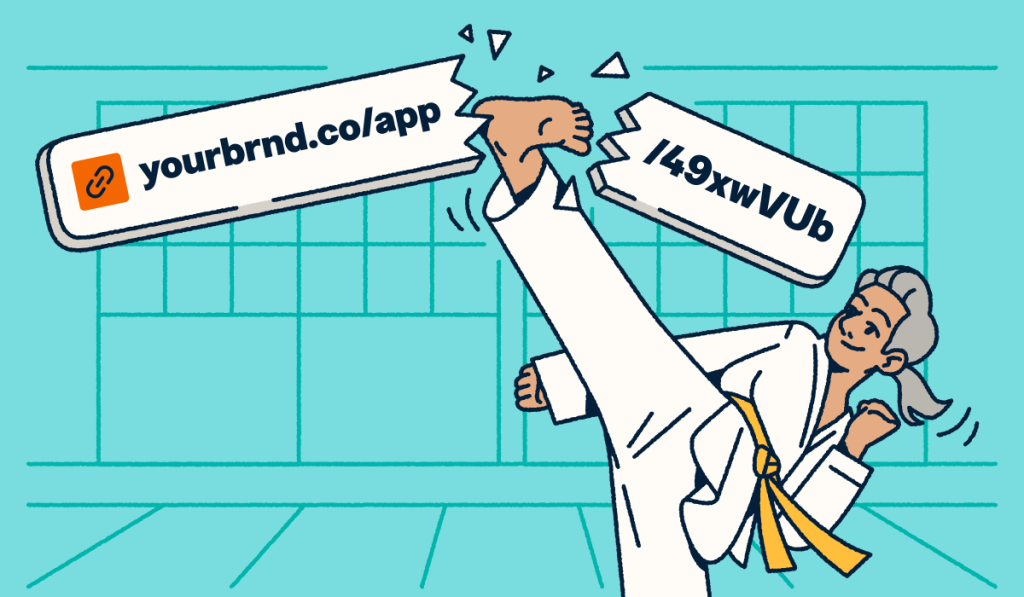
Naming a hyperlink means setting the visible display text people click, not rewriting the destination URL behind it. Naming a hyperlink can turn a long tracking string into a clear label your audience trusts at a glance.
Raw URLs show up everywhere, in docs, decks, email drafts, and shared folders. When a campaign link has lines of parameters, people hesitate. The message is hard to scan, and the destination feels less trustworthy before anyone even clicks.
Long, messy URLs slow readers down in Word, Outlook, Docs, Sheets, Excel, and emails. A short or branded link is much cleaner for channels that still show the raw URL.
Think in three layers: Display text, destination URL, and an optional short-link name (custom back half or branded domain). When the visible URL must work in SMS (text messages), print, or social media, use a clean, short link. Bitly creates trackable links so you can see what’s working, and this article talks about how.
Key Takeaways
- Name a hyperlink: Change the display text so readers see a clear label while the destination URL stays the same.
- Use descriptive anchor text: State the destination or action, not vague phrases like “click here.”
- Edit Text to display: Use Edit Hyperlink in Word and Outlook, and the Text field of the Insert link dialog when you insert a link in Google Docs.
- Treat short links differently: A custom back-half or branded domain renames the visible URL when editable hyperlink text is unavailable.
- Test every edit: Click the link after you change the name so you catch broken destinations early.
What naming a hyperlink actually means
Naming a hyperlink changes the clickable label (display text or anchor text). It does not automatically rewrite the underlying web address.
Three terms matter when people say they want to rename a link:
- Display text / link text / anchor text: What the reader sees and clicks.
- Destination URL: Where the click goes.
- Short-link name: The visible shortened address (custom back-half or branded short URL) in plain-text channels.
Here’s the same destination in three forms:
- Raw: https://example.com/resources/q3-report-final-v2?utm_source=email
- Named hyperlink: Download the Q3 report.
- Named short link: https://bit.ly/q3-report or https://yourbrand.co/q3-report.
People often say “rename the link” when they could mean any of those three layers. Help docs and AI answers push the same advice: Use a short, clear description instead of the full web address. Keep the destination correct, then make the visible name easy to read.
How to name a hyperlink in Word, Outlook, and email
In Microsoft apps, open Edit Hyperlink and update the Text to display field. Or select appropriate text first, then insert the link.
Microsoft Support explains creating or editing a hyperlink in Word. It also covers how to customize hyperlink text in Outlook.
Microsoft Word
To rename an existing link, right-click the hyperlink, choose Edit Hyperlink, replace the text in the Text to display field, then select OK.
To create a named link, type the anchor text first and select it. Go to Insert → Link (or right-click → Link), paste in the URL, and confirm the Text to display.
Optional ScreenTip text adds a hover label that explains the destination before someone clicks. Font and color changes only affect appearance. Neither renames the link nor changes whether it opens in the same window or a new one.
Outlook email
In a message, right-click the link, select Edit Hyperlink, update Text to display, and confirm. You can also select existing wording, choose Link, and paste the URL. Selecting existing wording before adding the link matters on mobile. Campaign URLs can span multiple lines within a message, making them unreadable.
Gmail and other rich-text email
To create a hyperlink in an email, select the display text you want people to click. Choose Insert link, then paste the URL. Labels vary by client, but the pattern stays the same: Friendly text first, destination second.
If the composer only auto-links pasted URLs, write the sentence first, then attach the link. Use the same approach to rename a hyperlink in an email after a raw address is already in the draft.
Troubleshooting callouts
If the app grays out “Text to display,” recreate the link on the selected text. Or remove the hyperlink and add it again. After a search-and-replace pass on visible URLs, re-check the underlying address.
| Tool | Open editor | Field to change | Save/test |
|---|---|---|---|
| Word | Right-click → Edit Hyperlink | Text to display | OK, then click link |
| Outlook | Right-click → Edit Hyperlink | Text to display | OK, then click link |
| Gmail | Select text → Insert link | Text + URL | Apply, then click link |
Plain-text channels still show the URL itself. When email, SMS, or social cannot hide the address, use a short or branded URL, as covered later in this guide.
Word on Mac and Word for the web
The same Text to display / Edit Hyperlink pattern applies across modern Word surfaces. Menu labels may vary slightly. If the classic dialog looks different, search Insert → Link and edit the display text there.
How to rename a link in Google Docs, Sheets, and Excel
Google Docs lets you edit both the Text and the URL in the link dialog. Sheets often uses the HYPERLINK formula for a visible label.
Google Docs
Select the linked text, click the link chip, and choose Edit. Change Text or URL to rename the label or update the destination.
You can also select text and go to Insert → Link. Fill the Text and Link fields. Use something descriptive rather than something simple like “click here.”
Google Docs Help for inserting and editing links covers both steps.
Google Sheets
Use a formula when many URLs live in a tracker sheet: =HYPERLINK(“https://example.com”,”Open report”). The first argument is the destination URL. The second is the visible label people see in the cell.
Excel
To rename a hyperlink in Excel, right-click a cell and choose Link or Edit Link. You can also use the HYPERLINK function to display a friendly name in a cell.
Change the display text when the editor allows it. Avoid pasting a raw URL as the only cell value.
PowerPoint
Highlight the object or text, then go to Insert → Link. Set the address and edit the text box copy for the visible name.
Some mobile apps and plain comment fields auto-link URLs. They never offer renamed display text. When an app or comment field auto-links raw URLs without renamed display text, use a short or branded URL you control.
Best practices for hyperlink names and anchor text
Strong hyperlink names describe the destination or outcome. People and assistive technologies then know what happens before they click.
- Use specific labels such as “View pricing,” “Download the onboarding PDF,” or “Read the Q3 report.”
- Match the name to the destination; do not use link text that misrepresents the destination.
- Keep names concise but complete; avoid stacking “link to” prefixes.
- Use consistent labels when many links go to the same place.
- Do not paste full tracking URLs as the only visible text when the editor supports display text.
Descriptive link text should communicate purpose in context for people and assistive technologies. It also aligns with Web Content Accessibility Guidelines.
The link’s role should be clear from the text and context. When practical, it should also make sense on its own in a screen-reader link list.
Descriptive anchor text also helps humans and search engines understand the destination. Mix natural phrasing rather than stuffing the same keyword into every link.
| Weak name | Stronger name |
|---|---|
| Click here | Download the brand guidelines (PDF) |
| https://site.com/a/long/path?x=1 | Open the campaign brief |
| Learn more | See Growth plan pricing |
Long UTM strings (campaign-tracking codes in a URL) amplify the problem. As one marketing specialist noted in the Bitly 2026 Customer Survey, long UTM URLs look cluttered and harder to trust.
When a short or branded link is the better “name”
Rename hyperlink text inside documents when you can. Use a short or branded link when the URL itself must stay visible, printable, or editable after you share it.
Short links fit situations where the raw address shows:
- SMS blasts, social bios, and slides that print the URL on-screen
- Print and packaging
- Partner or affiliate URLs packed with parameters
- Links already sent that need a destination URL change later
Bitly shortens any long URL and lets you set a custom back-half so the path reads something like bit.ly/q3-report. Branded links on a custom domain add your domain to the visible address (as in, yourdomain.com/q3-report).
AI-assisted back-half suggestions help when you need ideas for the back half. On paid plans, you can redirect any shortlink without having to rebuild or reshare it. You can also update titles and tags to keep track of all your campaigns when you review performance in Bitly Analytics.
Short links typically use a permanent HTTP 301 redirect. The visible name stays stable while the destination can move. Bitly does not replace Word or Docs Text to display controls. It renames and manages the raw short link asset you share across channels.
See how to shorten a URL and grow your brand with short links. Branded links see a 2.3x increase in clicks compared to unbranded links. If you need to edit a link in Bitly after you publish it, you can update the destination and metadata in one place.
Custom back-half vs display text checklist
- Need readable text inside a Word or Google doc? → Display text
- Need a clean URL in SMS, print, or social? → Custom back-half / branded domain
- Need to change the landing page after sending? → Editable short link destination
- Need click reporting across channels? → Short link analytics
Affiliate paths often need both layers: Descriptive display text and a short, trackable URL. An affiliate link shortener workflow keeps long strings manageable.
Common mistakes when you rename a hyperlink
Most failures start with editing the label without verifying the destination. Others come from channels that cannot store display text at all. Common failure paths include:
- Changing visible text while leaving a wrong or broken URL
- Deleting the hyperlink formatting while typing inside the link
- Misleading names that do not match the landing page
- Assuming a PDF (Portable Document Format) export or image export will keep clickable names (Canva and many other PDF exports drop live link behavior)
- Trying to “rename” a raw URL in a plain comment box instead of using a short link
- Editing a short-link back-half without checking whether a prior path remains reusable on the same domain
Run a 30-second quality assurance (QA) checklist before you send any new link or link text. Click the link and open it on mobile. Skim the link text the way a screen reader list would. Confirm required UTM parameters still sit on the destination.
Strong link management habits like clear names, verified destinations, and consistent labels catch most issues early.
Make every link name clear, clickable, and on brand
Good hyperlink names remove friction. Short, branded links extend that clarity wherever the URL still appears. Teams can see the connection between the message and the result.
This week, audit one doc and one campaign. Practice how to name a hyperlink with descriptive display text where you can. Use custom back-halves wherever the address must stay visible.
Ready to begin putting the power of custom short link names to work for your organization today? Get started for free.
Frequently Asked Questions
This section answers common questions on renaming hyperlink text and choosing anchor text. It also covers when a short link is better.
How do I rename a hyperlink?
Open the link editor in your app. Change the Display text or the Text to display field. Keep or update the destination URL, save, then click the link to confirm it still works.
How do I name a hyperlink in Word?
Select or right-click the hyperlink, then choose Edit Hyperlink. Replace the Text to display value with your friendly label. Confirm the Address field, then select OK.
How do I edit the name of a hyperlink in Outlook?
Right-click the link in your message and select Edit Hyperlink. Update Text to display, then select OK so recipients see clear wording instead of a long URL.
What is the difference between link text and the URL?
Link text is the clickable label people see. The URL is the destination address behind that label. You can change one without automatically changing the other.
Is a short link the same as a renamed hyperlink?
No. Renaming a hyperlink changes the display text within a document or page. A short link changes the visible URL itself and redirects to the destination.
Short links help in SMS, print, and other plain-text places.
How do I rename a link when the app only shows the raw URL?
If the channel cannot store display text, create a short link with a custom back half or a branded domain. Share the short link so the visible URL stays readable.
Can I change a link after I already shared it?
You usually cannot edit a raw URL inside someone else’s email or PDF. If you shared a short link that supports redirects, update the destination in your link manager. Keep the same visible link.
More Articles

More than a link shortener
Knowing how your clicks and scans are performing should be as easy as making them. Track, analyze, and optimize all your connections in one place.



