Small business branding works when customers recognize you in every channel, including the short links and QR Codes they use to reach your site. Without this focus, teams define logos and colors that build your brand, then generic links, plain QR Codes, and mismatched destinations undo that recognition.
Branded links and custom QR Codes turn everyday clicks and scans into consistent, branded touchpoints you can measure.
Bitly is the marketing platform that helps businesses of all sizes see what’s working, simply and clearly. This guide will help you set a brand baseline, launch branded links and QR Codes, publish one hub, and accurately review performance.
Key takeaways
- Small business branding sticks when identity shows up the same way in social, email, packaging, and shared destinations.
- Branded short links and custom domains keep your business name visible in every URL you share, which supports recognition and trust.
- Custom QR Codes carry your colors and logo into print and packaging. They stay editable and trackable when you choose Dynamic QR Codes like the ones Bitly offers.
- Brand consistency across clicks and scans compounds faster than one-off logo work because customers meet your brand in motion.
- Bitly Analytics shows which branded links and QR Codes earn engagement, so you can invest more in what builds recognition.
What small business branding means for everyday channels
Small business branding is how customers learn to recognize and trust your business across every interaction, including links and QR Codes. Branding encapsulates who you are and what you promise. Marketing is how you carry that story into the channels people already use.
Purpose, audience, voice, and visuals still matter. Execution fails when the destinations you share look generic. Customer experience, packaging, reviews, and word-of-mouth all reinforce the same promise when every touchpoint matches.
Links and QR Codes are brand media. They can appear in bios, ads, packaging, signage, SMS, and email more often than the logo itself.
Treat each shared URL and code as a small branded asset. Put your name, look, and promise into it. That’s how everyday small business branding stays visible between campaigns.
| Brand signal | Where customers see it | Bitly asset |
|---|---|---|
| Name in URL | Social posts, email, SMS, ads | Branded short links and custom domains |
| Visual code | Packaging, signs, flyers, cards | Custom QR Codes with logos and brand colors |
| Post-click page | Mobile browsers after a tap or scan | Bitly Pages and on-brand landing destinations |
| Performance proof | Campaign reviews and channel planning | Bitly Analytics on clicks and scans |
When those signals stay consistent, customers understand the connection faster. They know they’re still with you at first glance, from the link to the page that opens. That’s how brand recognition builds in motion.
Set a simple brand baseline for links and codes
You only need a lightweight baseline before you brand links and QR Codes. Capture the essentials on one page so every teammate and freelancer applies the same small business branding rules.
Skip the agency-sized brand book. A one-page system is enough to keep voice, visuals, and destinations aligned.
Write down:
- Business name style (exact spelling, capitalization, and any short form)
- Primary audience in one sentence
- One clear promise customers should feel after every click or scan
- Two or three voice traits (like “clear, friendly, and confident”)
- Primary brand color and a logo mark that still reads when small
Those notes cover the core of brand identity for a small team: Name, promise, voice, color, and mark. Add a short message line for offers and a “do not say” list if freelancers help with copy. Keep costs near zero by reusing the same rules across social, email, packaging, and ads.
Set URL rules next. Choose a preferred custom domain pattern, a readable back-half naming style, and words to avoid. A back-half is the custom end of a short link. Keep back-halves short, scannable, and campaign-specific, like yourbrand.co/summer-sale.
Define QR Code rules in the same document. Require:
- Colors with strong contrast
- Logo usage
- Frame or call-to-action (CTA) text
- Minimum print size
- A quiet zone around the code
Point every branded link and QR Code to destinations that match the same promise and visual system.
Build recognition with branded short links
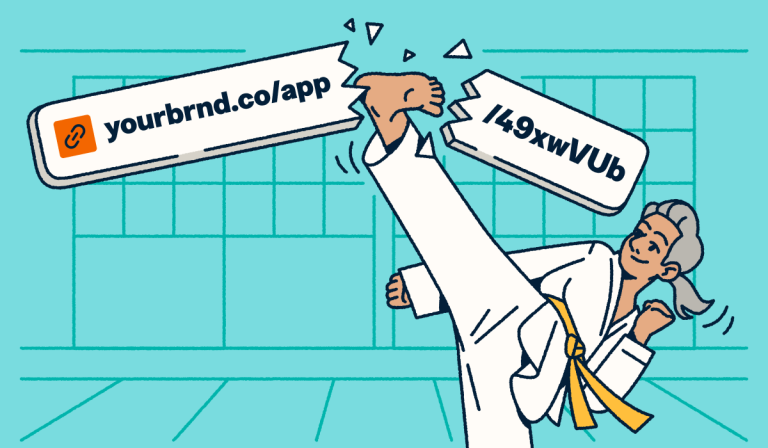
Branded short links put your name in the URL, so every share reinforces identity before the click. Pair a custom domain with a custom back-half so people see your business and a clear, readable path.
That habit works whenever people hover, copy, or forward a link. It turns everyday URLs into small business branding media.
Use branded short links anywhere customers decide in a second:
- Social posts and profile CTAs
- Email buttons and signature links
- SMS offers and appointment reminders
- Influencer partnerships and paid ads
- Sales follow-ups and proposal links
Branded URLs look intentional. They make destinations easier to recognize at the moment of the tap.
Our data shows a 2.3x increase in clicks for branded links versus unbranded ones. That lift shows up in the channels you already run.
Marketing and advertising executive Francesca A. puts it plainly: Branded links allow you to share URLs that are not “500 miles long.” Shorter, named destinations earn more trust.
Start with a URL shortener workflow that standardizes custom domains and back-halves. Then use our branded links guidance so every team shares one consistent naming pattern. For more channel ideas, see our article on how short links help you grow your brand.
Design custom QR Codes that stay on brand
A custom QR Code should look like your brand and still scan reliably. Add:
- Your logo
- Brand colors
- High contrast
- A clear frame
- Short CTA text
Choose a dynamic code so you can update the destination and track scans after print.
Place on-brand codes where offline moments become digital actions:
- Product packaging and inserts
- Window signs and counter cards
- Flyers and posters
- Event badges and booth materials
- Business cards and leave-behinds
The post-scan experience must continue the same brand cues. If the code looks on brand and the landing page looks unrelated, recognition breaks at the exact moment of intent. Our data shows a 3.8x increase in scans for customized QR Codes versus plain ones. Design is part of performance, not decoration.
One director of social media for a small professional services company highlights the value of customized QR Codes for visual branding. Use Bitly to pair that look with scans you can track and a destination you can edit after print.
For more inspiration, review our guides to QR Code branding, creative QR Code design, and QR Codes for small businesses.
Create one branded hub for social and campaigns
Small businesses need one mobile page that collects several key actions and still feels like one cohesive branded experience. Bitly Pages give you a no-code, mobile-optimized solution for creating link-in-bio hubs, campaign pages, or digital business cards.
Your page should include modules customers expect to find fast:
- Shop or booking form
- Contact
- Current offer
- Reviews or social proof
- Primary social profiles
Host the hub on a branded destination so social and email traffic lands in the same visual system. Keep offers, reviews, and contact paths current so every visit feels relevant and on brand.
Keep brand consistency across every click and scan
Brand consistency means every shared destination matches your name, look, and promise. Lucidpress reported in 2019, via PR Newswire, that consistent branding can lift revenue by up to 33%.
Consistency is not just design polish. It’s a commercial advantage. Capital One Shopping’s 2026 roundup notes that most consumers (88%) only buy brands they trust.
Audit the connection assets customers actually use:
- Social bio URL
- Email CTAs and signature links
- SMS links
- Print QR Codes on flyers and posters
- Packaging codes
- Ad destinations
- Offline event materials
| Channel | Generic asset | Branded Bitly asset | Recognition benefit |
|---|---|---|---|
| Instagram bio | Unlabeled short URL | Branded link to a Bitly Page | Name stays visible before the tap |
| Email CTA | Long raw URL | Branded short link with clear back-half | Trust rises in the inbox |
| Retail packaging | Plain black-and-white code | Custom QR Code with logo and colors | Packaging reinforces identity at shelf |
| Event poster | Generic code to a mixed page | Branded code to a matching campaign page | Offline traffic feels on brand |
| SMS offer | Unfamiliar short link | Branded link with readable path | Customers recognize the sender faster |
Redirects and dynamic QR Codes protect consistency when campaigns change. Update the destination so you can skip sign reprints and email rebuilds.
Salesforce customer engagement research also shows demand for personalization at scale across digital touchpoints. Every click and scan should feel like the same business.
Measure brand signals with clicks and scans
Measure branding by tracking which branded links and QR Codes people actually use. Bitly Analytics centralizes data about clicks, scans, referrers, devices, locations, and campaign comparisons.
Use a simple review cadence:
- Weekly: Spot-check top links and codes for engagement spikes or drops
- Monthly: Clean up off-brand destinations and retire weak generic assets
- Quarterly: Refresh creative on high-traffic codes and expand winning back-half patterns
Let the data help you see patterns across channels. Expand high-performing branded codes into more locations, and localize offers by scan geography. Compare branded versus generic formats, then standardize the winners so you can do more of what works.
Put branded links and QR Codes to work this month
Small business branding becomes tangible when every click and scan looks like you. Use this four-week plan to turn branding for small businesses into measurable, on-brand connection assets.
- Week 1: Write the one-page baseline for name, promise, voice, color, logo, URL rules, and QR Code rules.
- Week 2: Launch your custom domain. Replace priority social, email, and SMS links with branded short links.
- Week 3: Place custom QR Codes in two offline spots, such as packaging and a window sign. Point both to on-brand destinations.
- Week 4: Publish a Bitly Pages hub for social and campaigns. Then review clicks and scans with simple clarity, so you can invest more in what builds recognition.
Ready to create branded links and custom QR Codes? Get started with Bitly now and take charge of your small business branding today.
Frequently Asked Questions
These answers cover the most common small business branding questions about links, QR Codes, and everyday recognition.
What is small business branding?
Small business branding is how customers recognize and trust your business across channels. It includes your promise and visuals. It also shows up in practical assets like branded links and custom QR Codes.
How is branding different from marketing for a small business?
Branding is the promise, identity, and reputation customers remember. Marketing involves overseeing the campaigns and channels that carry that promise to market. Strong branding makes every marketing click and scan feel like the same business.
Why do branded links matter for brand recognition?
Branded links keep your business name in the URL people share and tap. That repeated name exposure supports recognition and makes destinations feel more trustworthy than generic short links.
How do you create a branded QR Code for a small business?
Use your logo, brand colors, and a clear scan CTA. Keep strong contrast and a quiet zone. Choose a dynamic QR Code so you can update the destination and track scans after print.
What is the difference between branded and generic short links?
A branded short link uses your custom domain and a readable back-half. A generic short link hides your brand name and weakens consistency across campaigns.
How can a small business use a link-in-bio page for branding?
Build one mobile hub with your colors, logo, and top actions. Include shop, book, and contact. Host it on a branded destination so social traffic lands in an on-brand experience.
How do you measure whether branding assets are working?
Track the signals that show branding assets are working:
- Clicks and scans by channel
- Branded versus generic asset performance
- Destinations that earn repeat engagement
Use those results to standardize the winners across campaigns.
More Articles


More than a link shortener
Knowing how your clicks and scans are performing should be as easy as making them. Track, analyze, and optimize all your connections in one place.