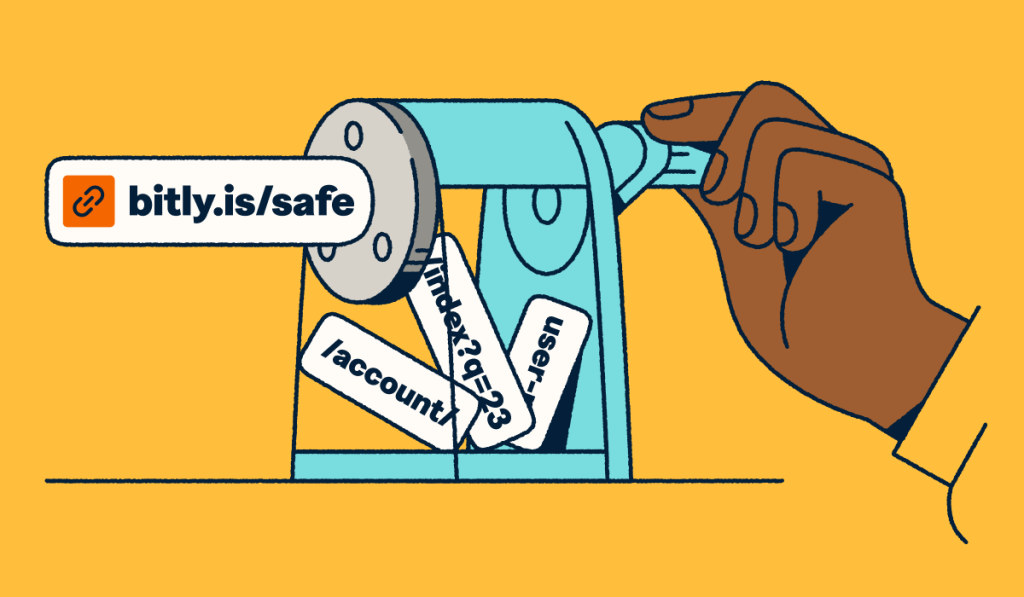
Link management is the practice of creating, organizing, customizing, tracking, and optimizing every URL a business shares across digital and physical channels. It gives marketing teams a single source of truth for understanding what’s driving clicks, scans, and conversions across campaigns. Without it, you’re left guessing which channels deliver results and which ones waste your budget.
The scale of link management today reflects how central it’s become to digital marketing. Bitly powers more than 100 billion clicks and scans annually, serving more than 3 million customers, including two-thirds of the Fortune 500. That volume shows how many touchpoints brands manage every day and why centralized tracking matters.
This guide covers what link management includes, the challenges it solves, key features to evaluate, and how it fits into a modern marketing tech stack. Whether you’re exploring your first link management tool or upgrading from a basic URL shortener, you’ll leave with a clear framework for choosing the right platform.
Key Takeaways
- Link management goes beyond URL shortening by combining branded links, real-time analytics, and campaign attribution into a single platform.
- Centralized link tracking eliminates guesswork by showing exactly which channels, campaigns, and content drive the most engagement.
- Branded short links build audience trust and have been shown to double click-through rates in contexts where the URL is visible to the reader.
- A link management platform fits between your content tools and analytics platforms, connecting every digital and physical touchpoint to measurable outcomes.
- Bitly enables teams to create, customize, and track short links, QR Codes, and landing pages from a single dashboard.
What is link management?
Link management is the process of creating, shortening, branding, organizing, and analyzing every URL a business shares, across email, social media, SMS, paid ads, print materials, and offline touchpoints.
In practice, link management covers a range of activities that turn raw URLs into strategic marketing assets:
- Shortening long URLs into clean, branded links.
- Customizing link back-halves with descriptive text.
- Tagging links with UTM tracking parameters for campaign attribution.
- Tracking click and scan data in real time.
- Organizing links by campaign, channel, or team.
Bitly is a leading link management platform that handles all of these functions from a single dashboard. It transforms every link into a branded, trackable touchpoint that feeds analytics data back to your marketing stack.
Link management applies to both internal and external tracking. Internal link management covers the URLs you use within your own properties (website navigation, cross-linking between pages). External link management focuses on the links you share outward: Social posts, email campaigns, SMS blasts, paid ads, and physical materials like packaging or signage.
Most marketing teams need a platform that handles the external side, where click attribution and brand consistency matter most. Every link you share publicly is a chance to reinforce your brand, capture engagement data, and understand your audience’s behavior across touchpoints.
URL shortener vs. link management platform
A URL shortener compresses long web addresses into shorter, more shareable links. A link management platform includes that capability and builds a full set of tools around it. Here’s how they compare:
| Feature | URL shortener | Link management platform |
|---|---|---|
| Shorten long URLs | ✓ | ✓ |
| Custom-branded domains | ✗ | ✓ |
| Real-time click analytics | Limited | ✓ |
| UTM parameter management | ✗ | ✓ |
| QR Code creation | ✗ | ✓ |
| Landing page builder | ✗ | ✓ |
| API and integrations | Limited | ✓ |
| Team permissions and governance | ✗ | ✓ |
The core difference comes down to control and visibility. A free URL shortener gives you a compressed link with minimal data. A link management platform gives you branded domains, granular analytics, team collaboration tools, and the ability to edit link destinations after publishing. You’re managing strategic assets, not just shortening text strings.
For teams running campaigns across multiple channels, the distinction matters. When you can’t see which version of a link drove conversions, or you can’t update a destination after printing a QR Code, you lose flexibility and insight. A link management system solves both problems by keeping everything editable, trackable, and organized in one place.
Bitly scales from simple shortening to full enterprise link management. You can start with a free shortened link and expand into branded links, custom domains, QR Codes, landing pages, and API-powered automation as your needs grow. That makes it the right fit whether you’re a solo marketer testing your first campaign or a global team managing thousands of links across markets.
Common challenges in link organization and tracking
Managing links across multiple channels
Marketing teams share links in dozens of places: Email newsletters, social posts, paid ads, SMS campaigns, blog content, and physical materials. Without a centralized organizational framework, links scatter across spreadsheets, browser bookmarks, and individual team members’ accounts. This fragmentation makes it nearly impossible to maintain consistent branding or find a specific campaign link when you need it.
The problem compounds as teams grow. Each new team member creates links in their own way, with different naming conventions, inconsistent UTM structures, and no shared visibility into what already exists. A link management platform solves this by storing every link in a single searchable, filterable dashboard, where teams tag links by campaign, channel, or date, and everyone works from the same source of truth.
Losing insight from untracked links
Every untracked link represents a blind spot in your marketing data. When you share a raw URL or a generic shortened link without UTM parameters, you can’t see how many people clicked, where they came from, or what device they used. That data gap makes optimization impossible because you’re flying blind on which content resonates with your audience.
This challenge shows up most clearly in reporting. When leadership asks which campaign drove the most engagement last quarter, teams without centralized link tracking can’t answer with confidence. They’re left piecing together data from multiple platforms, often missing clicks that happened outside their primary analytics tool.
Centralized link tracking automatically captures engagement metrics. Every branded link and QR Code records clicks, scans, geographic data, device type, and referral source, giving you a complete picture of performance without manual tagging or cross-referencing between tools.
Measuring campaign performance in a privacy-first world
Marketing attribution has grown harder as privacy regulations and browser changes reduce the effectiveness of third-party cookies and cross-device tracking. As Braze explains in their overview of marketing attribution challenges, privacy changes have made attribution harder because fewer customer actions can be observed across devices. Teams that relied on pixel-based tracking now face significant gaps in their data.
Centralized link analytics provide an independent data layer that doesn’t rely on cookies or third-party scripts. When you tag every link with UTM parameters and track clicks through a platform like Bitly, you capture first-party engagement data that flows directly into your analytics tools. This setup gives you an attribution signal that remains reliable regardless of browser privacy settings or platform restrictions. The link itself becomes the tracking mechanism.
Each click on a branded Bitly link generates a first-party data point that your team owns, independent of ad platform pixels or browser cookies that may be blocked.
Benefits of effective link management
1. Improved analytics
Bitly captures click volume, geographic location, device type, referral source, and time of engagement for every link and QR Code. This granular data shows you exactly what’s working and what isn’t, down to the individual link level.
Branded links also outperform generic shortened URLs in engagement. In a Branch.io study on branded link performance, branded links doubled click-through rates compared to generic links when ad preview images were removed, showing that brand recognition in the URL itself drives trust and clicks. That performance lift compounds across campaigns where the link is visible as text rather than hidden behind a preview card.
Bitly Analytics provides real-time performance data across all your links and QR Codes, driving smarter marketing decisions.
2. More efficient marketing
Centralized link management eliminates the manual work of creating, tagging, and organizing URLs across tools. Instead of building links in spreadsheets and manually adding tracking parameters, you can create branded, tagged links in seconds from a single dashboard. Those time savings add up fast when you’re launching multi-channel campaigns with dozens of unique touchpoints.
For teams running high-volume campaigns, the Bitly API automates link creation, tagging, and data retrieval programmatically. You can generate thousands of branded links in a single batch and pull performance data directly into your reporting tools without manual exports or copy-paste workflows.
3. Optimized resource allocation
When you can see exactly which channels drive the most clicks and conversions, you can allocate budget with confidence. Link management data shows you which campaigns deserve more investment and which ones underperform, replacing gut instinct with hard numbers.
This clarity on ROI helps teams justify spending decisions with evidence rather than assumptions. If social drives three times the engagement of display ads for a specific campaign, you can shift budget accordingly and measure the impact of that shift in real time. Over the course of a quarter, these data-driven reallocations translate into meaningful efficiency gains.
4. Improved collaboration
Teams using a link management platform share a single dashboard with organized campaigns, consistent naming conventions, and role-based permissions. Everyone sees the same data, uses the same branded links, and follows the same tagging standards. New team members get up to speed quickly because the system enforces structure from day one.
This consistency matters at scale. When multiple team members create links independently without shared standards, you end up with duplicate links, inconsistent branding, and fragmented data that no one can reconcile. A centralized platform prevents that by enforcing structure and giving every stakeholder visibility into the full picture of campaign performance.
Key features to look for in a link management platform
Not all link management platforms offer the same capabilities. Here’s what to prioritize when evaluating a link management tool for your team:
- Custom branded domains: Replace generic short URLs with your brand name to build recognition and trust. Bitly lets you connect your own custom domain so every link reinforces your brand identity, no matter where it’s shared.
- Real-time click and scan analytics: Track engagement by channel, device, location, and time as it happens. Bitly’s analytics dashboard gives you immediate visibility into performance without waiting for daily reports.
- UTM parameter management: Automate consistent campaign tagging so attribution data flows cleanly into your analytics platform. Bitly’s UTM builder standardizes parameters across your team and eliminates manual tagging errors.
- QR Code generation: Extend link management to offline touchpoints such as packaging, signage, and event materials. Bitly Codes connect physical experiences to digital tracking with scan data that matches your link analytics.
- Link editing and redirects: Update destinations without reprinting materials or losing historical data. Bitly lets you redirect any link at any time, so you’re never locked into a URL after publishing and don’t have to worry about changing a link name across different documents later.
- Geotargeting and dynamic routing: Direct users to different destinations based on location, device, or language. A single Bitly link can serve localized content to audiences worldwide without creating separate links for each market.
- Team permissions and governance: Control who can create, edit, and view links across your organization. Bitly supports role-based access, groups, and SSO for teams of any size.
- API access and integrations: Connect link data to your existing marketing stack. The Bitly Marketplace features direct no-code integrations for dozens of platforms you likely already use, with 3,400+ second-party integrations available through Zapier and other connectivity frameworks. Want to roll your own? Our comprehensive API lets you automate link creation, management, and reporting with bespoke precision.
Link management in a marketing tech stack
Link management sits at the center of your marketing workflow, connecting the tools that create content to the platforms that measure results. Understanding where it fits helps you get the most value from your existing investments.
Upstream (content creation): Your CMS, social media schedulers, email platforms, and design tools produce the content and campaigns that need links. This is where you write blog posts, design emails, build social calendars, and create the assets that will eventually reach your audience.
Link layer (where Bitly sits): Before any content reaches your audience, it passes through the link layer. Here, you create branded short links, add UTM parameters for attribution, generate QR Codes for physical materials, and set up tracking. Bitly handles this step, turning every URL into a branded, measurable touchpoint that connects your content tools to your analytics.
Downstream (analytics and attribution): Click and scan data from your links flows into analytics platforms like Google Analytics and Adobe Analytics, CRM systems like Salesforce and HubSpot, and attribution tools that map customer journeys across touchpoints.
The workflow looks like this: Your team creates content, then generates branded links with UTM parameters via Bitly. Those links get distributed across channels (email, social, SMS, print, packaging). As audiences engage, click and scan data flows back through Bitly into your downstream analytics, giving you a complete view of what drove results at every stage.
Bitly’s integration ecosystem connects with tools your team likely already uses. The API supports programmatic link creation at scale, and marketplace integrations with platforms like HubSpot, Salesforce, Shopify, and Slack keep link data flowing without manual work. We built Bitly to provide the best, most streamlined support for digital marketing teams.
How businesses use link management
Cross-channel campaign tracking
Marketing teams create different branded links for each channel in a campaign: One for email, one for organic social, one for paid social, one for SMS, and one for any print or offline placement. Each link carries unique UTM parameters that identify the source, medium, and campaign name so clicks flow into analytics with clean attribution.
This structure lets you compare channel performance side by side in Bitly’s dashboard. You can see that your email link generated 5,000 clicks while your paid social link drove 12,000, then drill into geographic and device data for each. Campaign-level organization in Bitly keeps all related links grouped together, making it simple to pull performance reports without digging through hundreds of unrelated links.
The result: You know exactly which channels earn the most engagement for each campaign and can reallocate budget and effort accordingly. Over time, this data builds a performance baseline that makes future planning faster and more accurate.
Event marketing
Events generate dozens of touchpoints that benefit from link management. QR Codes on signage, banners, and name badges give attendees instant access to schedules, resources, and registration forms. Branded links in email invitations and follow-up messages let you track engagement before, during, and after the event.
Each touchpoint captures scan and click data, showing you which materials drove the most engagement. Post-event, you can compare QR Code scans from different signage locations or track how many attendees clicked your follow-up links. This data helps you optimize placement, messaging, and timing for future events.
Because Bitly links are editable, you can also update link destinations in real time during an event (redirecting a QR Code from a registration page to a live agenda, for example) without reprinting any materials.
A/B testing
Link management simplifies A/B testing by giving you distinct, trackable URLs for each variant. You can test different subject lines, creative assets, CTAs, or landing pages by sending different segments of your audience to unique branded links.
Our short link tracking and analytics show which variant earned more clicks, from which locations, and on which devices. Because each link captures data independently, you get clean results without relying on complex testing infrastructure or additional tools.
This approach works across channels. Test two different email CTAs, compare social ad creatives, or measure whether a specific landing page converts better than your homepage. Each test generates clear, link-level data you can act on immediately. You don’t need a dedicated A/B testing tool for every experiment; branded links with unique back-halves offer a lightweight way to validate hypotheses quickly.
Geotargeted and dynamic experiences
A single branded link or QR Code can route users to different destinations based on their location, device, or language settings. This capability lets global brands deliver personalized experiences without creating separate campaigns for each market.
For example, a QR Code on product packaging can direct users in the United States to an English-language support page and those in Japan to a Japanese version. This feature also applies to device-based routing. You can send mobile users to an app download page while directing desktop users to a web experience, all from the same branded link. The result is a smoother user experience and higher conversion rates without multiplying your campaign assets.
Start managing links with Bitly
Link management turns every URL into a trackable, branded touchpoint that connects marketing efforts to measurable results. It gives your team visibility into what’s driving engagement across every channel, the tools to maintain brand consistency at scale, and the data to allocate resources with confidence.
Whether you’re tracking links across social campaigns, generating QR Codes for packaging, or building landing pages for product launches, centralized link management simplifies your workflow and sharpens your attribution. And because Bitly captures first-party click data that doesn’t depend on cookies or third-party scripts, your measurement stays reliable even as privacy standards evolve.
Get started with Bitly today to see how centralized link management can simplify your campaigns and sharpen your attribution.
Frequently Asked Questions
What is the difference between a URL shortener and a link management platform?
A URL shortener compresses long web addresses into shorter links for convenience. A link management platform does this and more: It adds branded custom domains, real-time analytics, UTM parameter management, QR Code creation, team permissions, and API access. Think of a URL shortener as one feature within the broader link management toolkit. Bitly provides both: you can shorten a single link for free, or manage thousands of branded links across campaigns with full analytics on a paid plan.
How does link management help with marketing attribution?
Link management creates an independent tracking layer that captures click and scan data regardless of browser cookies or cross-device limitations. Every branded link and QR Code records who clicked, when, from which channel, and on what device. When you tag links with UTM parameters, this data flows directly into your analytics platform, giving you clear attribution for every campaign touchpoint.
What is geotargeting in link management?
Geotargeting in link management routes users to different destination URLs based on their geographic location. For example, a single branded link can send users in the United States to an English-language landing page while directing users in Germany to a German-language version.
What features should I look for in a link management tool?
Prioritize these features: Custom-branded domains for trust and recognition, real-time click analytics for performance visibility, UTM parameter management for consistent campaign tracking, QR Code generation for offline touchpoints, link editing for flexibility after publishing, team permissions for governance, and API access for connecting link data to your existing tools. A platform that combines all of these, like Bitly, eliminates the need to piece together multiple point solutions.
How does Bitly compare to other link management platforms?
Bitly is the most widely adopted link management platform, powering more than 100 billion clicks and scans annually for over 3 million customers. It combines URL shortening, branded links, QR Codes, landing pages, and analytics in a single platform. While basic shorteners stop at compression, Bitly offers enterprise-grade features such as custom domains, API access, team permissions, and integrations with marketing tools, including Google Analytics, Salesforce, and HubSpot.
Can I use link management for offline marketing?
Yes. QR Codes extend link management into physical environments, including packaging, signage, business cards, direct mail, event materials, and product displays. Each QR Code is a scannable branded link that captures the same engagement data as a digital click, giving you attribution for offline touchpoints that were previously unmeasurable.
More Articles

More than a link shortener
Knowing how your clicks and scans are performing should be as easy as making them. Track, analyze, and optimize all your connections in one place.



