
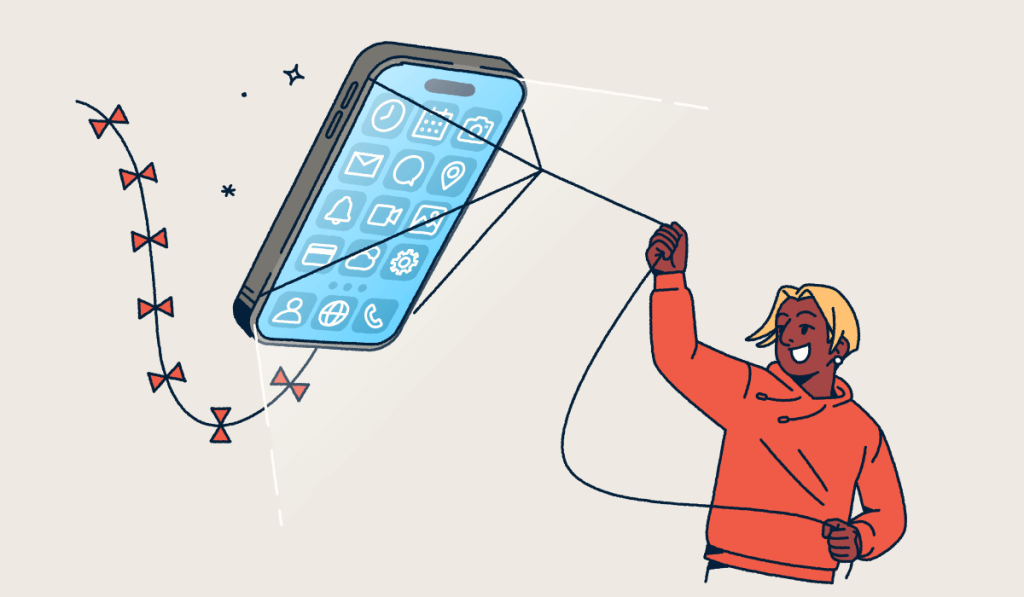
Mobile deep links are URLs that take users directly to a specific page within an app, bypassing the homepage. Marketers use them to build seamless journeys, moving people from a text, email, or social post straight to the content they came for. That shortcut lifts engagement and conversions. When every tap lands exactly where it should, your audience spends less time searching and more time acting on your offer. This article looks at how mobile deep links work.
Note: The brands and examples discussed below were found during our online research for this article.
Key Takeaways
- Mobile deep links route users directly to a specific in-app page rather than the app homepage, reducing navigation friction and boosting engagement.
- Universal links (iOS) and app links (Android) are the modern, secure standards that replace older custom URI schemes and open content in the app when it’s installed or the web page when it isn’t.
- Deferred deep links preserve the destination for users who don’t have the app yet, sending them to the app store first and then to the intended page after installation.
- Firebase Dynamic Links shut down on August 25, 2025, so teams relying on them need to move to universal links, app links, and a link management platform like Bitly.
- Bitly creates, shortens, and tracks deep links in one place, so marketers can measure clicks, locations, and devices across every campaign.
What are mobile deep links?
A mobile deep link is a URL that opens a specific screen inside an app rather than the app’s homepage or a mobile website. Marketers commonly place these links in SMS campaigns, email, and social media posts, where a single tap carries someone to exactly the right spot.
Picture a promotional email announcing a flash sale. A standard link drops shoppers on your app’s home screen, where they still have to search for the featured product. A deep link opens that exact product screen instead, so they can add the item to their cart in seconds. That single step can be the difference between a completed purchase and an abandoned session.
Regular mobile links can’t do this on their own. A plain URL opens a browser or an app’s front door and then leaves the user to navigate the rest of the way. A deep link carries the full destination, which is what makes mobile app deep linking so valuable across retail, media, and hospitality.
Deep links vs. short links: What’s the difference?
A short link is a shortened, trackable URL that points to any web destination. A deep link routes a user to a specific location inside a mobile app. The two solve different problems. Short links make any URL cleaner and measurable, and deep links control where a tap lands once someone opens your app.
They work best together. With Bitly, you can shorten and brand a deep link so it stays clean for SMS, social, and print while still opening in-app. A branded short link builds recognition and trust before the tap, and it captures the click data you need to measure the campaign.
In practice, you reach for a short link any time you want a tidy, on-brand URL for a web page. You add deep linking when your audience already has your app. Combining both gives you one link that looks professional, tracks reliably, and opens in the right place. That’s the difference between a deep link and a short link: one controls the in-app destination, and the other makes any URL cleaner and measurable.
| Short link | Deep link | |
|---|---|---|
| What it opens | Any web page in a browser | A specific screen inside a mobile app |
| Best use | Clean, branded, trackable URLs for any channel | Frictionless routing for users who have your app |
Types of mobile deep links
Mobile deep linking relies on four building blocks: custom URI schemes, universal links on iOS, app links on Android, and deferred deep links. Each handles the handoff between a link and an app differently, and knowing the difference helps you choose the right setup for your campaigns.
URI schemes
Custom URI schemes were the earliest way to open an app from a link. A scheme like myapp://path points directly at an app. It only works when that app is already installed, and it offers no built-in fallback. If the app is missing, the tap fails with an error.
Today, teams consider URI schemes less secure, and they are less common than the HTTPS-based standards that followed. They still appear in older integrations, so it helps to recognize them when auditing existing links.
Universal links (iOS)
Apple introduced universal links with iOS 9. They’re standard HTTPS URLs that open your app when it’s installed or your web page when it isn’t. This single link type removes the guesswork of older schemes and keeps the experience smooth either way.
Universal links require an apple-app-site-association file hosted on your domain to connect your site to your app. That verification step is what makes them more secure than a custom scheme.
App links (Android)
Google’s app links are the Android counterpart to universal links. They’re verified HTTPS deep links that skip the disambiguation dialog asking which app should open a URL. App links work on Android 6 and later, and Android 15 added Dynamic App Links for on-the-fly URL matching without shipping a new app release. That flexibility makes it easier to add or change deep link destinations as campaigns evolve.
Because the domain is verified, users land in your app without an extra prompt. That verified path makes an app link feel instant rather than clunky, and it protects your brand from other apps claiming your URLs.
Deferred deep links
Deferred deep links protect the destination for users who don’t have your app yet. The link detects whether the app is installed. If it isn’t, the link routes the user to the app store and then delivers them to the intended page after installation. The original intent survives the download, so a first-time user still lands on the product or article you promoted.
This makes deferred deep linking especially useful for install campaigns where the first session sets the tone. Without it, new installs open to a blank home screen, and the context that earned the tap is lost.
| Type | How it works | Works without an app installed? | Platform |
|---|---|---|---|
| URI scheme | Opens an app via a custom scheme like myapp:// | No | iOS and Android |
| Universal link | HTTPS URL opens the app or falls back to the web | Yes, opens the web page | iOS |
| App link | Verified HTTPS URL opens the app without a dialog | Yes, opens the web page | Android |
| Deferred deep link | Routes to the app store, then to the page after install | Yes, after install | iOS and Android |
How to use mobile deep links across channels and industries
Mobile deep links work across nearly every channel where you share a link, and the right channel often depends on your industry. The goal stays the same everywhere: Connect a tap to the exact in-app screen that moves someone forward. That destination logic works the same whether the link lives in a text or on a printed flyer.
Here are the channels where deep links deliver the most value:
- Website-to-app: Send mobile web visitors into your app for a richer, faster experience.
- SMS-to-app: Announce a sale or product drop by text and open the offer in-app.
- QR Code-to-app: Turn flyers, packaging, and print ads into app entry points with QR Codes.
- Email-to-app: Route newsletter readers to in-app articles, recipes, or products.
- Social-to-app: Move followers from Instagram, TikTok, or LinkedIn straight into your app.
- Ad-to-app: Convert paid search and display clicks into engaged app sessions.
Industries put these channels to work in different ways. E-commerce brands drop deep links in email to open in-app product and recipe screens. Hospitality and quick-service restaurants use them to promote in-app ordering. Entertainment services pair deep links with personalization to surface relevant shows the moment a viewer taps.
Retail teams see similar gains. Eyewear brand AC Lens used Bitly Links in SMS campaigns to boost conversion rates. For a wider view of where these tactics fit, read our guide to mobile marketing strategy.
Channel choice matters more than many marketers expect. Research from Mobot found that 51% of deep link opportunities go unattempted, and success rates vary widely by channel.
Email and search deep links succeed far more often, at 88% in Gmail and 88% in the Google app. Social channels like Facebook see only 28.57% succeed. Testing your links on each platform keeps the experience reliable.
Tracking closes the loop on every channel. When you build deep links with Bitly, each one carries its own click data. You can then compare how SMS, email, and social perform side by side, and shift budget toward the channels that actually open your app.
Why add deep links to your user experience?
Deep links strengthen your mobile experience by closing the gap between what a user wants and where they land. Google found that deep links save users an average of two to three clicks and improve conversion attribution. Google also notes that deep links don’t change how Search ranks your pages; they improve the post-click experience for users who already have your app.
Increase app engagement
Deep links increase app engagement by taking users directly to the content that matters, rather than to a generic home screen. When people reach relevant screens quickly, they explore more and come back more often. Consistent deep link placement across campaigns reinforces that habit and supports long-term retention. A user who taps into a saved recipe or a tracked order is far more likely to open the app again next week.
Drive app installs
Deep links drive app installs by routing people who don’t yet have your app to the right download page. Paired with deferred deep linking, that first session opens directly to the content they wanted, avoiding a cold start. A strong first impression makes new users more likely to stay and explore. This turns a download prompt into a genuine reason to install, since the payoff is clear before the app finishes opening.
Optimize the user experience
Deep links optimize the user experience by connecting each message to specific, relevant content. They ease onboarding by guiding new users through setup steps or featured products. They also power abandoned-cart retargeting that reopens the exact item someone left behind. Every tap feels intentional rather than generic, which builds trust and trains your audience to expect a smooth experience whenever they hear from you.
Improve marketing campaigns
Deep links improve marketing campaigns because they fit naturally into posts, newsletters, and ads while staying easy to track. When you build them with Bitly, you can measure clicks, locations, and devices in Bitly Analytics and compare performance across channels. Those insights show which placements drive the most valuable app sessions, so you can invest in what works.
A single branded link can live in a newsletter, a QR Code, and a paid ad at once. That gives you a unified read on performance without stitching together separate reports.
How to create and track mobile deep links
Creating and tracking mobile deep links takes five clear steps, from planning your strategy to analyzing performance. This framework keeps the process manageable whether you’re linking one campaign or hundreds.
- Plan your deep linking strategy. Decide which in-app pages to promote and which channels will carry each link, so every deep link maps to a clear goal. A short plan up front prevents broken or off-target links later.
- Build and shorten your deep link with Bitly. Bitly is a link management and marketing platform that lets you create, brand, and shorten deep links in one place. Explore Bitly’s mobile links to set them up in minutes.
- Implement universal links and app links with your developer. Modern deep linking uses HTTPS-based universal links and app links, not just legacy URI schemes. Collaborating with developers on the setup keeps your links reliable across iOS and Android. Confirm that the domain verification files are in place before you launch, so every link resolves on the first try.
- Integrate links into campaigns. Add your branded deep links to email, SMS, social, print, and paid placements so each channel routes people directly into the app. Use consistent UTM parameters so you can attribute results back to the right campaign.
- Monitor and analyze performance. Track clicks over time, top links, location, and device in Bitly Analytics to see what’s working and refine your next campaign.
How deep linking has changed: the Firebase Dynamic Links shutdown
Deep linking changed significantly in 2025. Firebase Dynamic Links (FDL) shut down on August 25, 2025, and all FDL links now return an HTTP 404 error. Teams that relied on FDL for deep linking and short links lost that infrastructure overnight.
For marketers, this means any campaign, QR Code, or saved link built on FDL no longer resolves. Google recommends migrating to Universal Links and App Links as the path forward. Bitly gives you a straightforward way to create, brand, shorten, and track those links, so you can replace FDL without rebuilding your deep-linking setup. If you inventory your existing links now, you can update the ones that still point through FDL before they cost you clicks.
Start building smarter mobile deep links
Mobile deep links remove friction by opening the right in-app screen the moment someone taps. Universal links and app links are today’s standards for doing that securely on iOS and Android. Deferred deep links protect the experience for people who haven’t installed your app yet.
Add tracking with a platform like Bitly, and every deep link becomes a measurable part of your marketing program.
Link your marketing. Get started with Bitly today to create, shorten, and track mobile deep links that move your audience straight to what matters.
Frequently Asked Questions
What is a mobile deep link?
A mobile deep link is a URL that opens a specific page within a mobile app rather than the app’s homepage or a mobile website. It removes unnecessary navigation so users land exactly where you want them, improving engagement and conversions.
What is the difference between a deep link and a short link?
A short link is a shortened, trackable URL that points to any web destination, while a deep link routes a user to a specific location inside an app. They work well together: With Bitly, you can shorten and brand a deep link so it stays clean for SMS, social, and print while still opening in-app.
What is the difference between a deep link and a universal link?
A universal link is a type of deep link. Universal links are Apple’s iOS standard that use a regular HTTPS URL to open your app when it’s installed or your web page when it isn’t. Android’s equivalent is app links.
What is deferred deep linking?
Deferred deep linking preserves the intended destination for users who don’t have your app yet. The link sends them to the App Store or Google Play to install the app first, then opens the exact page they originally clicked once the app launches.
What happened to Firebase Dynamic Links?
Firebase Dynamic Links shut down on August 25, 2025, and all FDL links now return a 404 error. Teams that used FDL for deep linking now move to universal links, app links, and a link management platform like Bitly.
How do I create a mobile deep link?
Plan which in-app pages to promote, build and shorten the link with Bitly, implement universal links and app links with your developer, add the links to your campaigns, and track performance in Bitly Analytics.
More Articles
More than a link shortener
Knowing how your clicks and scans are performing should be as easy as making them. Track, analyze, and optimize all your connections in one place.



