URL shortening solves one of the biggest challenges in digital marketing: Making your links stand out in a crowded online landscape. Long, cluttered URLs filled with UTM tracking parameters and random characters don’t inspire confidence. They look messy, can break in emails, and take up valuable space on social media.
A URL shortener transforms those unwieldy web addresses into clean, branded links that build credibility, track engagement, and strengthen your brand presence. Whether you’re running a social campaign, sending SMS messages, or printing links on packaging, short URLs give you more control over how your audience interacts with your content.
Below, you’ll find everything you need to start shortening URLs with confidence, from the technical basics to real-world use cases that drive measurable results.
Key takeaways
- URL shortening transforms long, complex web addresses into clean, shareable links that build trust and drive more clicks.
- Bitly lets you go beyond basic shortening with branded custom domains, detailed click analytics, and integrations with tools like Zapier.
- Short links improve marketing performance by enabling campaign tracking, A/B testing, and real-time engagement measurement across every channel.
- Free URL shorteners cover the basics, but paid services like Bitly add link management at scale, security features, and team collaboration tools.
- Businesses use short URLs across social media, SMS, print, email, and QR Codes to create seamless connections between offline and online experiences.
What is URL shortening?
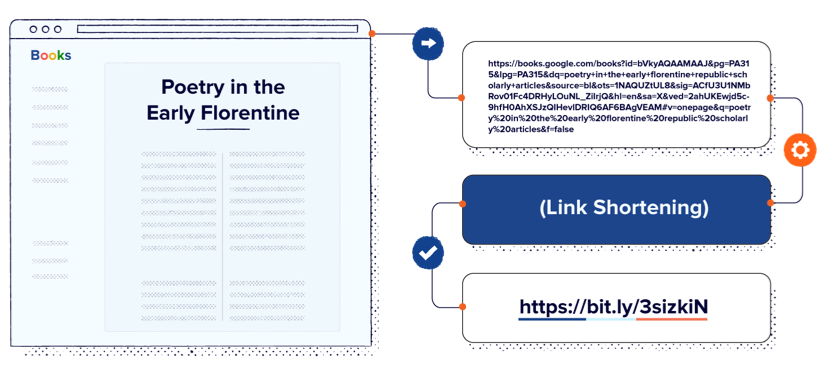
URL shortening is the process of converting a long web address into a compact link that redirects to the original destination. You paste a lengthy URL into a shortening tool, and it generates a brief, clean link that takes visitors to the same page.
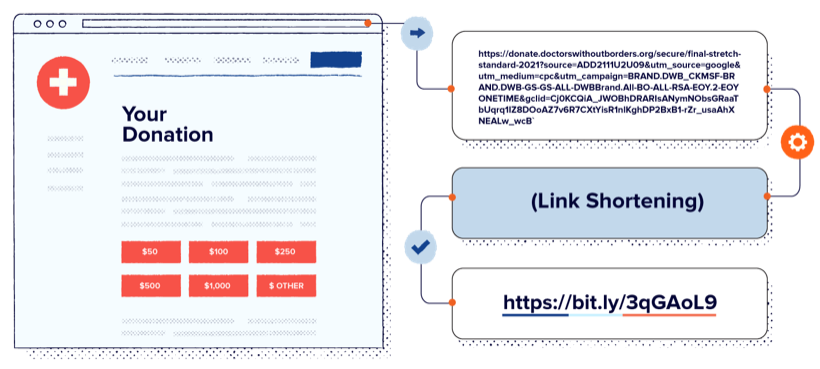
Here’s what that looks like in practice. A long URL like https://www.usatoday.com/story/tech/2024/03/15/best-project-management-tools-reviewed-and-ranked/ becomes something as simple as bit.ly/xyz123. The URL shortcut version is easier to share, easier to remember, and takes up far less space in your content.
On X (formerly Twitter), all links count as 23 characters regardless of their actual length (Lifewire). But URL shortening still matters because the visible text your link presents affects how trustworthy it appears to your audience. With Bitly, you can customize the back half of your link (the part after the slash) and use custom domains for branded short links, making every URL recognizable as yours.
What is a URL shortener?
A URL shortener is a tool or service that takes a long URL and creates a shorter version that redirects to the same page. Here’s how free and paid options compare:
| Feature | Free URL shorteners | Paid URL shorteners |
|---|---|---|
| Link shortening | Yes | Yes |
| Custom back-halves | Limited | Unlimited |
| Custom domains | No | Yes |
| Analytics | Basic click counts | Detailed (device, location, referrer) |
| Bulk shortening | No | Yes |
| Link management | No | Yes |
Free URL shorteners handle the basics: Paste a long link, get a shorter one. Paid services like Bitly add the features businesses need to manage links at scale, including branded domains, detailed analytics, and team collaboration tools.
What is the purpose of a URL shortener?
A URL shortener simplifies sharing by replacing long, complex web addresses with short, clean links. It improves the visual appearance of your content, makes links easier to type or dictate, and enables click tracking so you can measure engagement. For businesses, it also supports branding through custom domains that display your company name in every link you share.
What is a URL shortening service?
A URL shortening service is a platform (like Bitly) that provides the infrastructure to shorten, store, redirect, and track links. It handles the technical work of generating unique codes, maintaining a database of link mappings, and processing redirects when someone clicks.
Services range from basic free tools that simply shorten links to full platforms with real-time analytics, team management features, API access, and integrations with your existing marketing stack. The right choice depends on whether you need simple link shortening or a complete link management solution.
Benefits of a short URL
Short URLs do more than save characters. They improve how your audience perceives, interacts with, and trusts your brand across every channel.
Better display and accessibility
Short URLs look cleaner, read better, and build trust with your audience.
Compact links are easier to share on social media, in SMS messages, and in print materials where space is limited. They look more professional than a string of random characters, which builds confidence in clicking. On mobile devices, where more than half of web browsing happens, long URLs often break across lines or get truncated, making short links essential for a smooth user experience.
Marketing and analytics
Short links turn every click into a data point you can act on.
Paid URL shortening services like Bitly provide visitor breakdowns by demographics, location, device type, and referral source. You can run A/B tests with different link destinations to see which content resonates most. Short links support UTM parameter tracking for precise campaign attribution across channels.
Branded short URLs earn 2.3x more click-throughs than generic short URLs. That’s because people are more likely to click a link they recognize and trust.
Brand enhancement
Branded short links make your company name visible in every link you share.
Custom domains (like yourbrand.link) replace the generic bit.ly with your own branded domain. This builds consistent branding across all marketing channels, from email signatures to billboard advertisements. Your audience starts recognizing your links before they even click, building trust and recall with every impression.
You can learn more about how branded links work and how to grow your brand with short links by reading our articles on those subjects.
Examples of shortened URLs
Organizations across industries use short URLs to simplify communication and track engagement.
Higher education: A major university replaces long registration URLs with branded short links like university.link/fall-orientation for campus communications. Students see a trusted, recognizable link in text messages and printed flyers, which increases sign-up rates for events and programs.
Nonprofit fundraising: A global nonprofit uses short URLs like charity.link/give-now across its year-end fundraising campaign. It shares the same branded link in direct mail, email appeals, and social media posts, then tracks which channel drives the most donations using Bitly’s analytics dashboard.
Retail promotions: A national retail chain prints QR Codes and short URLs on in-store signage to drive customers to exclusive online deals. The short link (brand.link/weekend-sale) is easy to remember and type, bridging the gap between the physical store and the digital experience.
The growing use of URL shortening around the world
Mobile traffic now accounts for nearly 66% of all web traffic globally. As mobile usage continues to grow, short URLs become increasingly important because they display cleanly on small screens, are easier to tap without errors, and load faster in messaging apps.
Bitly powers more than 100 billion clicks and scans annually, connecting audiences across 200+ countries. As businesses expand their digital presence into new markets and channels, short links provide a consistent, trackable touchpoint that works across languages, platforms, and devices.
How do URL shortener services work?
When you submit a long URL to a shortening service, it generates a unique short code, stores the mapping in a database, and issues an HTTP redirect (typically a 301) when someone clicks the short link, navigating them to the original destination in milliseconds.
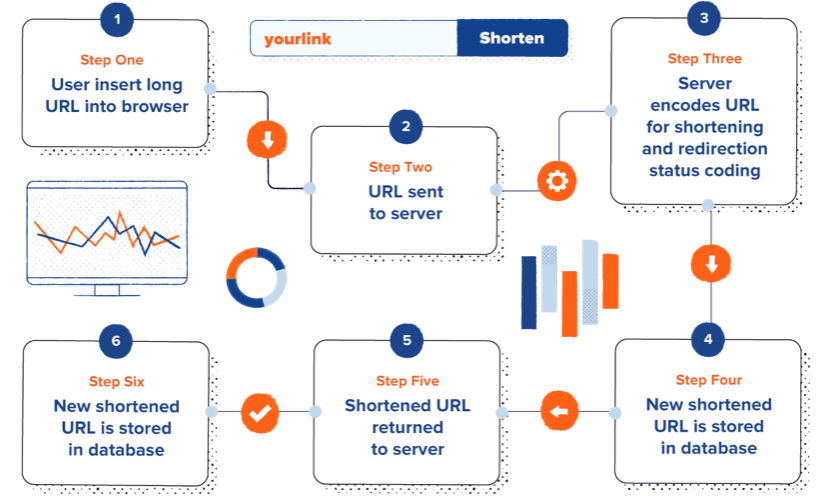
Here’s the process broken down step by step:
- You submit a long URL to the shortening service.
- The service accepts the URL and validates that it’s properly formatted and reachable.
- It generates a unique short code (a combination of letters and numbers).
- It stores the mapping (short code to original URL) in a database.
- It returns the shortened URL to you.
- When someone clicks the short link, the service looks up the code and redirects the visitor via HTTP.
The entire redirect happens in milliseconds, so the person clicking never notices a delay.
Redirect codes
URL shorteners use HTTP redirect status codes to send visitors from the short link to the original destination. The most common codes are:
- 301 (Permanent Redirect): Tells browsers and search engines that the short link permanently points to the destination URL. Most URL shorteners use this by default because it passes link equity for SEO.
- 302 (Temporary Redirect): Indicates that the redirect is temporary and the short link may point elsewhere in the future. Useful for time-limited campaigns.
- 307 (Temporary Redirect, Method Preserved): Similar to 302, but ensures that the HTTP method (GET, POST) remains the same through the redirect.
IETF RFC 7231 defines these codes as the standard for HTTP redirect semantics.
Updating shortened links with redirects
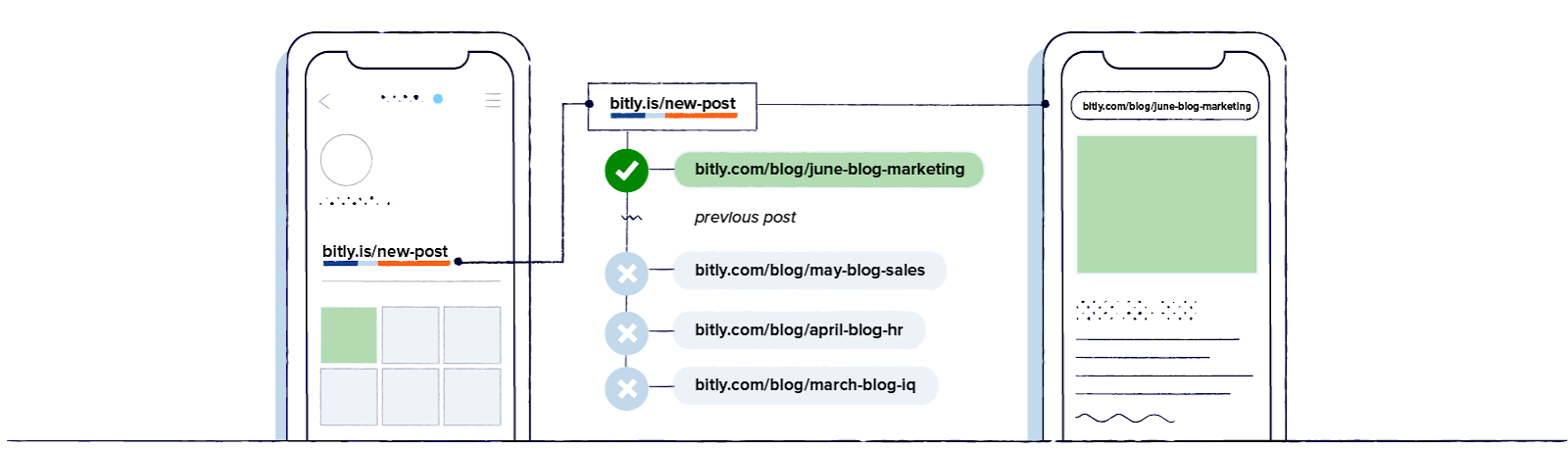
You can change a short link’s destination at any time without changing the short URL itself. The redirect is dynamic, meaning the shortening service simply updates the mapping in its database. Anyone who clicks the existing short link, whether it’s printed on a flyer or shared in an old email, automatically arrives at the new destination. This flexibility means you never need to redistribute a new link when your content moves or your campaign changes.
How to shorten a URL
Shortening a URL with Bitly takes less than a minute. Here’s how to create your first short link:
- Sign up or log in to your Bitly account at https://bitly.com.
- Click Create new and select Shorten a link from the pop-up menu.
- Paste your long URL into the destination field.
- Customize your link by choosing a custom back-half, selecting a custom domain, or adding a title and tags.
- Click Create your link to generate your short link.
- Copy and share your new short URL anywhere.
Bitly offers several features that go beyond basic shortening. Custom domains let you replace the default bit.ly URL with your own branded domain, so every link reinforces your brand identity. Security features include HTTPS encryption on every link and Bitly’s Trust Center, which monitors for malicious content in real time.
Integrations with Zapier and other tools let you automate link creation within your existing workflows. You can automatically shorten URLs when you publish content, trigger actions based on link clicks, or sync link data with your CRM.
How to shorten a URL for free
Bitly offers a free plan that includes basic link shortening and click tracking, so you can get started without a credit card.
- Go to bitly.com and create a free account.
- Click Create new in the sidebar menu, then select Shorten a link from the pop-up menu.
- Paste your long URL into the destination field.
- Customize your link by choosing a custom back-half, selecting a custom domain, or adding a title and tags.
- Click Create your link to generate your short link.
- Copy and share your new short URL anywhere.
Free plans include a monthly link limit and basic click analytics. They don’t include custom domains, bulk shortening, or advanced reporting. For full details on what’s included, read about what our free plan offers.
For teams that need bulk shortening, lots of API access, or detailed reporting, Bitly’s paid plans unlock link management at scale with features like custom branded domains, team collaboration, and granular analytics.
URL shortening use cases
Businesses use short URLs across virtually every marketing channel. Here are five of the most common applications:
- Digital marketing campaigns: Track individual links across campaigns to measure what drives results. Assign unique short links to each ad, email, or social post so you can compare performance and optimize spending in real time.
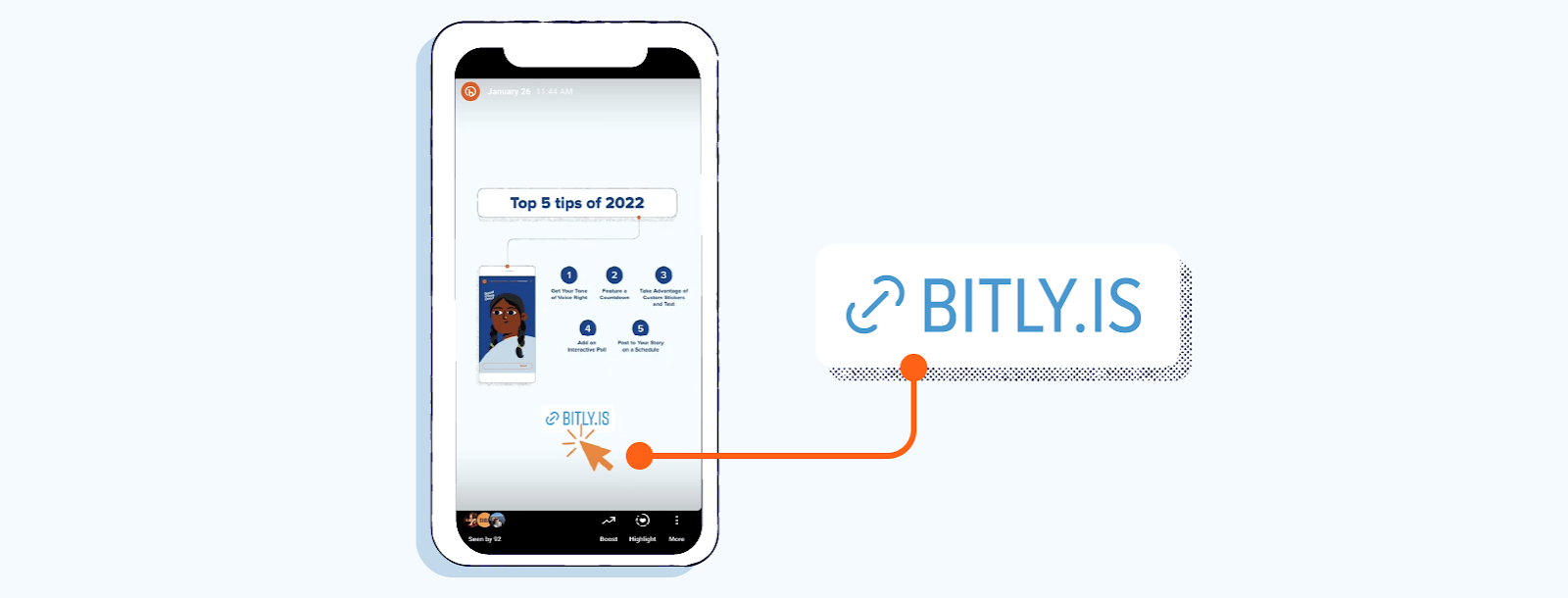
- Social media: Share clean, professional links that fit character limits and look trustworthy in your posts. Branded short links stand out in crowded feeds and signal credibility to your followers.
- Vanity URLs: Create memorable, branded links for offline materials such as business cards, packaging, and event signage. A link like yourbrand.link/welcome is easy to remember and type, unlike a 90-character URL with tracking parameters.
- Campaign analytics: Measure engagement across channels with click data, geographic breakdowns, and device information. Add UTM parameters to your destination URLs before shortening, and Bitly carries them through the redirect for full attribution in your analytics tools.
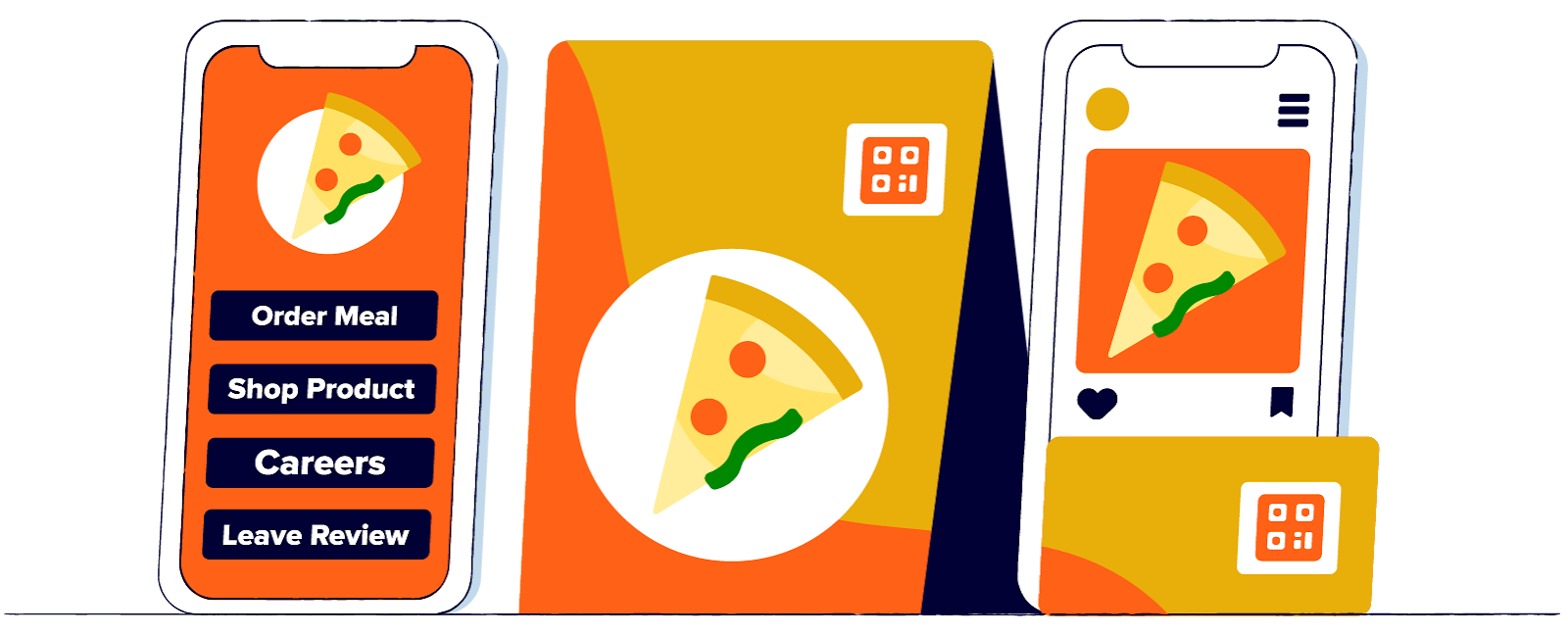
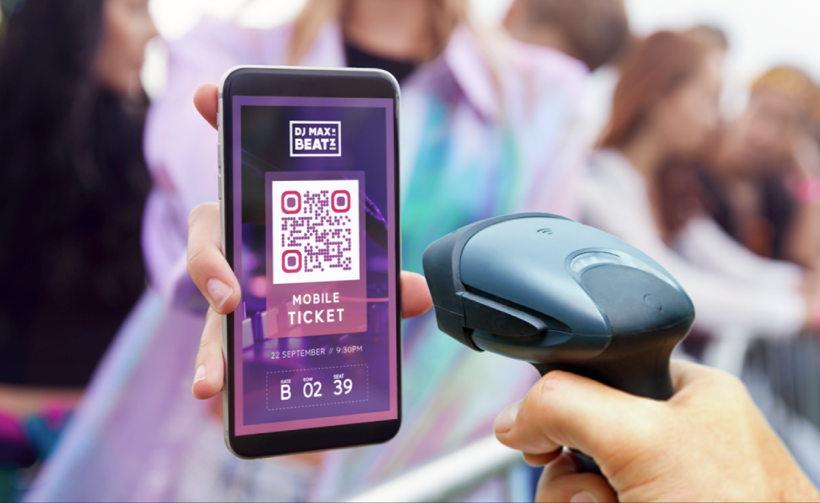
- QR Codes: Bridge offline and online experiences by linking QR Codes to short URLs for tracking. When someone scans a QR Code on a poster, product label, or receipt, the short link captures the scan data while redirecting them to your content.
Is a URL shortener safe?
Reputable URL shorteners like Bitly prioritize security at every level. Bitly encrypts every shortened link with HTTPS by default, keeping all data secure as it moves between the clicker and the destination.
Bitly also implements HSTS (HTTP Strict Transport Security) and TLS protocols to prevent downgrade attacks. You can preview any Bitly link’s destination by adding a plus sign (+) to the end of the URL, so you always know where a link leads before clicking.
Our Bitly Trust Center actively monitors for malicious content using machine-learning abuse detection. This system can block phishing attempts, spam links, and malware distribution before they reach your audience. The key to staying safe with short links is using a trusted, established service that invests in security infrastructure.
How to find the best URL shortening service for your company
Choosing the right URL shortener depends on your team’s needs and growth plans. Use this checklist to evaluate your options:
- Link management: Can you organize, edit, and retire links at scale?
- Custom branding: Does it support custom domains and custom back-halves?
- Real-time analytics: Can you track clicks by location, device, and referrer?
- Integrations: Does it connect with your marketing stack (Zapier, HubSpot, etc.)?
- Security and compliance: Is it GDPR/CCPA compliant with HTTPS on every link?
- QR Code support: Can you create and track QR Codes alongside short links?
- Scalability: Can it grow with your team and handle bulk operations?
- API access: Can developers programmatically create and manage links for workflows and integrations?
If your team needs programmatic link creation, read about URL shortener APIs to see how developers integrate link management into custom applications.
Start shortening smarter links today
URL shortening improves branding, analytics, and user experience across every channel you use to reach your audience. From social media posts to printed packaging, short links give you control over how people interact with your content and the data to prove what’s working.
Bitly brings it all together: branded custom domains, real-time click and scan analytics, 3,400+ integrations, enterprise-grade security, and a platform that powers more than 100 billion clicks and scans annually. Whether you’re a solo marketer or a global enterprise team, Bitly scales with you.
Get started for free and see how Bitly can help you create, share, and track links that drive results.
Frequently Asked Questions
How does a URL shortener work?
A URL shortener generates a unique short code for any long web address you submit. It stores the connection between the short code and the original URL in a database. When someone clicks the short link, the service looks up the original address and instantly redirects the visitor there using an HTTP 301 redirect. The entire process takes milliseconds and is invisible to the person clicking.
Is it free to shorten a URL?
Yes. Most URL shortening services, including Bitly, offer a free plan that lets you create short links with basic click tracking. Free plans typically limit the number of links you can create per month and may not include advanced features like custom domains, bulk shortening, or detailed analytics. For businesses that need link management at scale, paid plans offer more customization and reporting.
Are shortened URLs safe to click?
Shortened URLs from reputable services like Bitly are safe. Bitly encrypts every link with HTTPS, monitors for malicious content, and provides a Trust Center where you can preview link destinations. You can also add a plus sign (+) after any Bitly link to see where it leads before clicking. The key is to use a trusted shortening service rather than an unknown tool.
What is a branded short link?
A branded short link replaces the default shortener domain (like bit.ly) with your own custom domain name. For example, instead of bit.ly/3xR2mQ, your link could read yourbrand.link/summer-sale. Branded links earn up to 2.3x more click-throughs than generic short URLs because they build recognition and trust with your audience.
Can I change where a shortened link goes after creating it?
Yes. With services like Bitly, you can edit the destination URL of any link you’ve created without changing the short link itself. This means you can update campaigns, correct errors, or retire old content without needing to redistribute a new link. Any existing shares of that short link will automatically point to the new destination.
How do I track clicks on a shortened URL?
URL shortening services with built-in analytics, like Bitly, automatically track every click on your short links. You can see total clicks, clicks over time, geographic location of clickers, device types, and referral sources. For more granular campaign tracking, add UTM parameters to your destination URL before shortening. Bitly carries these parameters through the redirect so they appear in your web analytics tools.