
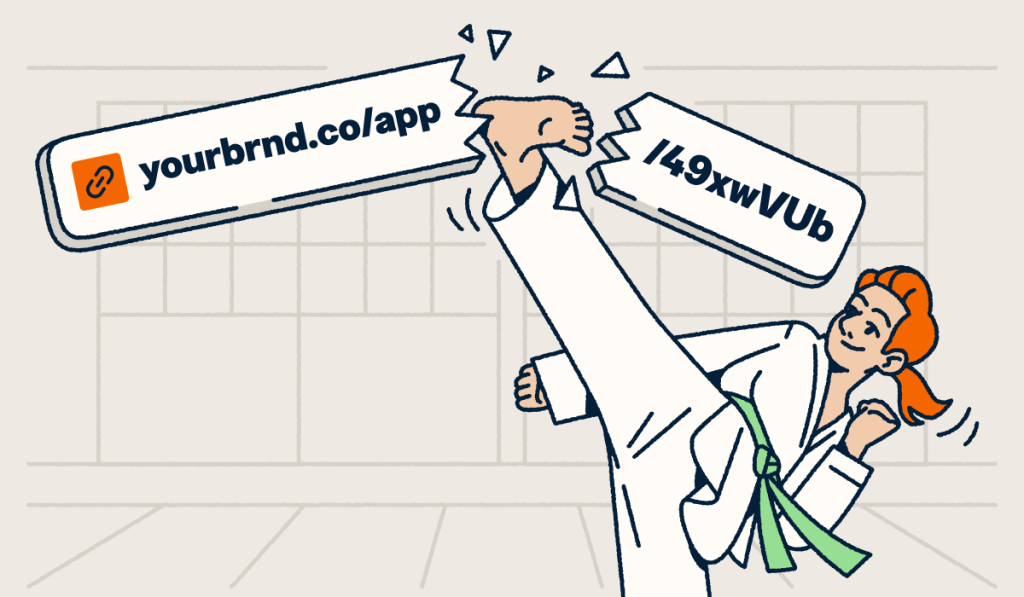
A Spotify link shortener transforms your long, cluttered Spotify URLs into clean, branded short links that earn more clicks and build trust with your audience. Whether you’re promoting a new single, curating playlists, or growing your listener base, shortened links look professional, fit within character limits, and give you real data on who’s clicking and where.
With 761 million monthly active users as of Q1 2026, Spotify is the world’s largest audio streaming platform. But its default sharing URLs are long strings of random characters that confuse audiences and waste valuable space in your posts, bios, and messages. That disconnect between Spotify’s massive audience and its clunky link format creates a missed opportunity every time you share.
In this guide, you’ll learn why Spotify’s default links hurt your engagement, how to change and customize your Spotify URL with a branded redirect, and how to shorten and track your Spotify links with Bitly. You’ll also discover platform-specific strategies for Instagram, TikTok, X, and email that help you maximize every share.
Key takeaways
- Spotify’s default sharing URLs are long strings of random characters that reduce click-through rates and look unprofessional on social platforms.
- Bitly transforms Spotify links into branded, memorable short URLs that build trust and encourage greater listener engagement.
- You can customize the back-half of your Bitly short link to include your artist name, playlist title, or campaign name for instant context.
- Bitly Analytics tracks clicks, geographic data, and referral sources so you can measure which channels drive the most Spotify listens.
- Short Spotify links work across Instagram bios, X posts, TikTok profiles, email newsletters, and direct messages without eating up character limits.
Why should you shorten Spotify links?
Spotify’s default URLs create friction with your listeners. They look suspicious, waste character space, and give zero context about where the link leads. Here’s why each of those problems costs you real engagement.
Cluttered appearance
Spotify URLs contain long strings of random characters (like open.spotify.com/playlist/4cOdK2LaU6hj8F7lxA9Nve) that look unprofessional and confusing. They give your audience no context about what they’ll find when they click. When someone sees a URL full of random letters and numbers, they have no reason to trust it.
A branded short link like bit.ly/SummerVibes2026 immediately tells people what to expect. It looks intentional and trustworthy, which matters when you’re trying to increase social media engagement and grow your listener base. The difference between a random string and a descriptive URL can determine whether someone taps or scrolls past.
Think about it from your audience’s perspective. They see dozens of links every day in their feeds. A clean, branded Spotify short link signals that a real artist or brand they recognize shared something worth their time.
Less engagement
Long, complicated URLs feel spammy. They erode trust and discourage clicks, especially on mobile, where users are cautious about tapping unfamiliar links. When a URL looks like a jumble of characters, people assume it could lead anywhere, including somewhere unsafe.
This skepticism hits hardest on platforms where attention spans are short. Your followers make split-second decisions about what deserves a tap. A confusing Spotify URL adds just enough doubt to kill that impulse. A short, branded link removes that hesitation entirely by showing exactly what the listener will get.
The psychology is simple: People click links they recognize and trust. Shortened Spotify links with custom back-halves give your audience a reason to engage rather than hesitate.
Difficult to share
Character limits on X (280 characters) and Instagram bios (150 characters) make lengthy Spotify links impractical. They eat into your message space and force awkward formatting that distracts from your actual content. A standard Spotify URL can consume 60 or more characters, leaving you almost no room for context.
With a Spotify link shortener, you reclaim that space for compelling copy, hashtags, or additional context. A short Spotify link also looks cleaner in email signatures, text messages, and anywhere you add a URL on Instagram. You write your message first, then drop in a concise link that doesn’t overwhelm the rest of your post.
Spotify’s native sharing feature generates long URLs by default. Shortening them before you share solves the length problem and adds branding and tracking capabilities that Spotify doesn’t offer on its own.
How to change and customize your Spotify URL
You cannot change Spotify’s native URL, but you can create a custom branded redirect that looks like your own personalized link. Spotify generates permanent URLs based on content IDs, and there’s no setting within the app or web player to modify them. The URL always follows the same format: open.spotify.com/ followed by the content type and a unique identifier assigned automatically by the platform.
This means your Spotify profile, playlists, and tracks all have static URLs you can’t edit. But that doesn’t mean you’re stuck sharing those random strings. The solution is to create a branded redirect using Bitly that gives your audience a clean, memorable link while Spotify’s original URL works behind the scenes.
Here’s how to create your custom Spotify URL step by step:
- Copy your Spotify URL. Open Spotify (app or web player), navigate to the profile, playlist, or track you want to share, and tap the share button to copy the link.
- Paste into Bitly. Go to Bitly’s URL shortener and paste your Spotify link into the shortening field.
- Sign up for your free Bitly account. Or log in if you already have an account.
- Customize the back-half. Replace the auto-generated characters with something meaningful. Use your artist name, playlist title, or campaign name (like bit.ly/JaneDoeNewAlbum or bit.ly/WorkoutHits2026).
- Share your branded link. Use your custom Spotify URL across all your channels. Your audience sees a professional, recognizable link instead of a random string of characters.
This approach gives you a custom Spotify URL without Spotify changing anything on their end. You control the branding, and you can update where the link points at any time if you need to redirect it to new content.
For an even more professional look, connect a custom domain through Bitly. Instead of using bit.ly, your audience sees something like yourband.link/newalbum. This puts your brand front and center and makes every link instantly recognizable to your fans. Custom domains work especially well for artists and labels who want full brand consistency across every touchpoint.
What can you use Spotify links for?
Spotify short links solve a core challenge on a platform with over 100 million tracks: Discoverability. When your content competes with that volume of music and podcasts, every touchpoint needs to work harder to earn attention. A shortened, branded link gives you a professional edge that raw Spotify URLs can’t match.
Sharing playlists
Curated playlists are one of Spotify’s most powerful discovery tools. Whether you’re a brand building mood playlists for your customers, an influencer sharing weekly finds, or an artist highlighting collaborations, playlist links need to look shareable and trustworthy across every platform.
With 293 million paying subscribers and 32% market share, Spotify dominates audio streaming. But that scale means your playlists compete with millions of others for attention. A branded short link like bit.ly/FridayVibes immediately tells your audience what they’ll get before they tap, cutting through the noise.
Shortened playlist links also let you track which platforms drive the most listeners. When you add UTM parameters and monitor clicks and referrals through Bitly Analytics, you can see whether Instagram, email, or X sends the most traffic to your playlists. That data helps you double down on what’s working.
Promoting new music
New releases have a limited window to gain traction. Every stream, save, and share in those first hours and days encourages Spotify’s algorithm to push your track to more listeners. You need to remove every possible barrier between your promotion and that first play.
A Spotify link shortener eliminates friction from that critical promotion period. Instead of posting a long, unrecognizable URL, you share a branded link that fans trust and remember. You can even reuse the same custom domain across releases (like yourband.link/newsingle), so your audience always knows where to find your latest drop.
Short links also make it easy to promote across multiple channels simultaneously. The same branded link works in your Instagram bio, X posts, TikTok profile, email blasts, and direct messages without any reformatting. You create a single link and share it everywhere, then use Bitly Analytics to see which channels drive the most streams.
How to use shortened Spotify links on Instagram and other platforms
Shortened Spotify links work on every platform where you connect with listeners. The key is matching the right link placement to each platform’s format. Here’s a breakdown of where to place your links and why each placement drives results:
| Platform | Where to place | Why it works |
|---|---|---|
| Bio link | Fits the 150-character limit and looks professional next to your handle | |
| Instagram Stories | Sticker link | Tappable without leaving the app; a branded URL builds trust before the tap |
| X/Twitter | Posts | Saves characters for your message; clean links earn more engagement |
| TikTok | Bio link | Branded short links stand out among generic URLs and signal credibility to new followers |
| Email signatures | Below your name | Adds a low-effort discovery path for contacts every time you send a message |
| Direct messages | In conversation | Short links feel personal and trustworthy in one-on-one messages across any app |
Branded short links especially stand out on TikTok, where users scroll fast and make split-second decisions about what to tap. A clean URL like bit.ly/NewTrack2026 catches attention in a way that a 60-character Spotify string never will. TikTok audiences respond to authenticity, and a branded link signals that you care about the details.
Email signatures offer an often-overlooked opportunity. Every email you send becomes a passive promotion channel when you include a short Spotify link below your name. Whether you’re emailing collaborators, venues, or press contacts, your music is always one click away.
For Instagram-specific strategies, check out our guide on shortening URLs for Instagram to maximize your bio link and Story engagement. The same principles apply to shorten Spotify links for Instagram bio placement and Stories.
How to shorten Spotify links with Bitly
Bitly makes it easy to turn any Spotify URL into a branded, trackable short link in under a minute. Here’s the complete five-step walkthrough to shorten your Spotify link and start tracking performance.
1. Create a Bitly account
Sign up at Bitly.com to get started. Our free plan includes link shortening and basic click tracking, so you can begin creating short Spotify links immediately with no credit card required.
2. Copy your Spotify link
Open the Spotify app or web player, navigate to the song, album, playlist, or artist profile you want to share, and tap the share button to copy the URL to your clipboard. You can share from both mobile and desktop.
3. Shorten with Bitly
Paste your Spotify URL into our URL shortener. The Bitly platform instantly generates a short link. Then customize the back-half to reflect your content (change the random characters to something like SummerPlaylist or NewSingle2026). This custom back-half gives your audience instant context about the destination.
For professional branding, connect a custom domain. Instead of bit.ly/YourLink, your audience will see something like yourband.link/newalbum. This approach reinforces your brand with every share and makes your links recognizable across all channels.
4. Share your short link
Post your branded Spotify short link across all your channels: Instagram bio, X posts, TikTok profile, email newsletters, text messages, and anywhere else you connect with listeners. The same link works everywhere with no reformatting needed. You can even add it to physical materials like concert posters or merch cards.
5. Track performance
Use Bitly Analytics to monitor how your Spotify links perform. You’ll see total clicks, geographic data (city/country) showing where your listeners live, and UTM tracking referral sources revealing which platforms drive the most traffic.
This data helps you understand which promotion channels deliver results. If your Instagram bio link gets 3x as many clicks as your X posts, you know where to focus your efforts. You can also compare performance across releases to identify patterns in how your audience discovers new music.
Learn more about tracking your short links to optimize your music promotion strategy and make data-driven decisions about where to share your music.
Start sharing Spotify links that get clicks
A Spotify link shortener gives you branded, trackable URLs that earn more clicks and help you understand your audience. Every shortened link you share builds recognition, fits within platform limits, and delivers actionable data. You stop guessing which channels work and start knowing which ones really pop.
Bitly makes the process simple: Paste your Spotify URL, customize the back-half with your artist or brand name, share it across every platform, and track performance in real time. Whether you’re an independent artist promoting a new release or a brand curating playlists for your audience, clean links make the difference between a scroll-past and a stream.
The combination of branded short links and detailed analytics provides a scalable promotion system. As your audience grows across Instagram, TikTok, X, email, and beyond, your Bitly links grow with you, delivering insights that sharpen your strategy with every campaign.
Get started for free and turn your Spotify links into powerful growth tools.
Frequently Asked Questions
How do I shorten a Spotify link for my Instagram bio?
Copy your Spotify profile or playlist URL from the Spotify app, paste it into Bitly’s URL shortener, and customize the back-half with something memorable like your artist name. The resulting short link fits within Instagram’s 150-character bio limit and looks professional.
Can I track how many people click my Spotify short link?
Yes. Bitly Analytics shows you real-time click data, including total engagements, geographic location of your listeners, and which platforms drive the most traffic. This helps you understand where your audience discovers your music and focuses your promotion efforts.
Is Bitly free to use for Spotify links?
Bitly offers a free plan that lets you create short links with basic click tracking. For features such as custom-branded domains, advanced analytics, and editable link destinations, you can upgrade to a paid plan.
What’s the difference between a Spotify short link and a Spotify Code?
A Spotify short link is a clickable URL you can share digitally (on social media, in emails, or in messages). A Spotify Code is a scannable visual graphic designed for physical materials like posters, business cards, and merchandise. Both direct people to your Spotify content, but short links work better for online sharing.
Can I customize my Spotify link to include my artist name?
You cannot change Spotify’s native URL, but you can create a branded redirect with Bitly. Use a custom domain and back-half (like yourband.link/newalbum) so your audience sees your brand name instead of a random string of characters.
Do shortened Spotify links expire?
No. Bitly short links remain active indefinitely. Once you create a shortened Spotify link, it continues redirecting to your Spotify content unless you manually delete or redirect it.
More Articles

More than a link shortener
Knowing how your clicks and scans are performing should be as easy as making them. Track, analyze, and optimize all your connections in one place.



