
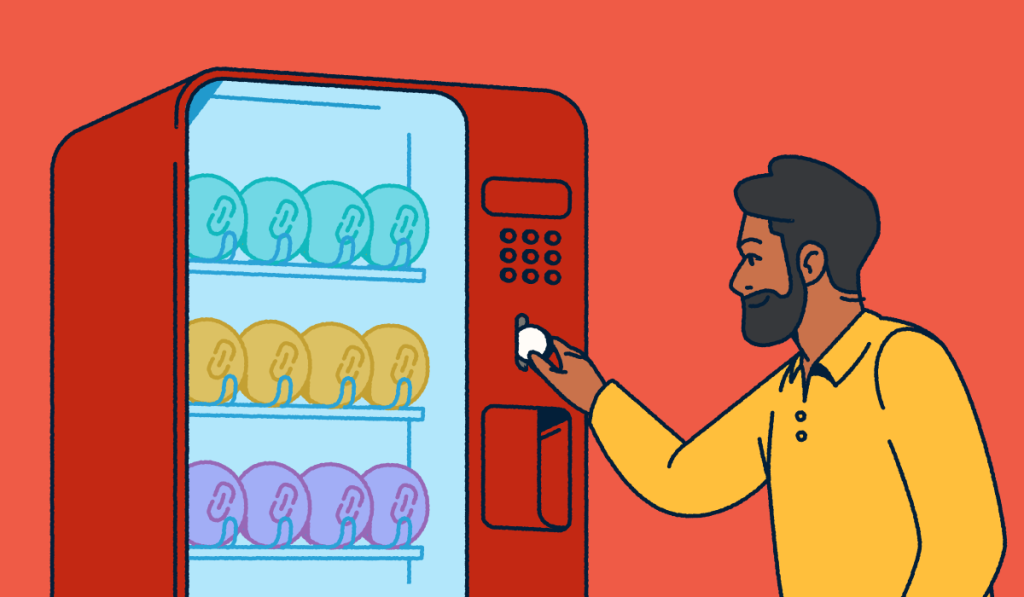
URL masking (also called domain masking or link masking) shows one URL in the browser address bar while loading content from another destination. It often uses an iframe or a masked domain forward. Marketers generally want cleaner links to build brand trust, but classic masking can hurt search engine optimization (SEO), undermine usability, and come across as phishing.
Site owners, affiliates, and campaign managers often mix this idea with short links and 301 redirects. This article distinguishes masking from cloaking, covers methods and risks, and explains why transparent, branded short links and redirects are safer defaults. Bitly offers a link management platform that shortens, brands, redirects, and tracks links without ever hiding the true destination behind an address-bar mask.
Key Takeaways
- URL masking keeps a vanity or source URL visible in the browser while the page content comes from another location. It often uses an iframe or masked domain forwarding.
- Masking differs from a standard redirect. A 301 or 302 transparently redirects the user’s browser to the destination URL, while masking tries to keep the original URL in the address bar.
- Search engines and modern browsers treat many masking setups poorly. Masked marketing domains are a weak place to expect SEO value and can trigger trust or framing blocks.
- Cloaking that shows bots one page and people another violates Google spam policies. It’s not the same as other forms of link shortening or branding.
- Marketers who want cleaner, branded URLs usually get better results from transparent branded short links, custom domains, and trackable redirects than from iframe-style masking.
- Bitly helps teams create branded short links, update destinations, and add UTM parameters (tags that track campaign traffic). Trust & Safety tools help you check destinations so links stay clear and measurable.
What URL masking means
URL masking is a technique that displays one web address in the browser while the visible page content comes from a different location. Someone might share a long multi-parameter campaign URL, then present a short vanity hostname that never updates in the address bar.
You’ll also see related search terms like link masking, domain masking, masked URL, domain forwarding with masking, URL cloaking, and link cloaking. Those labels overlap in marketing blogs, but they don’t all mean the same setup.
Many masking implementations only change what the address bar shows. They don’t rewrite the destination site’s own content.
People want shorter-looking, brand-aligned links that feel trustworthy in social, SMS, email, or print. That goal is sound, but classic masking is not the best way to reach it.
Link management gives teams cleaner public URLs and measurable hops without freezing a fake address bar.
How URL masking works in practice
Most URL masking setups fall into a few conceptual patterns.
- HTML iframe or frameset: The public page loads the destination in a full-bleed frame, so the outer URL remains unchanged.
- Registrar “forward with masking”: The domain host frames or wraps the destination instead of issuing a plain redirect.
- Server-side reverse proxy or internal rewrite: The public hostname remains stable while the server fetches content from the origin under that host.
People sometimes label JavaScript redirects and meta refresh as “masking.” Those methods move the browser to a new location. They usually underperform a clean HTTP redirect.
Many destinations block classic iframe masking using X-Frame-Options or Content Security Policy (CSP) frame-ancestors, resulting in a blank frame or an error. Wikipedia’s overview of domain masking covers these framed and rewrite-style approaches at a high level.
| Method | What the visitor sees in the address bar | Who serves the content | Typical SEO outcome |
|---|---|---|---|
| iframe mask | Source or vanity URL stays frozen | Destination site inside a frame | Thin shell pages; weak or empty signals on the masked host |
| 301 redirect | Updates to the real destination | Destination host after the hop | Equity can pass to the destination when implemented correctly |
| Branded short link (301) | Short branded URL, then destination after click | Short-link platform hop, then destination | Transparent path; rankings live on the real landing page |
| Reverse proxy | Public URL stays stable | Origin content proxied under the public host | Depends on implementation; still not a marketing default |
URL masking vs redirects, cloaking, and short links
Search results often mix URL masking, redirects, cloaking, and short links, yet each one solves a different problem. A redirect updates the address bar; URL masking tries to keep the original URL visible while another site serves the page.
- Masking loads destination content while trying to keep a source or vanity URL frozen in the address bar.
- A redirect (301 or 302) tells the browser to navigate to another URL, and the address bar updates to the real destination. MDN’s overview of the HTTP 301 permanent redirect frames that hop as standard HTTP behavior.
- Cloaking in the spam sense shows search engines one set of content or URLs and people another to manipulate rankings. Google’s spam policies call out that mismatch as a violation.
- URL shortening and branded short links issue a short public URL that typically uses a permanent redirect to a declared destination. After the click, the browser navigates to the landing page, making the true host visible. That’s how a custom short URL should work when the goal is clarity, not disguise.
Bitly short links use redirects so destinations stay transparent after the click. They don’t iframe a third-party site under your domain.
Branded links and a custom domain build recognition without address-bar theater.
Why marketers still search for masking
Marketers still seek masking because messy affiliate codes and long UTM strings are hard to trust in social, SMS, and print. Teams also want a vanity domain for every share, and labels like “URL masker” or “link cloaker” further blur the taxonomy.
As one financial marketing specialist put it in UserEvidence feedback, long UTM URLs can look less trustworthy than a clean, branded path. Our guides to UTM parameters and vanity URLs show how short, clean public paths and accurate analytics can live together.
SEO, usability, and trust risks of URL masking
Classic address-bar masking is a poor SEO bet for most marketing sites. When a public host is mainly a frame around another origin, the useful content still lives on the destination host. That makes the masked hostname a weak place to expect ranking value. Google lists permanent redirects as the clear way to move visitors and signal a new canonical URL, not an address-bar mask.
Usability can suffer too. Framed experiences can complicate deep links and bookmarks that point to the mask rather than the actual page. Some destinations refuse to frame or show a blank page under masked forwards (a pattern described in registrar docs such as GoDaddy’s domain forwarding instructions). Mobile browsers can add friction when nested scrolling and frame policies collide.
Trust is the bigger everyday risk. When the bar shows one host, and the page behaves like another, careful users read that pattern as phishing-adjacent. Framing another site’s user interface (UI) also raises clickjacking concerns (design choices that trick users into clicking something they didn’t intend to); see OWASP’s clickjacking guidance.
Obfuscated redirect chains create the same verification problem. Bitly’s Trust Center and destination-aware safety checks help teams preview where a link goes and verify it uses HTTPS before wide distribution. Pair that with URL filtering so shared links stay clear to people and systems.
Masking vs Google cloaking guidelines
Google’s spam policies prohibit cloaking that deceives crawlers or users. Legitimate same-content server setups aren’t the same as showing bots a keyword page and humans a different offer.
If bots and humans don’t get equivalent content, stop and redesign. Treat tools that market “cloaking” as a ranking trick as off-limits. Read Google’s spam policies on cloaking. Then choose redirects and branded short links that keep the destination honest after the click.
When people use URL masking (and what they actually need)
Most “masking” requests are really requests for cleaner, branded, trackable links. Map each job to a transparent pattern instead of teaching harmful obfuscation.
Campaign URLs with long query strings need a readable sharing URL and that keeps measurement strings intact. Use a branded short link that redirects to the full destination URL while preserving UTM parameters.
Affiliate or partner destinations that look untrusted in their raw form need brand confidence on the public face of the click. Use a custom domain and custom back-half, then redirect so the landing host still appears after the hop. An affiliate link shortener keeps the public face on your brand without masking.
Vanity domains for events or promos need a memorable public URL you can print or post. Point the vanity hostname to a proper forward or short-link redirect, rather than an iframe mask. How to create a vanity URL walks you through a transparent setup.
Multi-domain brands consolidating traffic need one measurable entry path. Standard 301s and branded short links give you control and analytics. Branded redirect links keep that path editable when destinations change.
| Goal | Masking-style approach people try | Better transparent approach |
|---|---|---|
| Brand in every share | Keep a vanity domain frozen over another site | Branded short links on your custom domain |
| Hide ugly parameters | Frame the long UTM URL so the bar never shows it | Short link + redirect; keep UTMs on the destination |
| Reuse one public URL when destination changes | Masked forward you rarely audit | Editable Bitly redirect on a short link |
| Offline-to-online journeys | Masked domain on print with unclear host | QR Codes to the same tracked destination |
Influencer and partner campaigns follow the same pattern: a branded public link, a declared destination, and measurement on the hop.
Better alternatives to URL masking
Prefer transparent redirects, branded short links, custom domains, and clear analytics over iframe masking. That stack solves the cleanliness problem without the SEO and trust debt.
Branded short links replace generic short hosts with your brand. Pair a custom domain with a readable back half, like yourbrnd.co/spring-sale, so the shared text builds recognition.
Branded links see a 2.3x increase in clicks compared to unbranded links. That’s the lift marketers usually want when they search “URL masking.”
Redirects you control let you change destinations without reprinting materials when a promo ends or a page moves. Keep UTM parameters on the destination so tracking doesn’t depend on the address bar.
A URL shortener with transparent hops keeps the public link short and the final host visible.
For physical surfaces, QR Codes handle scan-to-destination without masking.
For a simple branded landing experience you own end-to-end, Bitly Pages lets you create no-code landing destinations without framing another site.
Measurement belongs in analytics, not in a hidden frame. Bitly Analytics centralizes clicks and scans so you can see what’s working across channels.
Use these measurement habits after every hop:
- Add UTM tracking for campaign attribution.
- Use personalized URLs when each segment needs its own clear path.
- Review short link tracking practices after every hop.
Bitly is the marketing platform that helps businesses of all sizes see what’s working. Simply and clearly. As a link management platform, Bitly helps you create, brand, and track short links and QR Codes. You avoid framing third-party sites under a masked bar.
How to choose the right approach
- If you need a vanity domain frozen over another site’s UI, expect SEO and user experience (UX) costs. Avoid that for most marketing sites.
- If you need a clean share URL plus destination transparency, use a branded short link and a standard redirect.
- If you need offline access, use a QR Code to the same tracked destination.
- If you need measurement, use UTMs plus analytics dashboards, not a hidden frame.
Build cleaner branded links with Bitly
URL masking tried to solve a branding and URL-cleanliness problem with a technique that the modern web punishes. Transparent branded links solve the same issue with better trust and clearer data. You can connect the dots across channels and do more of what works.
Audit existing masked forwards and replace them with branded short links or proper 301s. Preview destinations before wide distribution. With Bitly, you can attach a custom domain, create branded links, and track performance without setting up any technical masking.
Ready to get the most out of your clean, professional links with no masking required? Get started for free.
Frequently Asked Questions
What does it mean to mask a URL?
URL masking means showing one web address in the browser while loading content from a different destination. It often uses an iframe or masked domain forwarding so the bar stays put.
Is URL masking the same as link cloaking?
People use the terms interchangeably in marketing blogs. Google’s cloaking rules target setups that show search engines and users different content to manipulate rankings. Treat deceptive bot/user splits as off-limits even if a tool markets itself as cloaking.
Is URL masking bad for SEO?
Yes, for most marketing sites. When the public URL is mainly a frame around another origin, the useful content still lives on the destination host. The masked hostname is a weak place to expect marketing SEO value. A proper redirect is the transparent path Google documents for moving users and signals.
How do you mask a link?
Common tactics include registrar forwarding with masking, full-page iframes, or reverse proxies. For campaigns, skip masking and instead create a branded short link that redirects cleanly to the real destination.
How can I get a cleaner URL without masking?
Shorten and brand the link with a custom domain and a custom back half. Keep UTM parameters on the destination. Use a standard redirect so visitors and browsers see where they landed.
Is there a free way people try to disguise a URL?
Free “URL masker” pages and generic shorteners exist, but many either mislabel redirects as masking or create trust issues. Prefer a reputable URL shortener with transparent redirects, HTTPS, and destination preview. Skip obscure framing tools for a free custom short URL without masking.
How do I unmask or avoid a masked URL?
Disable forward-with-masking at the registrar and remove iframe wrappers. Replace them with a 301 or 302 to the real host. On the user side, expand or preview short links before clicking when a destination looks unclear.
More Articles

More than a link shortener
Knowing how your clicks and scans are performing should be as easy as making them. Track, analyze, and optimize all your connections in one place.



