What Is a Landing Page? A Practical Guide to Pages Built for One Goal

Tyler Roehmholdt
Nov 6, 2026 . 12 min read
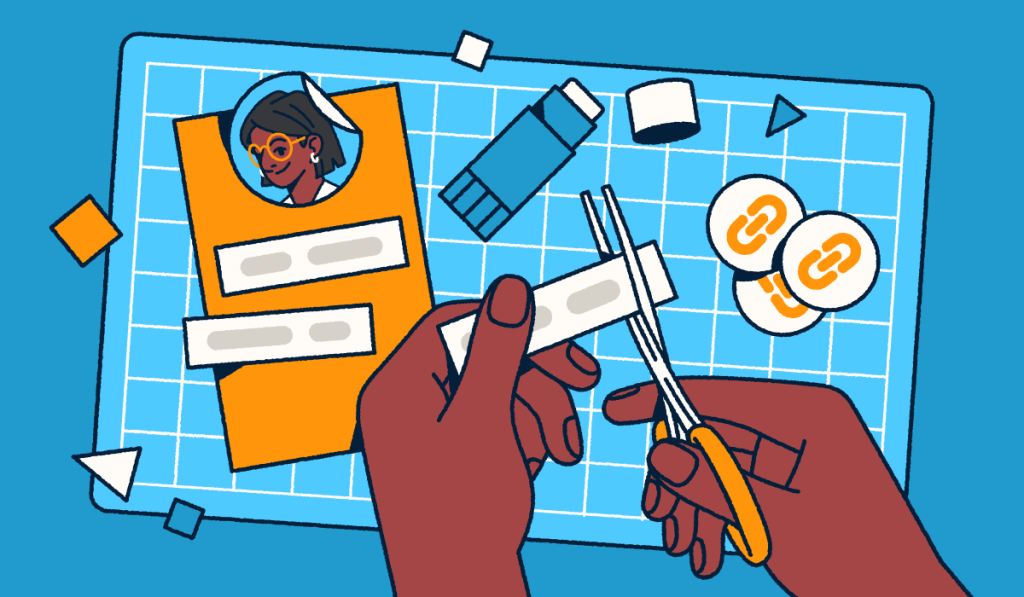
A landing page is a standalone web page built for one campaign and one action. Focused landing pages turn ad, email, social, and QR Code traffic into signups, registrations, or sales.
Picture a marketer who sends paid clicks to the company homepage. Visitors scatter across menus instead of taking action, and the budget becomes guesswork.
This guide answers “what is a landing page” with a plain landing page definition. You’ll learn the term’s two meanings, how landing pages compare to homepages and link-in-bio pages, the main types, and measurement.
A landing page is a standalone web page that a business creates for a specific marketing campaign. Visitors arrive after they click an ad, email, social post, or short link, or scan a QR Code. A landing page focuses on one goal, like signing up, registering, or purchasing, with a single call to action.
Focus makes a page a landing page: One offer, one audience, and one call to action, with little or no navigation.
The answer to “what is a landing page in digital marketing” is simple: It’s where a campaign click becomes a measurable action. Bitly Pages is a no-code solution for creating mobile-friendly landing pages, link-in-bio pages, and digital business cards fast.
In Google Analytics, the landing page is the page where a session begins, or the first page of a session. By that measure, any page on your site can be a landing page.
In marketing, a landing page is a dedicated campaign page with one goal and one call to action. This article covers the marketing meaning, so only pages you build for one campaign action count here.
A “squeeze page” is a short lead generation landing page that asks for an email address in exchange for an offer. Other names include “lead capture page,” “lead gen page,” “campaign page,” and “destination page.”
A “splash page” is a different page type. It’s usually an intro screen shown before a website, like an age check.
A homepage introduces your whole brand, while a landing page asks visitors to take one action. In the landing page vs homepage choice, send campaign traffic to a landing page when you want one result.
The landing page vs website question works the same way: Websites help people explore, and landing pages help them decide. Our landing pages vs websites guide goes deeper.
| Page type | Main goal | Number of actions | Navigation | Typical traffic source | Example |
|---|---|---|---|---|---|
| Landing page | One campaign action | One | Minimal | Ads, email, and QR Codes | Free trial signup from a search ad |
| Homepage | Introduce the brand | Many | Full menu | Organic and direct | Visitor exploring the brand |
| Multi-page website | Inform every audience | Many | Full menus | Organic search | Customer comparing service pages |
| Link-in-bio page | Route followers | Several | Button list | Social bios | Instagram profile hub with five links |
A link-in-bio page is a multi-choice hub for social followers, while a landing page is a single-action page built for one campaign.
Use a Link in Bio page when followers want options, like your shop and newsletter.
You can use both: A link-in-bio page can point to a campaign landing page. Bitly Pages builds both with no code, from a template or from scratch.
The most common landing page types are lead generation and click-through pages, plus product, event, link-in-bio, and digital business card pages. The table shows landing page examples for each.
| Type | Main goal | Typical call to action | Example scenario |
|---|---|---|---|
| Lead generation | Collect contact details | Get the guide | Industry report for an email address |
| Click-through | Warm up visitors | See the offer | Holiday preorder preview linking to a shop |
| Product or sales | Drive a purchase | Buy now | New product launch with reviews |
| Event | Drive registrations | Register now | Booth signage linking to a schedule |
| Link-in-bio | Route followers | Varies by button | Creator profile hub with five links |
| Digital business card | Share contact details | Save contact | Sales rep card shared at a trade show |
See our guide to types of landing pages for the full list.
A lead generation landing page trades an offer, like a guide or discount, for contact details. Learn how landing pages help with lead generation.
Point branded short links or QR Codes with integrated UTM codes at your form tool’s page to see which channel sent each visit.
A click-through page warms visitors up, then sends them to a checkout or signup step. For example, a local bakery promotes holiday preorders with a click-through page that links to its online shop.
A product or sales page asks for a purchase. It includes pricing, details, and social proof.
Event pages drive registrations and quick access to details. For example, a conference team prints a QR Code on booth signage that opens the event schedule page.
Digital business cards work as personal landing pages that people can save and share. Bitly Pages builds landing pages, link-in-bio pages, and digital business cards, shareable by link or QR Code.
Most landing pages share a clear headline, short benefit copy, one call to action, supporting visuals, and social proof. Ask “What does a landing page look like?” and these seven elements answer it:
For more tips, see our landing page best practices.
Message match means your headline repeats the promise from the ad, email, or QR Code that brought the visitor. Google Ads Help’s Quality Score guidance advises consistent messaging from ad to landing page.
One primary call to action reduces decision effort, a principle supported by choice-overload research. Columbia Business School research by Iyengar and Lepper found people were more likely to buy when offered 6 choices rather than 24 or 30.
According to Think with Google, as mobile load time goes from 1 second to 10 seconds, bounce probability increases 123%.
For accessibility, use readable fonts, strong color contrast, descriptive button text, and alt text for images. Bitly Pages creates mobile-friendly pages with customizable fonts, colors, backgrounds, and button styles.
People reach landing pages through ads, email, social bios, SMS, organic search, and QR Codes on physical materials. Give every channel its own short link or QR Code to tell them apart and compare results later.
| Channel | How visitors arrive | Tracking tip |
|---|---|---|
| Paid search | Click a search ad | Add UTM parameters to the final URL |
| Paid social | Tap a sponsored post | Use one tagged link per ad set |
| Click a newsletter button | Tag each send separately | |
| SMS | Tap a texted link | Use a branded short link |
| Social bio | Tap the profile link | Track bio and post links separately |
| Organic search | Click an unpaid result | Check your web analytics tool |
| Print, packaging, or signage | Scan a QR Code | Use one QR Code per placement |
Short Branded Links fit SMS limits, social captions, and email buttons while staying recognizable. Our internal data shows a 2.3x increase in clicks for branded links.
Bitly Links can create branded short links with UTM Tracking that point to a Bitly Page or any landing page.
QR Codes connect posters, packaging, menus, and event signage to a landing page in one scan. Our data shows a 3.8x increase in scans for customized QR Codes.
Bitly Codes are Dynamic QR Codes, so you can update the destination without reprinting.
"Bitly has made tracking internal and external audience behavior a breeze. The landing pages have made language access more manageable for our small nonprofit without requiring huge multi-language and multiple versions of signs. Adding our logo to QR Codes and custom themes to landing pages was easy to implement."
Track page views, clicks, traffic sources, conversion rate, and bounce rate to see if a landing page works. Start with views and clicks, then tie each visit to its channel.
| Metric | What it tells you | Where to find it |
|---|---|---|
| Page views | How many people opened the page | Bitly Analytics |
| Clicks or engagements | Which buttons visitors used | Bitly Analytics |
| Traffic sources | Which channels sent visitors | Bitly Analytics |
| Visitor locations | Where visitors are | Bitly Analytics |
| Conversion rate | Share of visitors who completed the goal | Web analytics or form tool |
| Bounce rate | Share of visitors who left without engaging | Web analytics tool |
Bitly Analytics shows page views, clicks, traffic sources, and visitor locations for Bitly Pages. Engagement analytics start on the Core plan.
UTM parameters are tags on a link that tell your analytics tool where a visit came from. Use one tagged short link or QR Code per channel, so each source reports separately. Our UTM codes guide explains each tag.
By Google’s definition, a good landing page experience is relevant and useful to people who click your ad. Google Ads Help counts it as part of ad quality, and higher ad quality generally leads to better ad positions and lower costs.
Google’s Quality Score guide calls Quality Score a diagnostic tool rather than an input in the ad auction.
LocaliQ/WordStream’s 2026 benchmarks put the average Google Ads conversion rate across industries at 8.18%, ranging from 2.64% to 16.22%. Read it as a Google Ads search conversion rate, separate from landing page conversion rates.
Compare against your own baseline over time.
Build two page versions, give each a tracked Bitly Link, and split distribution. Bitly supports the test with tracked short links and redirects:
Read more about A/B testing with short links.
The best answer to “what is a landing page” is one page that serves one campaign, one audience, and one action, and we’re here to help you optimize yours. Bitly is the marketing platform that helps businesses of all sizes see what’s working. Simply and clearly.
Pick a current campaign, build a single page, and give it a branded short link and a QR Code. Our guide on how to create a landing page covers setup, and the Bitly Pages Free plan includes two custom landing pages.
Ready to launch your first landing page? Get started with Bitly now and start building mobile-ready landing pages today.
Any page can act as a landing page in Google Analytics, which labels the first page of each session as the landing page. In marketing, a landing page is a dedicated page you design for one campaign and one goal.
Bitly Pages lets you publish a mobile-friendly landing page with no code and no website, then share it by link or QR Code. Our guide to creating a landing page without a website walks through the steps.
A landing page should give visitors exactly the information they need to act. A free download or event RSVP often needs only a headline, a few benefit lines, and one button. A purchase usually needs more detail and social proof.
A sales page is a type of landing page that asks visitors to buy, so it usually includes pricing, product details, and testimonials. Other landing pages ask for lighter actions, like signing up for a newsletter or registering for an event.
A link-in-bio page gathers several links in one hub, so social followers can choose where to go. A landing page focuses on a single action for one campaign, and Bitly Pages lets you build both with no code.
A squeeze page is a short lead-generation landing page that asks for an email address in exchange for an offer, such as a guide or discount. All squeeze pages are landing pages, while many landing pages ask for other actions, like a purchase or registration.
A landing page in digital marketing is where visitors arrive after clicking an ad, email link, or social post, or scanning a QR Code. Marketers use it to turn that visit into one measurable action.
Each campaign, offer, or audience deserves its own landing page, so the message matches what brought visitors there. Many businesses start with one or two pages, and the Bitly Free plan includes two custom landing pages.
Knowing how your clicks and scans are performing should be as easy as making them. Track, analyze, and optimize all your connections in one place.

Wait a second
See why millions of people trust Bitly with their links, QR codes and analytics.
Take Bitly for a spin with our free plan. It’s 100% free—no commitment, no risk and no pressure.
• Use Bitly’s free plan as long as you want
• No credit card needed
• Multiple upgrade options when you’re ready
Ready to get started?
 No credit card required.