
Bitly Analytics
Unlock insights from every link and QR Code with Bitly Analytics
Seeing how your links and QR Codes are performing should be as easy as making them. Track every click and scan across channels, and act on those insights.
Loved by big and small brands everywhere






- Get an overview of all your clicks and scans in one dashboard, so you spend less time stitching data together manually.
- Easily filter by date and export data to know when, where, and how your audience is engaging over time.
- Let Weekly Insights automatically surface what performance metrics changed each week by channel, location, and device.

Understand what resonates with your audience
- Ask Bitly Assist about your performance in plain language and get answers in seconds, whether you want to know your top links or leading traffic sources.
- Find your best link and QR Code placements based on location, referrer, and date, so you reach people where they’re most engaged.
- See the reach and impact of your no-code landing pages, and make the most of every customer interaction.

Scale what works and prove impact
- Monitor clicks and scans in real time, so you spot what’s working sooner and make strategic calls with confidence.
- Track performance across email, SMS, social, print, and packaging, and easily download charts as images.
- Build stakeholder reports faster by exporting a full dashboard PDF or the raw data as a CSV for your own analysis.


Link your marketing with Bitly
Use our URL shortener and QR Code generator to create branded links and QR Codes in seconds, then track every click and scan in Bitly.

URL Shortener
Short links that do more
Create polished, branded short links for every campaign you run.
- AI-powered link creation
- Custom domains and back-halves
- URL redirects
- Bulk link shortening

QR Codes
Codes you can edit and track
Dynamic QR Codes for print and packaging — update the destination anytime, no reprint needed.
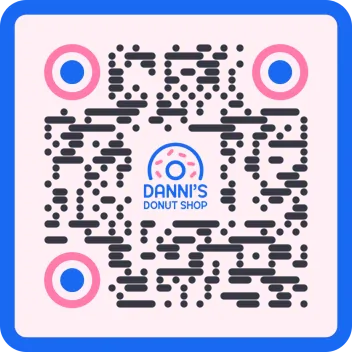
- Customizable colors, patterns, and logos
- Dynamic QR Codes
- PNG/JPEG/SVG downloads
- Bulk QR Code creation
Frequently asked questions (FAQs)
Glad you asked! Here’s a few basics to get you started.
Bitly Analytics is Bitly’s built-in suite of tools for tracking clicks, scans, and landing page views across every channel in one dashboard. It brings the performance of your Bitly Links, QR Codes, and Bitly Pages together, so you can see what’s working without stitching data from separate tools. You get a clear picture of engagement across your digital and physical touchpoints in one place.
You can track clicks on your Bitly Links, scans on your QR Codes, and views on your Bitly Pages, all in one view. Bitly Analytics unifies these metrics across social, email, SMS, print, and packaging. You can also build custom dashboards to focus on the campaigns and channels that matter most to you.
Yes, Bitly Analytics tracks QR Code scans and short link clicks side by side in a single dashboard. You don’t have to switch between reports to compare how your physical and digital touchpoints perform. This unified view makes it easy to see which formats drive the most engagement for each campaign.
Yes, Bitly Analytics updates as clicks and scans happen, so you can measure engagement in real time. This helps you spot what’s resonating while a campaign is live and adjust quickly. You always have a current view of how your Bitly Links and QR Codes are performing.
You can break your data down by city, country, device, referrer, and date. These granular breakdowns show you where your audience is, what they use to connect, and how they found you. You can use this detail to sharpen targeting and focus your effort on the channels that deliver.
Yes, you can export your Bitly Analytics data as a CSV, PDF, and image, or pull it programmatically through the Bitly API. Exporting makes it simple to share results with your team, add them to a report, or bring them into another tool. The API gives developers a flexible way to automate reporting at scale.
Yes, Bitly works alongside Google Analytics 4. When you add UTM parameters to your Bitly Links and QR Codes, that campaign data flows into your GA4 reports. You get the benefit of Bitly’s unified click and scan tracking while keeping your existing Google Analytics 4 setup intact.
No, Bitly Analytics is built for everyone, with no analytics experience required. Ask Bitly Assist about your link and QR Code performance in plain language, and get clear answers in seconds. Weekly Insights summarizes what changed across your links, referrers, locations, and devices, each with a recommended next step you can act on.



