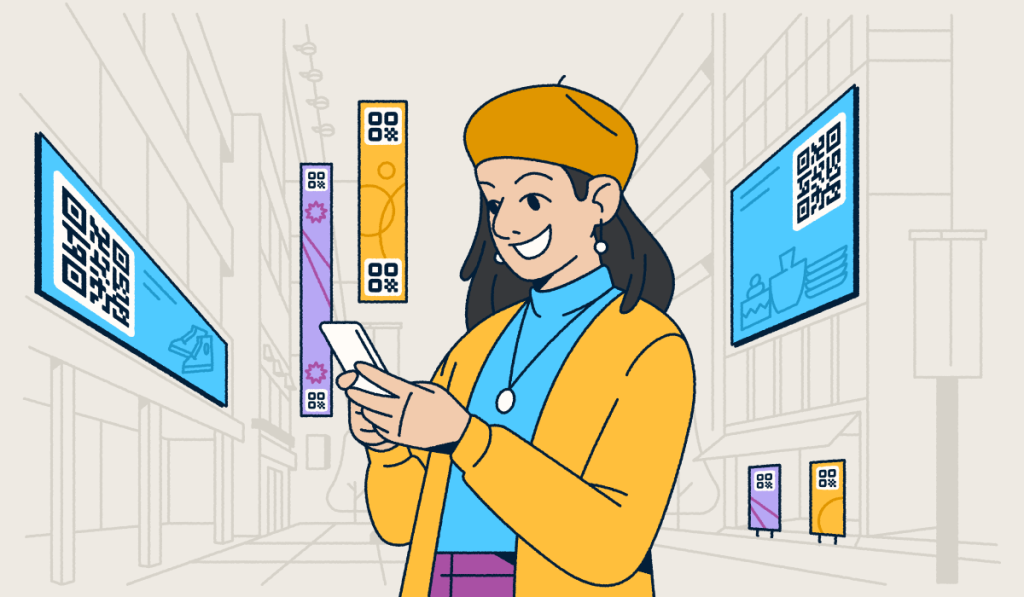
QR Code tracking is how marketers measure what happens after a scan—turning a physical interaction into actionable campaign data. If you’re using QR Codes to connect with your audience, tracking is what tells you whether those efforts are actually working.
Without scan analytics, you’re left guessing which placements drive the most engagement, which audiences are responding, and whether your campaign is hitting its goals. Understanding these interactions is key to making smarter marketing decisions.
This guide covers everything you need to know about QR Code tracking: what it is, which QR Codes support it, what metrics you can capture, how to get started with Bitly, and how to turn your scan data into real campaign improvements.
Key takeaways
- Most QR Codes can’t be tracked by default: Static QR Codes don’t capture any scan data. If you printed a batch of QR Codes without specifying Dynamic, there’s a real chance you’ve had zero visibility into performance.
- QR Code tracking reveals the who, where, and when: The richness of scan data gives marketers a level of audience insight that most digital-only campaigns can’t match.
- Every physical touchpoint becomes a measurable digital interaction: A QR Code on packaging, a business card, or a billboard transforms a traditionally unmeasurable channel into a source of real-time campaign data.
- Dynamic QR Codes solve problems you haven’t encountered yet: Because the destination URL is editable after printing, a strategy pivot never requires a reprint. Your codes stay live and trackable, no matter how your campaign evolves.
- Tracking is only as powerful as your ability to act on it: The right platform turns raw scan data into campaign decisions, allowing you to update destinations and segment audiences instantly.
The basics of QR Code tracking
QR Code tracking is the process of collecting and analyzing data every time someone scans a QR Code. When a Dynamic QR Code is scanned, it routes the user through a redirect—and that redirect captures key data points like scan count, location, device type, and time.
Platforms like Bitly surface this data in a built-in analytics dashboard, giving marketers a real-time view of how their QR Codes perform. QR Codes are 2D Barcodes that can be scanned by smartphones, tablets, and other mobile devices.
If you use a QR Code Generator like Bitly, you’ll have access to a built-in dashboard where you can get metrics and insights about how people use your QR Codes, like:
- Number of scans: See the total number of times your QR Code is scanned.
- Scan location: Identify the city and country where your scans originate.
- Time of scan: Pinpoint the exact time and day your audience engages.
- Device used: Understand whether your audience uses iOS or Android.
- Top-performing codes: Compare different QR Codes to see which ones drive the most engagement.
QR Code tracking enables marketers to make data-driven decisions about advancing their campaigns. This data lets marketers know how their campaigns are performing and gives insights into how to adjust them if needed.
For example, let’s say you post a QR Code on multiple billboards across a region that links to a landing page on your website about your new product. By analyzing QR Code scans, you can see which billboard locations get the most unique scans.
This data allows you to steer your local QR Code campaigns toward the most popular location. This is a perfect example of how QR tracking and traditional marketing can work in tandem.
Dynamic vs. Static QR Codes: Which ones are trackable?
Not all QR Codes are created equal—and when it comes to tracking, the type of QR Code you choose makes all the difference. Understanding the distinction between Dynamic and Static QR Codes is the first step toward building a data-driven QR strategy.
Trackable: Dynamic QR Codes
Dynamic QR Codes are the foundation of any trackable QR strategy. When you create a Dynamic QR Code, the destination URL is editable even after the code is printed. More importantly, these codes route users through a redirect layer that captures real-time analytics.
This means you can track exactly when, where, and how your audience interacts with your campaigns. With a platform like Bitly, Dynamic QR Codes also give you the flexibility to update your destination URL whenever your campaign evolves—without reprinting a single piece of material. That’s a significant advantage for marketers managing campaigns across multiple channels, locations, or time periods.
Non-trackable: Static QR Codes
Static QR Codes encode a fixed destination directly into the pattern of the code. Because they don’t use a redirect link, they can’t pass scan data to any analytics platform. Once printed, the destination can’t be changed.
While Static QR Codes might work for simple, permanent tasks like sharing a Wi-Fi password, they fall short for marketing campaigns that require performance measurement. If you’re running a campaign and need to know whether your QR Codes are driving results, Dynamic QR Codes are the way to go.
What you can track: Key QR Code metrics
When you use a platform like Bitly to manage your campaigns, you unlock a wealth of data that helps you understand your audience better. Here are the key metrics you can track:
- Total scans: See the overall volume of engagement your QR Code receives over time.
- Unique scans: Distinguish between repeat visitors and new audiences to get a clearer picture of your reach.
- Scan location: Capture geographic data at the city and country level to see where your campaigns resonate most.
- Device type: Understand whether your audience uses iOS or Android devices, allowing you to optimize the destination experience.
- Time of scan: Identify peak engagement hours and days to time your future marketing efforts perfectly.
- Top-performing codes: Compare multiple QR Codes across different placements to see which assets drive the highest engagement.
By monitoring these metrics in Bitly Analytics, you can connect each data point to a concrete marketing decision—whether that’s reallocating budget to a high-performing placement or updating a destination URL to better match audience behavior. Bitly QR Code scan data can also be easily integrated into Google Analytics, helping you capture a complete engagement picture.
Why QR Code tracking matters for marketing
Ultimately, QR Code tracking contributes to a deeper understanding of customer engagement and campaign effectiveness. The better you understand your target audience, the better you can create QR Code content that resonates with them.
For example, take a close look at the devices your audience uses to scan your QR Codes. Are they primarily Android users or iOS users? This tells your team how to structure and optimize content for each operating system.
Scan data also unlocks a range of marketing advantages that go beyond knowing who scanned:
- Audience segmentation: Use location data to group prospects by region and build hyper-local campaigns that reach people where they are.
- Personalization at scale: Tailor messaging based on device type, scan frequency, or geographic patterns to increase relevance.
- Smarter decision-making: Replace assumptions with real engagement data—so every campaign adjustment is backed by evidence, not instinct.
- Improved ROI: Redirect spend toward the placements, regions, and formats that consistently drive the most scans and conversions.
How to set up QR Code tracking in 3 steps
With Bitly, QR Code tracking has never been simpler. All you need to do is follow these three easy steps to track your progress.
1. Create a QR Code with Bitly
First, you’ll need to create an account with Bitly to begin generating Dynamic QR Codes. Here’s how to get started:
- Account creation: Create a free or premium Bitly account to get started.
- Link insertion: Insert a destination link of your choice into the generator.
- Customization: Customize the shape, color, and design of your QR Code. (Note: Some customization options are only available with paid plans.)
- Publishing: Save and publish your QR Code in your desired format.
That’s it—it only takes a few minutes to generate custom QR Codes with Bitly!
2. Link the QR Code to the right content
QR Codes can link to a wide range of content assets through URLs, including specific web pages, promotional content, or digital experiences. In marketing, the key is choosing content that adds value to the customer’s journey and meets campaign objectives.
For example, a real estate agent can link back to vital information about a home they’re selling. A QR Code leading to a website with important information about the surrounding neighborhood would be helpful for the prospective buyer and aid them on their journey.
3. Access and understand Bitly’s tracking features
By creating a Bitly account, you can get comprehensive insights with Bitly Analytics. Here, you can see how your QR Codes perform in real time, tracking metrics like:
- Total scans: See the overall number of scans your QR Codes receive.
- Scans over time: Track engagement trends on a daily, weekly, or monthly basis.
- Scans by browser: See which web browsers your audience uses to access your content.
- Scans by location: Identify the geographic areas where your campaigns are most popular.
This information is key in helping you understand if your campaign is hitting the mark or what you could do to improve it. If you notice that your scans are dwindling over time, it may be time to take a closer look and edit your QR Codes.
Examples of campaigns that could use QR Code tracking
QR Code tracking adds measurable value to any campaign that uses physical touchpoints. These use cases in particular show the strongest return:
E-commerce promotions
QR Codes can track the effectiveness of in-store and online promotions, leading customers from physical ads to online stores or exclusive deals via URL.
This proves that QR Codes effectively combine online and offline marketing activities. For example, you can display QR Codes that advertise affordable online promotions. With QR tracking, you can measure the number of scans it receives each month and adjust your campaign if necessary.
You can even link QR Codes with augmented reality (AR) to help shoppers see how your clothes will look on them—simply include the link to your online AR experience as your destination URL when you set up your QR Code.
Since creating multiple QR Codes at a time is easy, you can conveniently measure engagement rates and conversion from specific promotions when you integrate your QR Code Generator within other third-party analytics tools like Google Analytics.
Event management and festivals
Event planners can use QR Codes to manage check-ins, distribute itineraries, and engage attendees with interactive content—all while tracking which touchpoints drive the most engagement.
You can use QR Codes to distribute itineraries for business conferences and special events via URL. Meanwhile, event promoters can disseminate QR Codes at concerts to enable people to share their experiences on social media by linking to each platform.
Real estate and property showcases
QR Codes can elevate the real estate market by giving buyers direct access to virtual tours, detailed property information, and contact details for agents via URL. Specifically, buyers can access comprehensive property details on the go.
This also means sellers and agents can track interest and engagement levels in real time. If a real estate agent wants to scale their business and give multiple open houses simultaneously, they can rely on QR technology.
The agent can showcase a virtual tour by posting QR Codes in an email or SMS message. They can even leave an image of a QR Code at a property that links to an online listing with information such as the list price, home details, and agent contact details.
In this way, Dynamic QR Codes are much more efficient than printed materials. This is because you can change the destination URL as often as needed without needing to reprint or redistribute physical marketing materials.
Tips for analyzing your QR Code tracking data
Collecting scan data is only useful if you act on it. Here are three ways to turn your QR Code metrics into sharper marketing decisions.
Look for patterns and trends
The first step in making sense of QR analytics is to look for patterns in QR Code scan data, such as peak times for scans or locations with higher engagement. When you can find a correlation between two data points, you can better determine what’s happening in your campaign.
Let’s say you’ve posted QR Codes outside a local grocery store to promote your new cookie product. If you notice that most scans are happening in the early afternoon, a great idea would be to visit the grocery store during this time and offer free samples.
Measure campaign performance against goals
Start by defining your central marketing objectives. Do you want to build brand awareness and increase total scans, or test engagement in a specific region? Knowing your goal gives every metric a clear frame of reference.
From there, you can use Bitly Analytics to assess whether your campaign is hitting its targets—and adjust your QR Code strategy based on what the data shows.
Leverage data for personalized strategies
QR technology can aid in tracking data and tailoring marketing messages to specific audience segments. You can leverage editable QR Codes to break your target audience into groups and reach them individually.
You may target the same demographics using multiple QR Codes to promote your mobile app. You might consider taking advantage of QR Codes’ flexibility and creating different (but relevant) landing pages for both Apple and Android users, each with its own code. This way, you can increase engagement rates and drive higher conversions.
Amplify your strategy with Dynamic QR Code tracking insights
QR Code tracking does more than measure scans—it gives your entire marketing strategy a feedback loop grounded in real behavior. With the right data, your team can target the right audience, deliver relevant messages, and optimize campaigns continuously.
Bitly makes this possible by combining Dynamic QR Code creation, real-time analytics, and editable destinations in one platform—so every scan becomes an insight you can act on.
If you’re ready to start tracking your QR Codes, you’ve come to the right place. Get started with Bitly for free today!
FAQ about QR Code tracking
Can any QR Code be tracked?
Only Dynamic QR Codes support tracking—Static QR Codes encode a fixed destination and don’t pass any scan data to an analytics platform. To track scans, you need to create a Dynamic QR Code using a tool like Bitly, which captures data through a redirect layer each time someone scans.
How do I get tracking data from a QR Code?
To access QR Code tracking data, create a Dynamic QR Code using a QR Code Generator that includes built-in analytics, like Bitly. Once your code is deployed and scanned, your analytics dashboard populates with scan data in real time—including total scans, location, device type, and time of scan.
Can you track the location of a QR Code scan?
Yes—Dynamic QR Codes created with Bitly capture location data at the city and country level every time someone scans, allowing marketers to segment audiences by geography and tailor campaigns to specific regions.
Is QR Code tracking free?
Bitly offers a free plan that includes basic QR Code creation and scan tracking. More advanced analytics features—including detailed geographic and device-level reporting, custom domains, and bulk QR Code management—are available on paid plans. Explore Bitly’s plans to find the right fit for your needs.
More Articles


More than a link shortener
Knowing how your clicks and scans are performing should be as easy as making them. Track, analyze, and optimize all your connections in one place.