SEO-friendly URLs are clean, descriptive web addresses built for search engine optimization (SEO). They help people and search engines understand a page before they click. When your paths are readable and stable, you can improve crawl clarity and earn more trust in search results. You also give artificial intelligence (AI) systems a durable source to cite over time.
Marketers often pour energy into keywords and page content, then leave URLs as an afterthought. Long parameter strings, opaque IDs, and constantly changing paths make pages harder to scan in search engine results pages (SERPs). Those same patterns are harder to share in chats and campaigns, and harder to keep alive as citations.
Site URL structure and shareable short links solve different jobs. Your on-site URLs organize content for Google and visitors on your domain. Bitly Links make those destinations readable and trackable when you share them across social, short message service (SMS), ads, email, and print. Optimize the page address first, then layer different branded short links on top for trackable omnichannel distribution.
This guide defines SEO-friendly URLs and separates ranking myths from reality. It also shows how to build a clean URL structure for Google and AI search in 2026.
Key Takeaways
- Build descriptive, hyphenated URLs that match the page topic so people and crawlers understand the destination at a glance.
- Treat URL keywords as a minor signal, not a reason to rebuild your site architecture or force exact-match slugs.
- Keep URLs stable over time so Google and AI systems can continue to cite the same source without broken links.
- Use canonical tags and static paths to prevent duplicate versions from parameters, sessions, and tracking strings.
- Pair clean site URLs with branded Bitly Links when you share content so campaigns stay readable, measurable, and on-brand.
What is an SEO-friendly URL?
An SEO-friendly URL is a human-readable address that uses clear words, simple structure, and consistent formatting. Users and crawlers should be able to understand the page from that address alone. Google’s URL structure guidance favors descriptive paths, hyphens as word separators, and simple formatting that supports crawlability.
Break a URL into its parts with a familiar Bitly example: https://bitly.com/blog/seo-friendly-urls/.
- Scheme: https:// tells the browser which protocol to use.
- Domain: bitly.com identifies the site.
- Path: /blog/ shows where the page lives in the site hierarchy.
- Slug: seo-friendly-urls names the specific page in plain language.
Keep two layers distinct:
- Site URLs / permalinks are the durable addresses of pages on your domain.
- Shareable short links are campaign-facing links you create with Bitly when a destination is long, cluttered, or requires tracking.
Short links do not replace on-site URL structure. They help you distribute a clean destination once that destination already follows SEO URL best practices.
An SEO-friendly URL is short enough to scan, specific enough to describe the page, and stable enough to hold rankings and earn citations.
Do URLs affect SEO rankings?
Yes, URLs matter for SEO, but mostly for crawlability, clarity, and user trust, not as a major ranking lever. Content quality, internal links, and overall experience still do far more work than any single slug tweak.
Keywords in URLs are a very small ranking factor
Keywords in a path can help Google understand a new URL, yet the signal is minor. Search Engine Journal’s ranking-factor summary reflects John Mueller’s guidance that keywords in URLs are a very small, often overrated factor. The value is strongest when Google first discovers a URL. Once page content is available, substance outweighs the slug.
URL length is not a ranking factor
URL length does not determine rankings. Google uses URLs as identifiers and does not rank pages by character count. The practical edge case is canonicalization: When multiple near-duplicate URLs exist, Google may prefer a shorter, clearer URL as the canonical version.
Content and other signals dominate
The URL alone brings minimal signal compared with content and stronger ranking inputs. Build clean paths for people and systems, then invest the heavier effort in the page itself.
| Myth | Reality |
|---|---|
| Longer URLs can’t rank | Length is not a ranking factor |
| Stuffing keywords in the slug boosts rankings | Keywords are a minor, early-discovery signal |
| Flattening every URL to the root helps SEO | Hierarchy can stay logical; click depth and internal links matter more |
Why SEO-friendly URLs still matter
SEO-friendly URLs still matter because they improve how people judge a result, how crawlers map your site, and how long a citation stays useful. They are not a shortcut that replaces strong content or broader content optimization.
- User trust and click-through rate (CTR). Readable paths reduce friction in SERPs, chats, and social previews. Visitors can guess the destination before they click, which builds confidence and can support stronger engagement.
- Crawl and indexing clarity. Descriptive paths help systems understand page topics and relationships. A logical SEO URL structure makes it easier to connect related content without relying on opaque IDs.
- Maintenance and AI citability. Stable URLs keep bookmarks, backlinks, redirects, and AI citations from rotting. When you change paths without a plan, you create cleanup work and break trust with both people and machines.
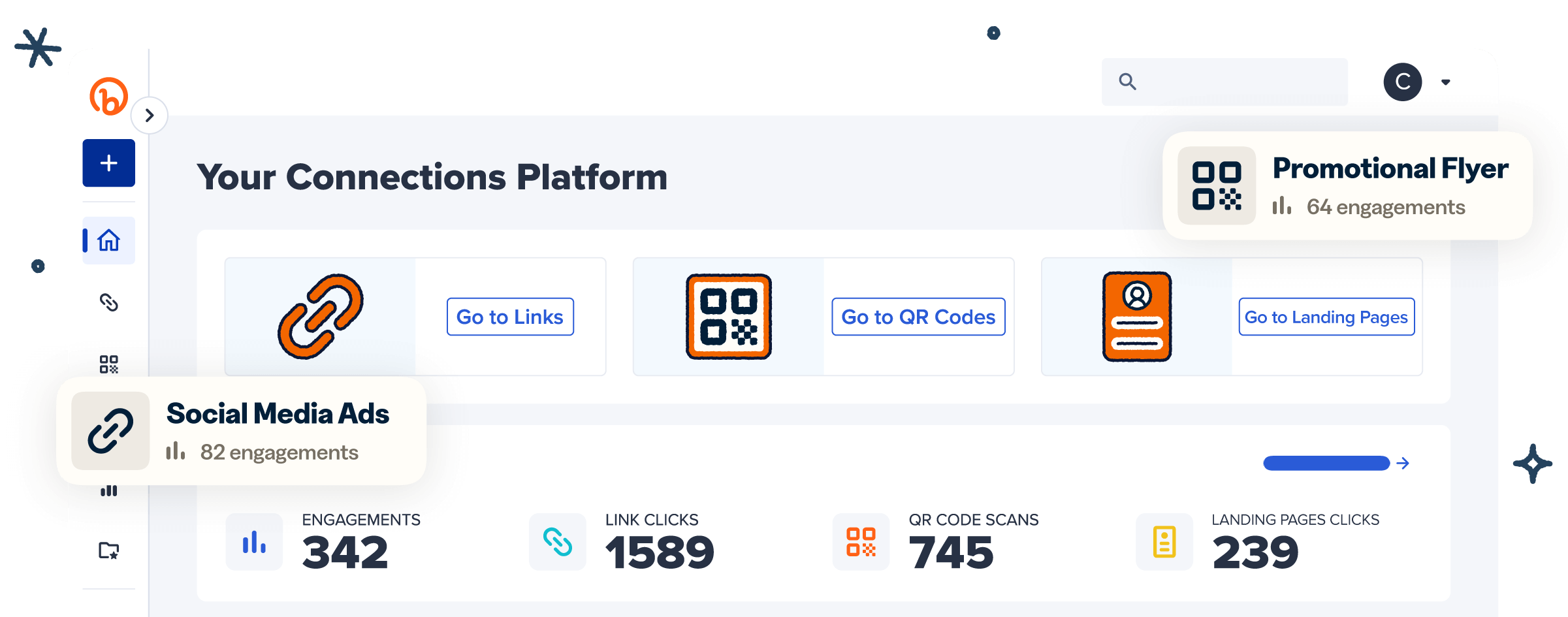
When you share those destinations, Bitly Analytics helps you measure engagement on the links you distribute. You can review clicks over time, referrers, and location data to see which shared URLs earn attention. That measurement supports campaign decisions. It does not prove that short links alone raise organic rankings.
SEO-friendly vs non-SEO-friendly URL examples
Side-by-side examples make weak URL patterns easy to spot and fix. Use the stronger versions as a model for how to create SEO-friendly URLs that people can read, share, and maintain.
| Issue | Weak URL | Stronger URL |
|---|---|---|
| No context | example.com/p=9873 | example.com/blog/seo-friendly-urls |
| Underscores | example.com/seo_friendly_urls | example.com/seo-friendly-urls |
| Parameter clutter | example.com/products?id=872&sid=1 | example.com/products/red-running-shoes |
| Stop-word bloat | example.com/the-best-tips-for-seo-in-2026 | example.com/seo-tips |
| Mixed case | example.com/Blog/SEO-Tips | example.com/blog/seo-tips |
| Date lock-in | example.com/marketing-tips-2024 | example.com/marketing-tips |
The stronger versions are easier to scan in results, easier to paste into messages, and easier to keep stable when content evolves. They are not magic ranking hacks; they remove avoidable confusion so your SEO URL structure supports the rest of your on-page work.
How to create SEO-friendly URLs
You create SEO-friendly URLs by shaping the on-site path around the page topic and keeping the format simple and consistent. Follow these steps for permalinks on your domain, not as a short-link product tutorial.
- Start from the page title and primary topic. Pull three to five descriptive words that match search intent and describe what the page actually delivers.
- Place one primary keyword naturally in the slug. Do not repeat variations or force an exact match when it hurts readability. For deeper slug guidance, review our URL slug best practices.
- Remove stop words that add no meaning. Drop filler like “the,” “and,” or “of” when the slug stays clear without them. Keep a word only when it improves understanding.
- Use lowercase letters and hyphens. Mixed cases can create duplicate paths on case-sensitive servers. Google’s URL structure documentation recommends using hyphens as word separators rather than underscores.
- Prefer static paths over session IDs and unnecessary parameters. Session tokens, sort strings, and tracking clutter make URLs harder to crawl and easier to duplicate.
- Keep the structure logical for your site. One or two meaningful folders, like /blog/ or /products/, usually help more than artificially flattening every page to the root.
After the page URL is clean, use Bitly when you need a shorter, branded, trackable link for social, SMS, ads, or print. A URL shortener handles the shareable layer while your canonical site path stays optimized for search.
Best practices checklist for SEO-friendly URLs
Use this SEO URL best-practices checklist to audit new pages and clean up legacy paths without overhauling your entire architecture.
Use descriptive words, not opaque IDs
People and crawlers should understand the page from the path alone. Prefer example.com/blog/seo-friendly-urls over example.com/p=9873.
Separate words with hyphens
Google recommends hyphens as word separators. Avoid underscores and concatenated strings that force readers to decode the slug.
Stay consistent with lowercase
Mixed cases can create duplicate paths and broken links on case-sensitive servers. Standardize on lowercase for every new URL.
Limit unnecessary parameters
Trim tracking, sorting, and session parameters that do not change core content. Google’s URL structure guidance favors common parameter encoding and as few parameters as possible so crawl paths stay clean.
Use canonical tags for duplicate versions
A rel=canonical tag tells search engines which URL is the preferred version when duplicates exist. Use it for www versus non-www, HTTP versus HTTPS, and parameterized copies of the same page. That way signals consolidate on the URL you want indexed.
Minimize unnecessary redirects
Redirects are fine when you move or retire pages, but chains slow experiences and can complicate how link equity flows through links. Prefer a single, intentional redirect to the final destination.
Avoid dates in evergreen slugs
Dates make evergreen guides look stale and force URL changes on refresh. Keep example.com/marketing-tips rather than locking the path to a specific year.
Keep trailing-slash rules consistent
The slash itself is not a ranking lever. Consistency is. Pick one rule for your content management system (CMS) and apply it sitewide to avoid creating duplicate paths.
Reflect site hierarchy without deep nesting
A path like /blog/seo-friendly-urls/ is fine. Do not invent deep folder trees that bury important pages under four or five unnecessary levels.
Submit an Extensible Markup Language (XML) sitemap with preferred URLs
Sitemaps help discovery. An XML sitemap should list canonical URLs only, so crawlers spend time on the versions you want indexed.
SEO-friendly URLs in the age of AI search
Clean URLs still matter in AI search because models cite permanent, readable sources—and broken or unstable URLs break that chain. AI Overviews and answer engines still need a destination people can open later.
URL permanence for AI citations. Search Engine Land’s SEO-friendly URL guide highlights broken links in AI citations. It also explains why URL permanence matters as AI tools cite the web. If the cited path dies, the citation loses value for the reader and for your brand.
No special “AI Mode URL length” hack. The same Search Engine Land sample found AI Mode citations averaging about 53 characters in the path. That length is nearly identical to classic blue links. Optimize for clarity and stability, not a separate AI character count.
Descriptive paths as relevance signals. Clear slugs help traditional search and generative systems assess topical fit before they fully parse the page. A specific path supports both ranking context and citation confidence.
When the destination URL is long or campaign-specific, a stable branded short link keeps the shared surface clean. The underlying page URL stays optimized and permanent. That split protects SEO URL structure and still gives every channel a trustworthy click path.
Make shareable URLs clearer with branded short links
Branded short links improve the distribution layer after your on-site URLs are already clean. They do not replace permalink SEO. They make long destinations easier to trust and measure when you share them.
Use Bitly when:
- Social, SMS, and ads punish long or messy URLs
- You need custom back-halves that preview the destination
- A custom domain should keep your brand visible in every click
- Offline, out-of-home, and QR Code placements need short, memorable paths people can type or scan quickly
- Teams need multichannel naming conventions so one generic link does not cover every asset
A simple channel pattern keeps campaigns organized:
| Channel | Naming pattern example | Why it helps |
|---|---|---|
| Social | brand.ly/spring-sale-ig | Shows platform and offer at a glance |
| SMS | brand.ly/spring-sale-sms | Separates mobile traffic for reporting |
| brand.ly/spring-sale-em | Isolates inbox performance | |
| Paid | brand.ly/spring-sale-paid | Protects budget attribution |
| Print / out-of-home (OOH) | brand.ly/spring-sale-ooh | Keeps offline paths short and memorable |
Add UTM parameters (campaign tracking codes) when you need campaign, source, and medium detail in analytics. Pair one primary Bitly Link per channel instead of recycling a single generic short link everywhere. That habit makes it easier to enforce short URL best practices across teams.
Bitly Analytics shows clicks, referrers, location, and trends so you can see which shared URLs earn engagement. Teams that use short links to grow their brand and follow a clear omnichannel short-link strategy get cleaner reporting. They do this without changing the underlying SEO-friendly page URL.
Customer proof backs the trust effect of branding on the shared link: “Our click-through rates have improved by 57% since switching to branded short links,” reports Jawad El-Anis, Head of Marketing for Orange County CBD
Build cleaner URLs, then share them with confidence
Optimize the page URL for clarity and stability first, then use Bitly when you need branded, trackable links for distribution. Rankings still depend far more on content quality than on slug gymnastics. Treat SEO-friendly URLs as durable infrastructure rather than a ranking trick.
Bitly is the marketing platform that helps businesses of all sizes see what’s working. Simply and clearly. Clean site paths keep Google and AI systems oriented. Branded Bitly Links help you connect the dots across channels so you can do more of what works.
Link your marketing. Sign up today to create branded short links and track every click. Get started for free.
Frequently Asked Questions
What is an SEO-friendly URL?
An SEO-friendly URL is a clear, descriptive web address that tells people and search engines what the page covers. Strong examples use readable words, hyphens, lowercase letters, and a stable path instead of random IDs or long parameter strings. Google’s URL structure guidance emphasizes descriptive URLs and simple formatting for crawlability.
Do URLs affect SEO rankings?
Yes, but lightly. Keywords in URLs can act as a very small ranking signal, especially when Google first discovers a page. After Google indexes the content, stronger signals like page substance, links, and experience matter far more. Search Engine Journal summarizes Google’s position that URL keywords are overrated as an SEO lever.
Does URL length matter for SEO?
URL length does not determine rankings. Google treats URLs as identifiers, and John Mueller has said length is not a ranking factor. Length mainly affects readability, sharing, and, in rare duplicate-content cases, which URL Google selects as canonical. See Search Engine Journal’s recap of Mueller’s full answer.
Should I use hyphens or underscores in URLs?
Use hyphens. Google recommends hyphens because they separate words for users and search engines. Underscores can make terms harder to parse. Follow the hyphen guidance in Google Search Central’s URL structure documentation.
How do I create an SEO-friendly URL?
Start with the page topic and choose one primary keyword. Then:
- Write a short lowercase slug
- Separate words with hyphens
- Avoid dates, sessions, and unnecessary parameters
Keep the path consistent with your site structure, then set a canonical URL if duplicates exist. When you share the page, create a branded Bitly Link so the public-facing URL stays readable and measurable.
Do SEO-friendly URLs help with AI Overviews and AI citations?
Clean, permanent URLs help AI systems cite sources people can still open later. Unstable or broken URLs weaken verification and brand trust when an AI answer links out. Search Engine Land notes that URL permanence is increasingly important as AI tools cite web pages.