
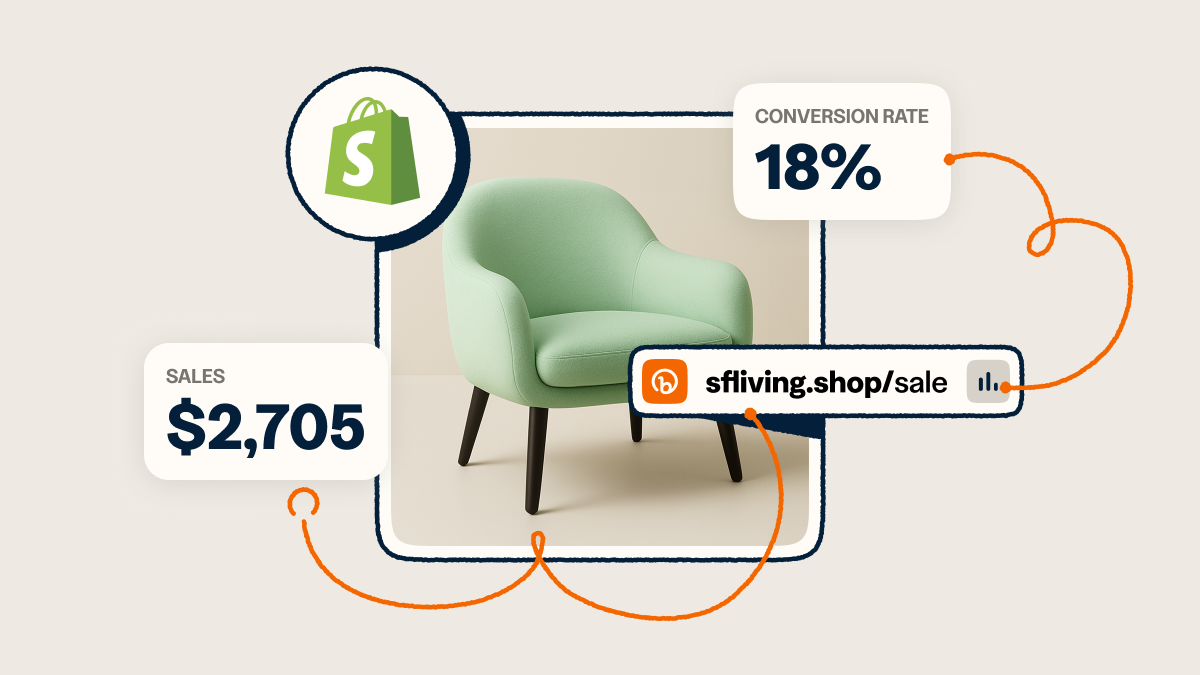
You’ve set up your Shopify store and listed your quality products. You consistently post engaging content on multiple organic channels where your audience spends time. Sales are rolling in.
But there’s a problem: You can’t track exactly where those sales are coming from. Shopify tells you that Instagram drove 100 sales last week, but it doesn’t tell you which posts convinced shoppers to buy. You can make educated guesses based on likes, clicks, and traffic—you can’t know for sure which messaging, format, or post actually convinces people to head to checkout. So you keep allocating your limited time and budget based on incomplete data.
Ready for the good news? Bitly and Shopify have teamed up to remove the question marks from conversion data. Now, you can tie every Bitly link to actual Shopify revenue for actionable reporting and a connected view of your marketing and sales efforts. Let’s explore how you can track each link all the way through to sales.
Why did they buy? The Shopify analytics gap
Out of the box, Shopify offers some of the data you need to analyze what leads your audience to buy. You get channel-level data helping you understand whether social, email, or direct visits are driving sales. But when you’re building posts, filming videos, and writing marketing copy every week, that data isn’t enough.
You want to know which specific Instagram story, email, or influencer campaign led to that unexpected sales boost last week. Content-level attribution gets into the nitty-gritty details behind your audience’s preferences and behavior. Channel performance details can show you where your customers spend time; conversion data from your content can tell you what makes them take action and make a purchase.
That valuable intel helps you make more high-converting content, double down on posts that perform well, or get inspired to try something new based on what’s working.
The powerful combination of Bitly and Shopify turns data into real business insight by connecting clicks to revenue. With this integration in your tech stack, you can see exactly how each Bitly Link to your Shopify store drives results. Zero in on your highest-performing content—not just in terms of likes, views, or comments, but in terms of sales.
What you can (and should) track
Shopify conversion data opens up a new world of tracking potential for your business. Instead of making educated guesses about your highest-converting posts, you can know where sales come from.
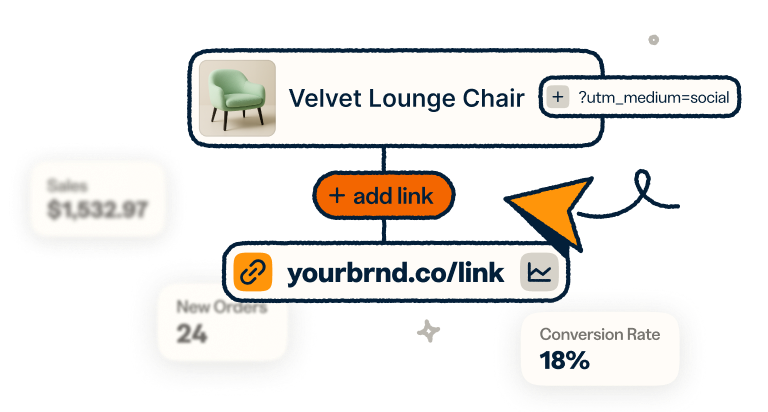
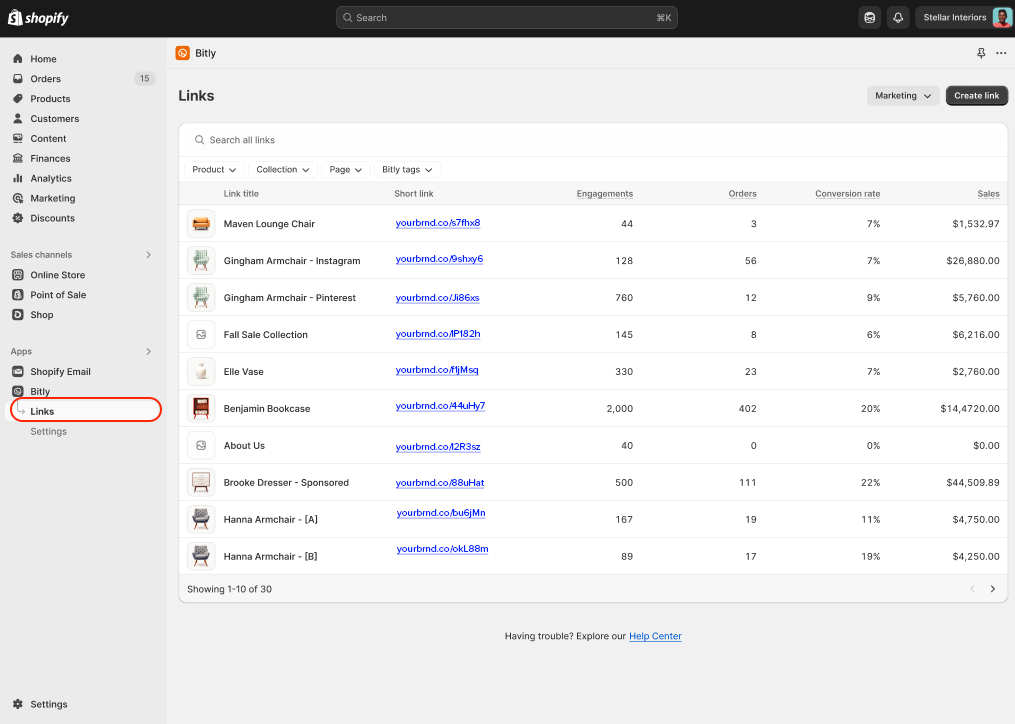
The Bitly and Shopify integration adds three new key metrics on top of link clicks. You can now see:
- Orders that happened after a customer clicked on a specific link
- The revenue that resulted from the initial link click
- The conversion rate from those link clicks—or, how many people who clicked became customers
After setting up the integration, Bitly’s Shopify integration automatically tracks your orders, revenue, and conversions from links to your Shopify store, products, and collections. In minutes, you can review which of your content is contributing to your business and start making a game plan to repeat its success.
Analyzing your data: What to watch for
Collecting conversion data is one thing. But how do you turn those metrics into better marketing decisions? Start with a repeatable cadence to review the data. We recommend:
- Weekly: At the beginning or end of every week, sit down to take stock of where the last week’s orders came from. Which links drove most revenue? Which posts drive the highest conversions? The patterns you uncover can inform where you spend your marketing time and budget.
- Monthly: Create a month-end recap of your top-performing posts or campaigns by revenue, conversion rate comparisons, and product-level insights. Track changes month to month to uncover trends that inform new products or tweaks to your brand positioning.
Regular reviews of your data can tell you what’s going right and what’s going wrong. These patterns can signal red flags for investigation:
- High clicks, low conversions: If a lot of people click but they rarely buy, you could have a traffic quality issue, or there might be a problem with the product landing page.
- Declining conversion rates: Are you seeing fewer and fewer customers buying over time? This can be a sign of audience fatigue. You might need to refresh your product offering or make sure that your marketing and messaging match what you’re selling.
- Over-reliance on one channel: If you’re only seeing sales on one platform, you clearly know where to find your audience. But that’s a risk if the algorithm changes or the platform changes hands. Strategize a way to convert customers from other platforms, too.
With detailed filtering by product, channel, or campaign, the Bitly and Shopify integration helps you uncover unexpected patterns and themes that point to your marketing wins and losses. That’s how you build a stronger, more data-driven strategy for your Shopify store.
How to track your most important channels
Conversion analytics lets you track the performance of your channels overall and each piece of content you post on them. Here’s how you can use trackable Bitly Links to assess every platform where you engage with customers.
You reach followers and new fans through Reels, static images in the feed, Stories, and your bio. Create unique links for each format to see where and when users convert into customers and make a purchase. Separate links for each post deliver granular performance metrics, revealing which formats convince would-be shoppers to buy.
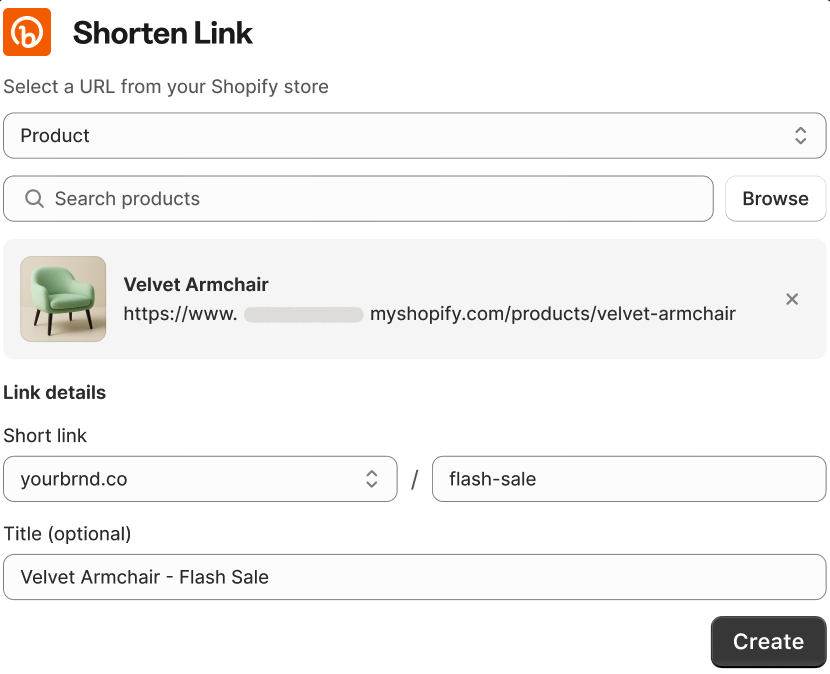
You can create trackable short links for Instagram directly in Shopify, choosing products or collections from a dropdown to send people directly to your Shopify store.
Long-form content
In informational blog posts, backlinks, or interactive content like quizzes, you can build excitement for your products and help a consumer picture themselves using your product. And with the help of trackable Bitly links, you can pinpoint how content marketing contributes to sales.
Add trackable links to quiz results to recommend a certain product or collection, and provide dedicated partner links to see when media mentions send new customers your way.
Influencer partnerships
How do you know your influencer strategy is paying off, and what kinds of influencers should you partner with? Now you can answer these questions by tracking not just vanity metrics but actual purchases that result from clicks on their content. Give each influencer their own unique branded links to calculate ROI, including links for different posts to learn what kind of influencer content drives people to buy your product.
Evaluate your influencer strategy as a whole by reviewing metrics across partners. Compare conversion rates to see who has the best-fit audience, and plan your influencer spending around higher-revenue relationships.
Offline marketing
Physical and in-person marketing tactics can be notoriously difficult to track. Memorable short links and QR Codes make it easy to track traffic from channels like packaging, print materials, and events—and now you can use them to measure your Shopify revenue, too.
Track digital sales that stem from in-person engagement with targeted links. And head to your Bitly account to drive more brand recognition with QR Codes, too: There, you can customize colors, adjust style, and add your logo for greater trust on top of deeper tracking.
4 common mistakes to avoid
We’ve talked about how you should approach conversion analytics using Shopify and Bitly—now, let’s explore what not to do. Steer clear of these four mistakes that can hold back your ecommerce marketing.
1. Using the same link everywhere
Let’s say you build a memorable, branded short link to a new product with a custom domain and a descriptive back-half. Then, you use that same link on your Instagram story, in an email campaign, in a blog post, and in your TikTok bio. You’ll still get data about that link and how many orders came from those clicks. But you’ll miss out on the value of knowing which orders came from which channel. You’ll get a conglomeration of tracking, but not content-level attribution.
Instead: Create new links for each post and channel.
2. Naming links inconsistently
If you’re passionate about organization and project management, you love a good naming convention. But if you don’t establish a specific hierarchy for link names, you (and any others on your team) can get busy and quickly create identical link names or confusing labels that make it impossible to track down the reports you’re looking for.
Instead: Define and document which elements to include in each link name (you could include channel, post date, and product or collection destination).
3. Tracking clicks but not conversions
Current Bitly users (who also run a Shopify business) are probably tracking link clicks, which provides valuable information about when, where, and why people engage. But you don’t have the full story of online sales. Or maybe you’re relying on Shopify metrics to tell you about overall channel performance but not content-driven conversions. You’re looking at vanity metrics to drive your content strategy when you should be looking at how each post or piece of content leads to orders and sales.
Instead: Use Bitly and Shopify together to capture conversion data.
4. Creating trackable links without analyzing data
Imagine if there was a pamphlet on the table in front of you that contained some of the most valuable, actionable information about your business… but you never opened or read it. That wouldn’t be the best business decision, right? But it’s not too far off from what happens if you build trackable links to your products for your content and don’t dig into the data, finding patterns and insights about what makes customers buy. You’re missing out on some of the most important data for your marketing and sales efforts, and it’s time to put your analysis hat on.
Instead: Build rhythms to create links, review reporting, and decide next steps based on the takeaways.
4 simple steps to get started
Setting up the Bitly and Shopify integration is one of the quickest ways to make marketing for your digital store even more data-driven.
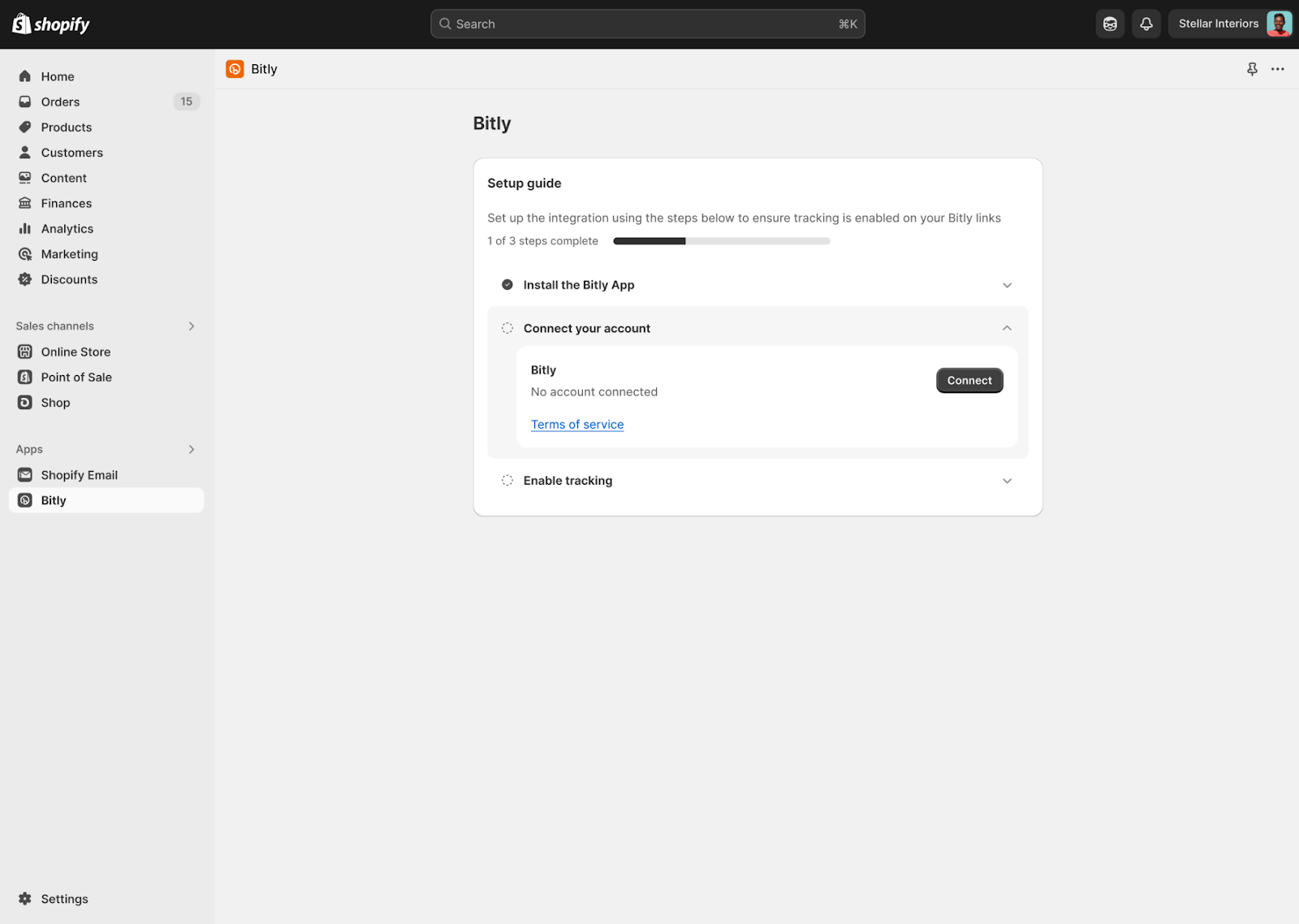
Step 1: Install the integration
In your Shopify account, start by installing the Bitly app. You’ll go through a short setup process to connect your existing Bitly account and enable tracking.
Step 2: Build your first link
Use the integration to create a branded short link for your most important upcoming campaign. Build a link for a specific post or piece of content, so you get targeted conversion and order data. You can do this in Shopify or Bitly.
Step 3: Watch the data roll in
Now, you can access your Bity and Shopify analytics dashboards to view orders placed, revenue collected, and conversions. Did you create multiple links for your initial campaign? Compare results across channels to learn what’s working best.
Step 4: Expand tracking across channels
You’re ready to systematically roll out Bity links (and more comprehensive tracking) across all your campaigns and channels. Each time you release a new product or publish content, you can create new Bitly links to your Shopify store and watch each post turn into clicks turn into sales.
Track metrics that matter and drive revenue
Your time and budget are precious. Spend them on marketing tactics that don’t just draw attention—you need to point people to the (digital) checkout line with your content. When you use Shopify and Bitly together, you can evaluate your current efforts, dream big about marketing campaigns that will click, and boost the metrics that matter to the bottom line.
Connect your marketing efforts directly to sales results. Download the Bitly app on your Shopify account today and start building and posting links to your products and collections—then track your purchases right to the source in real time.





