You built one campaign, but the people it needs to reach are not all the same. Some of them live in Mexico City, some in Montreal. Some are opening your link on a phone in line for coffee, others on a desktop at their kitchen table. Some are seeing your QR Code on a poster that’s only relevant for the next two weeks. Pointing all of your links to the same destination means someone, somewhere, might land on the wrong page.
Bitly’s dynamic routing fixes that without asking you to build a second campaign, a third link, or a spreadsheet to track which is which. Set your rules once on a single Bitly Link or QR Code, and every click or scan routes itself, automatically, to the destination that best fits. And because it runs on Bitly, you get the same reporting you already trust—broken down by destination—so you can see exactly which route is doing the heavy lifting.
Here are three ways to put dynamic routing to use in your next campaign. But first, we’ll explain exactly what dynamic routing is before we hop into the three ways.
What is dynamic routing?
Dynamic routing is a rules-based method for sending people to different online destinations through the same link or QR Code. Instead of directing everyone to one fixed page, dynamic routing selects a destination based on information such as the visitor’s location, device, or platform.
1. Reach every market from a single link
Let’s say you’re launching a product in five countries. Historically, that meant five links, five QR Codes on five versions of the same flyer, and five places for something to go wrong.
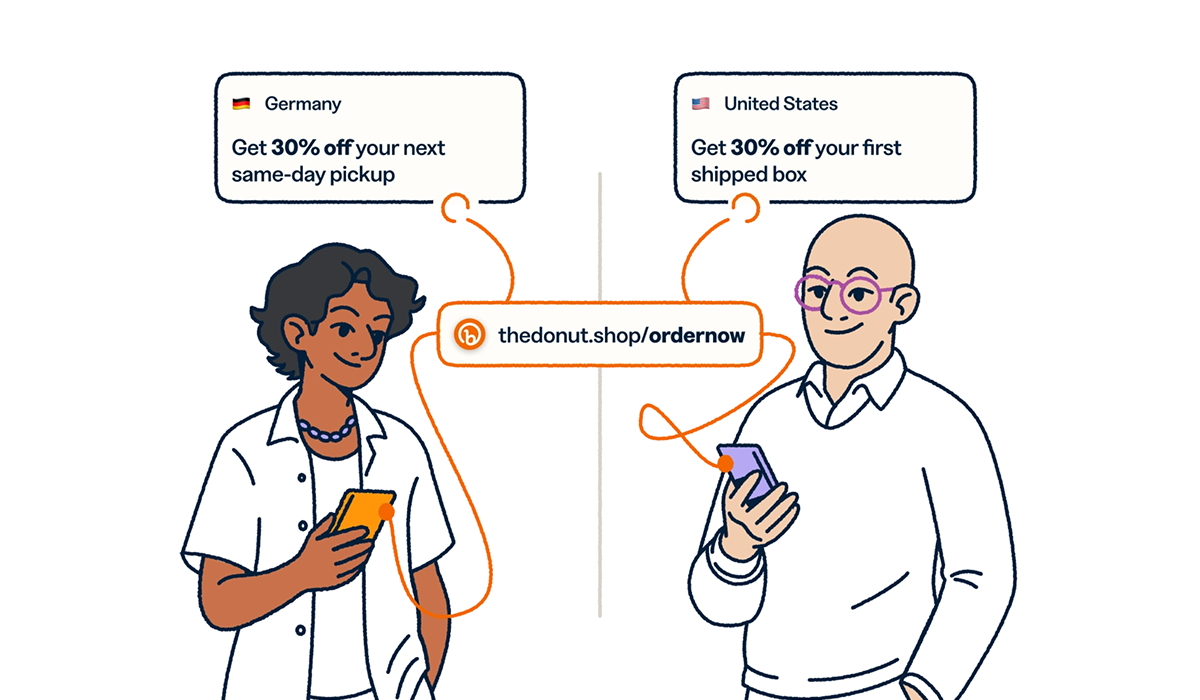
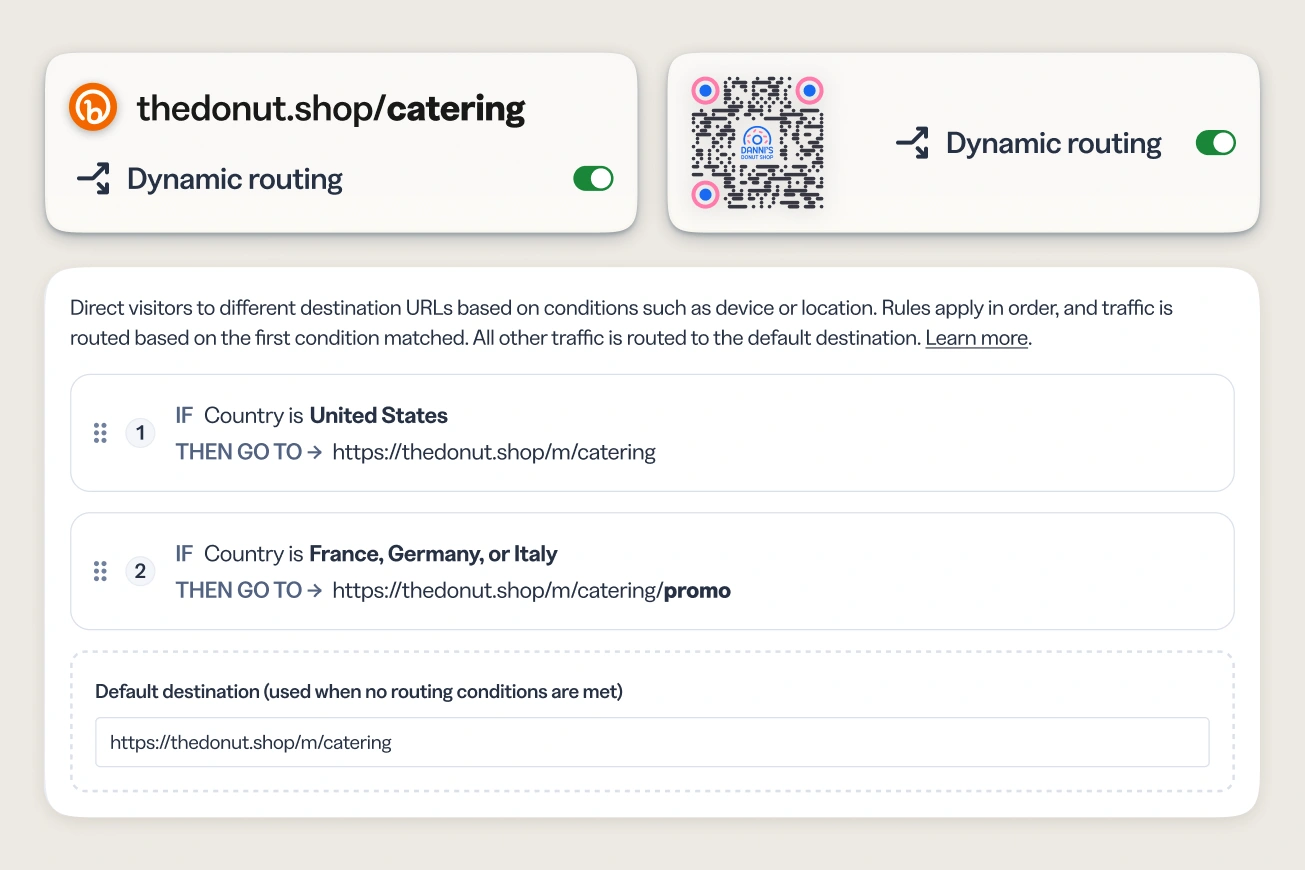
With dynamic routing, one link handles all five. Set a rule based on country or region, and Bitly sends a shopper in Québec to your French-language store, a shopper in Mexico to your Spanish-language site, and everyone else to your default page, all from the same short link or QR Code. You set the conditions once, during link creation, and every subsequent click routes itself from there.
Here at Bitly, our customer support team has already used this internally to send visitors to region-specific help centers from a single shared link, cutting out the version-tracking that used to come with region-specific campaigns. It’s the same principle at play whether you’re running a global product launch or a local pop-up tour: one link, and the right map for whoever’s holding it.
Wondering how granular this gets? outing rules currently support up to 10 conditions per link, which covers most regional and device breakdowns marketing teams run today. And yes, this works across QR Codes as well as links, managed from the same place!
Imagine it: Financial services compliance
Financial services teams often deal with a stricter version of this problem. Regulatory disclosures vary by country, and showing the wrong URL to a customer isn’t just a bad experience, it’s a compliance risk. Route by country or region, and everyone who clicks the same investor relations or product disclosure link lands on the version written for where they actually are.
2. Send mobile and desktop visitors to the experience built for their device
A mobile visitor tapping a link from a text message and a desktop visitor clicking the same link from an email newsletter are having two different experiences of your brand, whether you’ve planned for that or not.
Dynamic routing lets you set a rule by device type or platform, so mobile users land on your mobile-optimized page or app store listing, and desktop users get the full site experience, all without you building a separate link for each. You add the condition once, and it applies at every scan or click going forward, no manual swapping required.
A mobile app campaign may need to send iPhone users to the App Store, Android users to Google Play, and desktop visitors to a web page where they can learn more. Device-based routing handles all three from the same Bitly Link or QR Code, so everyone reaches the destination built for their device.
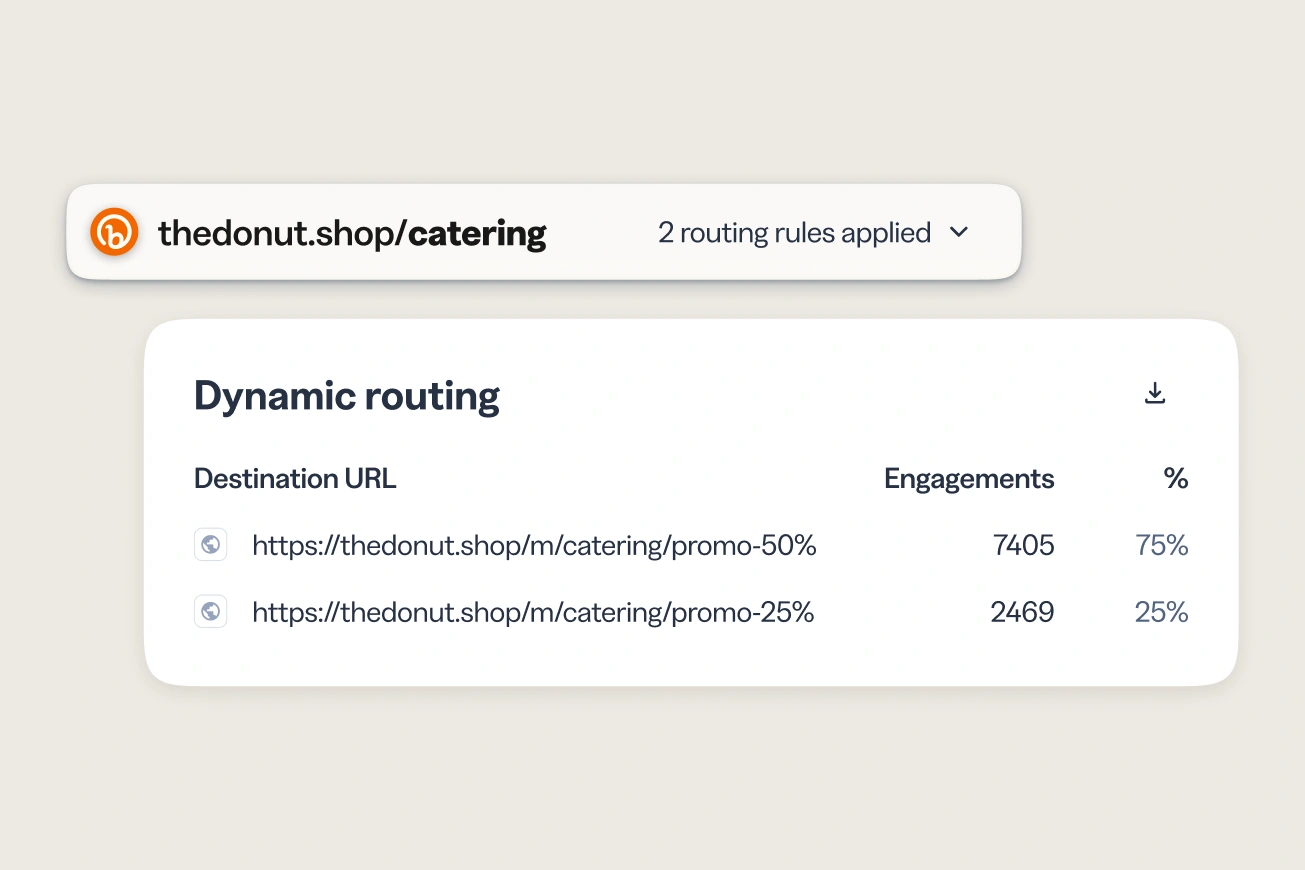
This is where the reporting matters as much as the routing. Per-destination analytics show you clicks or scans broken down by each rule, so you’re not just guessing that device-based routing « probably helps. » You can see whether your mobile audience is engaging more, less, or differently than your desktop one, and adjust from there.
Imagine it: Hospitality and travel bookings
A hotel or airline sharing one booking link across a campaign can route by platform: mobile visitors go straight to the app for a faster checkout, desktop visitors land on the full booking site. Same link, same campaign, two paths built for how people actually book.
3. Let time-sensitive campaigns close themselves
Promotions end. Links, historically, don’t. Which means a discount code or event registration link can keep collecting clicks and driving people to something that’s no longer true, long after the campaign has wrapped, unless someone remembers to go in and turn it off manually.
Link and QR Code expiration solves this at the source. Set an end date when you create your link, and Bitly deactivates it automatically once that date hits, redirecting anyone who clicks late to a custom page you control instead of an expired or outdated offer. You set it once, at launch, and you’re done.
This matters most for exactly the campaigns that are easiest to forget about: a flash sale, a webinar registration, a limited-run event. Set the expiration date next to your other rules, and the cleanup is already handled before the campaign even starts.
Because click tracking stops when the link expires, your engagement data reflects real, active interest only, not the long tail of clicks on something that’s already over. That’s a small detail with a real effect on how you read your own numbers later.
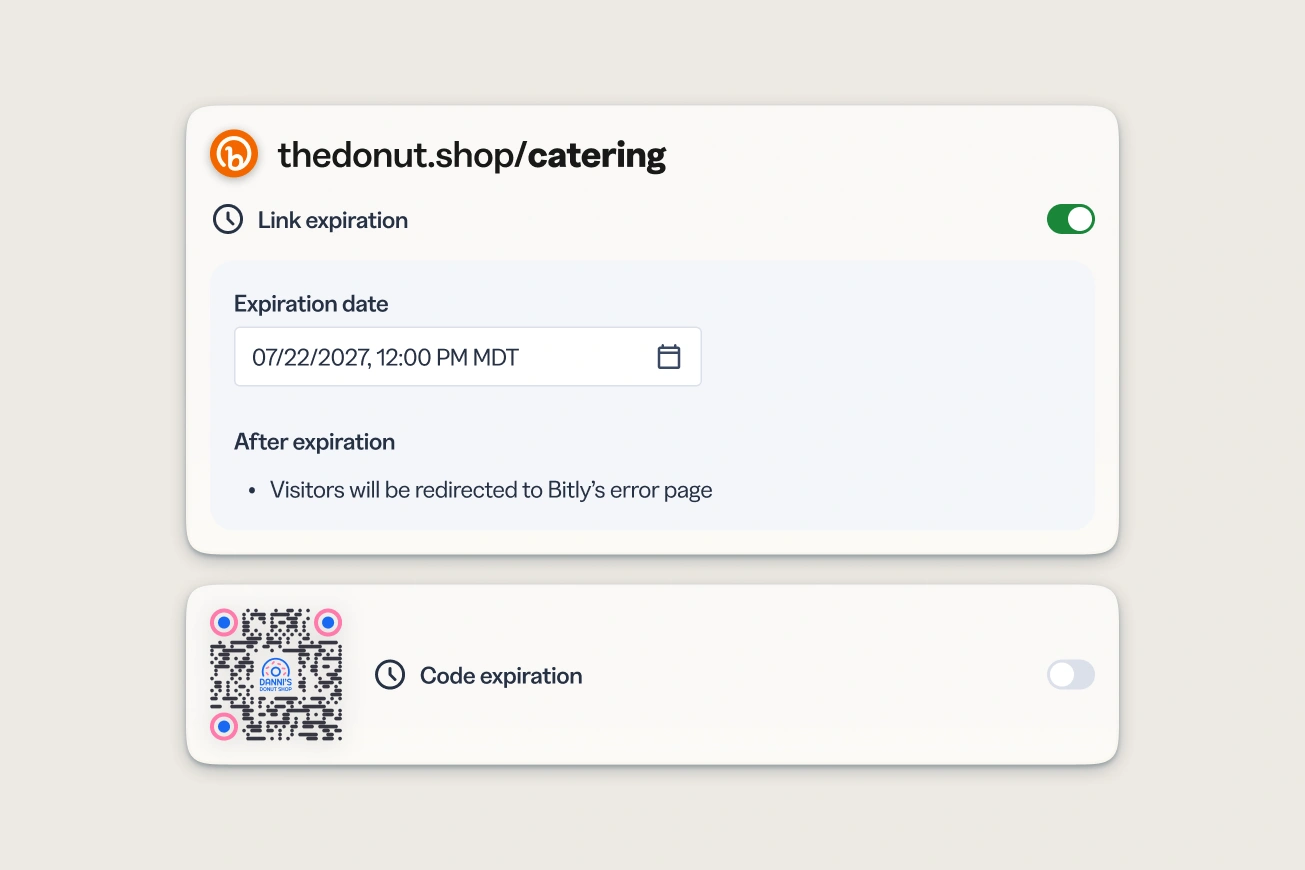
Imagine it: Event registration and ticketing
A book tour, a conference, a regional event series: ticketing links already have a natural end date—the event itself. Set the expiration to match, and each event’s registration link redirects to a « see you next time » page the moment that it wraps, instead of quietly collecting clicks from an event that’s already happened.
The part that’s easy to miss: What happens after you set the rule
Routing is only half the story. The other half is knowing which route is actually working.
Every rule you set, whether it’s based on country, device, or an expiration date, comes with its own analytics, right inside the reporting you already use for your links and QR Codes. That means you can filter your list to show only items with routing rules applied, then compare performance across destinations without exporting anything into a separate tool or asking someone else for a report.
For marketers running campaigns in multiple regions or channels at once, this is often the bigger unlock: not just that one link can do more, but that you can finally see, in one place, which version of « more » is paying off.
Explore how to personalize your marketing campaigns and set up your first dynamic routing campaign when you link your marketing in Bitly.