URL filtering is a web security control that allows or blocks access to specific web addresses (URLs) based on policy, category, and threat reputation. Organizations use it to reduce exposure to malware and phishing, enforce acceptable use, and protect bandwidth and compliance posture.
Web risk still carries a steep price. IBM’s Cost of a Data Breach Report 2026 found a global average cost of a data breach to be USD 4.99 million. That record high is a clear signal that every risky click is a business problem, not only an IT ticket.
URL filtering once meant locking employees out of games and streaming. Today it sits inside secure web gateways (SWGs), next-generation firewalls, and secure access service edge (SASE) stacks. Those stacks treat URL filtering as a core layer of web threat defense.
Understanding how the control works, how it differs from DNS filtering, and what it can’t do on its own helps IT and security teams. They can set policies that people can actually follow.
Key takeaways
- URL filtering blocks or allows specific webpages by checking each requested URL against categories, allow lists, block lists, and threat intelligence, not just whole domains.
- DNS filtering stops entire domains at lookup time, while URL filtering adds path-level control and pairs best with SSL inspection on HTTPS traffic.
- Organizations use URL filtering to reduce exposure to phishing and malware, enforce acceptable-use policies, protect bandwidth, and support compliance programs.
- Standalone URL filters still fail without integration with broader controls (SWG, intrusion prevention system (IPS), sandboxing, threat intel) and careful policy design to avoid overblocking.
- Safer link practices, such as previewing destinations, using trusted short links, and monitoring for abuse, complement network URL filters. Those habits cover the clicks and scans teams create and share every day.
What is URL filtering?
URL filtering is the process of controlling which individual web addresses users can open on a network or endpoint. It works by comparing each request to a policy database of allowed, blocked, or cautioned URLs and URL categories.
A URL is the full web address in the browser bar, including the domain and the path to a specific page or file. A news homepage and a sports betting page on the same domain are different URLs, and policy can treat them differently. That path-level detail is the practical difference between “this website is allowed” and “this exact page is not.”
Secure web gateways and many next-generation firewalls include URL filtering as a built-in feature. Security teams use that feature when they need page-level decisions, not only whole-domain blocks. Teams typically set policy around three goals:
- Block malicious, phishing, or otherwise high-risk pages before they load.
- Restrict inappropriate or non-work content that conflicts with acceptable-use rules.
- Conserve bandwidth and network resources by limiting high-volume entertainment or file traffic.
Modern policies rely on allow lists and block lists, plus category databases that vendors keep up to date. When a request matches policy, the filter allows the page, blocks it, or shows a caution screen. Users stay productive without having to open every door on the wider web.
How URL filtering works
URL filtering works by inspecting each web request, matching it to policy, and allowing, blocking, or warning before the destination page loads.
- A user requests a URL in a browser or app.
- The filtering engine inspects the request, ideally with SSL inspection on HTTPS traffic.
- The engine checks the URL against a local cache and cloud category or threat databases.
- Policy returns an action: Allow, Block, Caution, Warn, or Admin Override.
- If policy blocks the request, the user sees a block or warning page instead of the destination.
Categories and policy matching
Most deployments group sites into categories such as phishing and malware, adult content, gambling, social media, streaming, and custom business categories. You can block or allow entire categories, or use a category as a match criterion within a broader security policy. Marketing might keep LinkedIn open while other teams lose high-risk file-sharing, and finance might face stricter download rules than a creative studio does. Category policy plus group exceptions keeps those differences enforceable without rewriting the entire rule set for every person.
Local cache and cloud databases
Local caches keep common decisions fast on the network path. Cloud databases provide the latest malicious-site and category updates as new phishing kits and compromised pages emerge. Vendors automate much of that classification, so your team doesn’t have to hand-label the entire internet. You can still add custom categories, allow lists, block lists, and temporary overrides with logging.
HTTPS, SSL inspection, and advanced actions
Most web traffic is now encrypted, which is why path-level URL control depends on more than the bare domain. Filters that never inspect transport layer security (TLS) often see only the hostname. SSL inspection, or an equivalent secure web gateway capability, restores visibility so policy can evaluate full URLs and related request context on HTTPS sites.
Application-layer filters examine HTTP and HTTPS requests and can block a single malicious page without shutting down an entire domain. Beyond simple allow or block, many systems support caution pages, time-of-day rules, user- or group-based policy, and bandwidth or session limits. Teams use those options when a category is useful but not always forbidden.
| Action | What the user experiences | When teams use it |
|---|---|---|
| Allow | The page loads normally | Trusted categories, business tools, approved exceptions |
| Block | A block page replaces the destination | Malware, phishing, banned categories |
| Caution / warn | A warning appears before continue or cancel | Gray-area categories that need user judgment |
| Override | An admin temporarily permits access | Business-justified exceptions with logging |
URL filtering vs DNS filtering vs web filtering
Web filtering is the umbrella term for controlling web access. DNS filtering blocks domains at DNS resolution time. URL filtering evaluates the full URL, and often the request path, for finer control.
| Control | What it evaluates | Typical action | Strength | Limitation |
|---|---|---|---|---|
| DNS filtering | Domain / DNS request | Block or allow entire domain | Fast, broad, early | No path-level detail; weaker on HTTPS path policy |
| URL filtering | Full URL / page path | Block specific pages or categories | Granular | More policy upkeep; needs SSL inspection for full HTTPS depth |
| Web filtering (broad) | Mix of DNS, URL, content, SWG controls | Layered policy | Comprehensive when integrated | Not a single technology |
DNS filtering is often faster and preventive at the domain layer. Web and URL-style filtering offer deeper, more granular analysis, as IBM’s DNS filtering vs web filtering explainer describes. URL filtering can allow industry news on a media site while blocking sports or betting pages on the same domain. It can also stop a compromised page on an otherwise legitimate site without blocking the whole brand.
The tradeoff is operational. Domain decisions stay broad and relatively simple. Path-level decisions need stronger category data, clearer ownership of exceptions, and ongoing review. Most mature programs combine DNS filtering for early, wide blocks with URL filtering for precision, and SWG designs treat the two as complementary layers.
Why URL filtering matters
URL filtering matters because many attacks need the user to load a malicious page. If the policy blocks that URL, the phishing kit or malware dropper never gains a foothold via that path.
That outcome reduces both incident volume and financial exposure. IBM’s 2026 figure of a USD 4.99 million global average breach cost shows why preventing even a subset of web-borne incidents matters. That number speaks to leadership, not only to the security operations center (SOC). Stopping a malicious page load is cheaper than cleaning up after a credentials leak, ransomware infection, or customer data leaving the building.
URL filtering also supports regulatory and acceptable-use expectations. Frameworks such as the General Data Protection Regulation (GDPR) and the California Consumer Privacy Act (CCPA) raise the bar for protecting personal data. Regulated environments, including healthcare teams working under Health Insurance Portability and Accountability Act (HIPAA)-related security programs, often expect layered technical controls plus clear logging.
URL filtering is one practical control among several. It’s not a single checkbox that satisfies every statute on its own. Never describe it as a mandatory HIPAA-only requirement without legal review.
Finally, it protects bandwidth and focus. Streaming, large downloads, and non-work destinations can crowd out the traffic your business actually needs. Policy that shapes what loads on corporate networks keeps security, productivity, and capacity in the same conversation. That approach is especially useful for hybrid offices and shared Wi-Fi.
Common use cases for URL filtering
Organizations of many types use URL filtering for security, compliance, and acceptable use, with policy tuned to their risk and mission.
Business
Businesses block known phishing and malware categories, limit high-risk file-sharing, and enforce role-based access. Marketing may need LinkedIn while other teams don’t. Shared corporate networks still need a single policy engine that can express those differences without turning every exception into a pile of tickets.
Education
Schools and universities protect students on campus networks by filtering adult, gambling, and other high-risk categories. Weaker content filters are easier to bypass. When devices remain on the school network, URL filtering policies continue to apply, reducing accidental exposure during class and study time.
Government and high-security organizations
Government agencies and other high-security organizations face elevated targeting, including sophisticated phishing. They often pair stricter category sets with detailed logging, tighter exception workflows, and stronger integration into the rest of the security stack.
Guest and public Wi-Fi
Guest networks and public Wi-Fi benefit from conservative defaults. Block known malicious categories, limit risky downloads, and keep logging simple enough for short-lived visitors. The goal is safe, usable access without treating every guest like a full employee account.
Benefits of URL filtering
URL filtering delivers practical security and operations gains when policy stays current and integrated.
- Stronger web threat defense against known malicious and phishing URLs before pages load.
- Granular acceptable-use control that can restrict a page or category without always blocking an entire domain.
- Bandwidth and productivity protection by limiting high-volume entertainment and non-work destinations.
- Policy visibility and logging so security and compliance teams can review hits, overrides, and trends.
- Customization by user group, location, and time so different roles get the access they need.
These benefits stack best when URL filtering feeds the same visibility model as the rest of your web security stack. Logs that nobody reviews or categories that nobody owns quietly erase the gains. Assign an owner for category changes, exception reviews, and monthly false-positive cleanup to keep the control useful.
Limitations and what URL filtering can’t do alone
URL filtering blocks many risky pages, but it’s not a complete web security program on its own.
- Overblocking: Legitimate tools get blocked when categories are too blunt. A classic example is LinkedIn: sales needs it, while unrestricted job browsing may conflict with policy. Without group-based exceptions, productive work stalls, and users resort to workarounds.
- Evasion: Attackers register new domains, obfuscate URLs, compromise legitimate sites, and abuse trusted platforms. DNS-only controls also face risks of encrypted DNS and DNS-over-HTTPS bypasses when devices resolve outside your preferred path.
- Encrypted traffic blind spots: Without SSL inspection or equivalent SWG visibility, many filters see little more than the domain on HTTPS sessions. Path-level policy then loses force.
- Standalone insufficiency: URL filters should integrate with SWG controls, intrusion prevention, sandboxing, data loss prevention, and threat intelligence. They complement email security and endpoint protection; they don’t replace them.
- Maintenance load: Category databases, custom lists, and exception tickets need ongoing review. Stale policy creates both false positives and false negatives.
Treat URL filtering as a precise control inside a layered design, not as a set-and-forget appliance. The goal is fewer risky page loads with fewer unnecessary blocks, not a perfect seal around the internet. Pair policy design with user education so people understand why policy blocks a page and how to request a legitimate exception.
Best practices for effective URL filtering
Strong URL filtering programs follow a clear operating checklist.
- Write and communicate a clear acceptable-use policy so employees know what is blocked and why.
- Start with threat categories such as malware and phishing, then carefully add productivity categories.
- Use group-based exceptions rather than global hard blocks whenever business roles differ.
- Enable SSL inspection where legally and operationally appropriate so HTTPS traffic still receives meaningful review.
- Combine URL filtering with DNS filtering and broader SWG controls for early domain blocks plus path-level precision.
- Review logs for false positives and shadow IT patterns to fix friction before users route around you.
- Keep threat feeds and categories updated on a defined cadence.
- Train users on phishing and unsafe links. The filter is one control, not the only control.
When you follow that sequence, URL filtering stays aligned with how people actually work. Threat-first categories reduce obvious risk early, and group exceptions protect productivity. SSL inspection and SWG integration keep HTTPS from becoming a blind spot. Log review and training close the loop when attackers change tactics faster than category databases can.
Safer links and organized web destinations with Bitly
Network URL filters protect what employees can open on corporate networks. Teams still create, share, and click short links and QR Codes every day. Those destinations need trust, organization, and their own abuse protection.
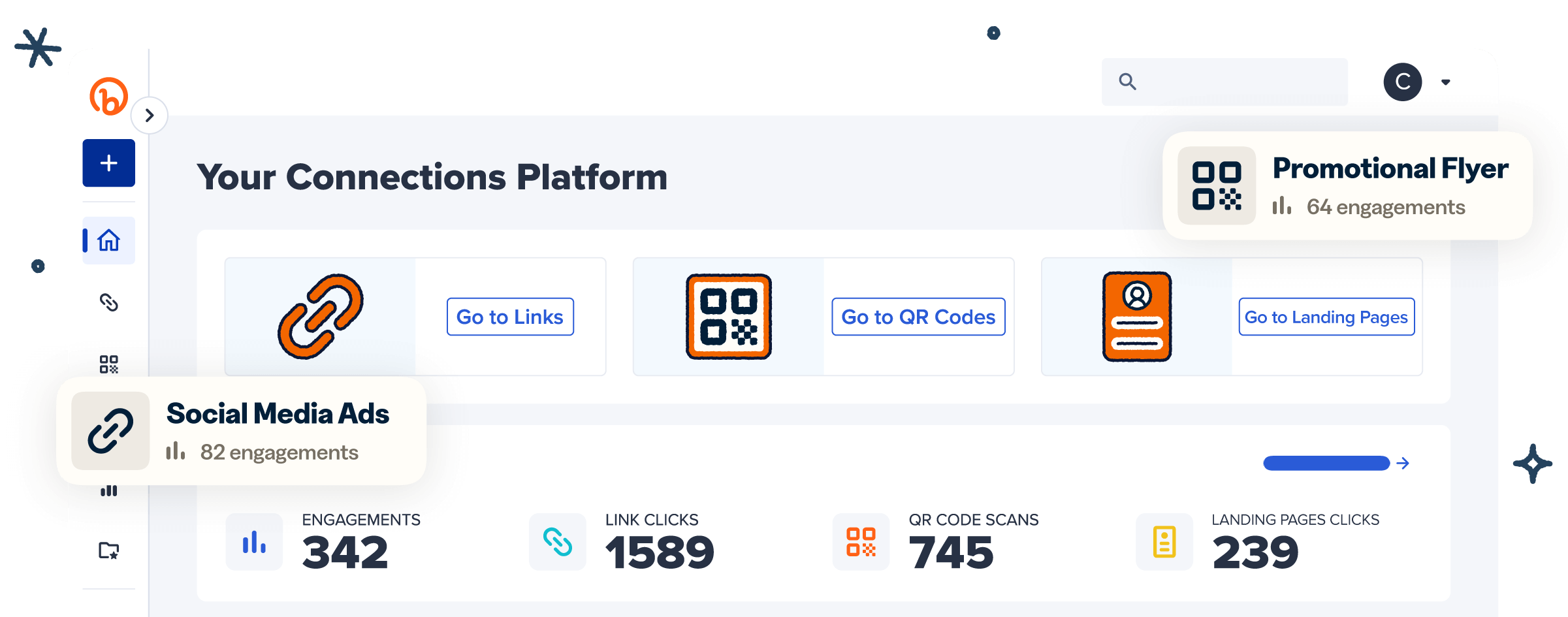
Bitly is the marketing platform that helps businesses of all sizes see what’s working. Simply and clearly. That includes the links people actually click. With Bitly Links, teams create branded short links that look intentional instead of opaque.
Bitly Analytics helps you track performance so you can connect the dots across campaigns. Link tracking stays organized without confusing product user interface (UI) filters with network URL filtering.
Trust still needs a dedicated layer. Bitly Trust & Safety systems scan and classify harmful destinations on links created and shared through Bitly. In 2025, Bitly blocked roughly 1 million malicious URLs and protected nearly 1 billion potentially harmful clicks. Learn how Trust & Safety at Bitly approaches protection, how the abuse system handles threats, and what the Bitly Trust Center covers for policies and reporting.
For day-to-day habits, how to tell if a link is safe pairs well with network controls. Preview destinations, prefer branded short links, and report anything suspicious.
Bitly doesn’t replace your SWG, firewall, or enterprise URL filtering appliance. It helps the links your teams publish stay measurable, on-brand, and harder for attackers to abuse. Safer web access then covers both the network path and the destinations people share.
Build safer web habits across every click
URL filtering gives you granular control to block risky or off-policy pages before they load. Pair it with DNS filtering and the rest of your security stack so broad domain blocks and path-level decisions work together. Keep the links you create and share trustworthy and organized, so people know what they’re opening long before a filter has to intervene.
Link your marketing. Get started with Bitly to create branded short links and track every click with confidence.
Frequently Asked Questions
What is URL filtering?
URL filtering is a security control that allows or blocks access to specific web addresses. It checks each URL against policy categories, allow lists, block lists, and threat intelligence. Organizations use it to reduce malware and phishing risk, enforce acceptable-use rules, and protect network resources.
How does URL filtering work?
When someone requests a webpage, the filter compares that full URL to a local or cloud database. If policy marks the URL or its category as blocked, the page doesn’t load, and the user sees a block or warning screen. Modern deployments often add SSL inspection so HTTPS pages still receive path-level review.
What is the difference between URL filtering and DNS filtering?
DNS filtering blocks entire domains during a DNS lookup, before a connection is fully established. URL filtering evaluates specific page URLs and can allow one section of a site while blocking another. Many security teams use both: DNS filtering for broad, early domain blocks and URL filtering for finer control. For a deeper primer on DNS versus broader web filtering, see IBM’s comparison.
Is URL filtering the same as web filtering?
Not exactly. Web filtering is the broader category of technologies that control web access. URL filtering is one method inside that category, alongside DNS filtering and other secure web gateway controls.
Why do companies use URL filtering?
Companies use URL filtering to stop known malicious and phishing pages, limit non-work or inappropriate content, and reduce bandwidth abuse. It also supports compliance expectations and gives IT teams clearer policy control by user group and category.
Can URL filtering stop all phishing attacks?
No. URL filtering blocks many known bad destinations, but attackers constantly create new URLs and abuse legitimate sites. Strong programs combine URL filtering with threat intelligence updates, email security, user training, endpoint protection, and safe-link habits.
Bitly’s Trust & Safety systems add another layer for links created and shared on Bitly. Learn more in Trust & Safety at Bitly.
Does URL filtering work on HTTPS websites?
Basic filters may only see the domain of encrypted traffic. Effective enterprise URL filtering usually needs SSL inspection or an equivalent secure web gateway capability. That visibility lets policy evaluate full URLs and content risks on HTTPS sites.