
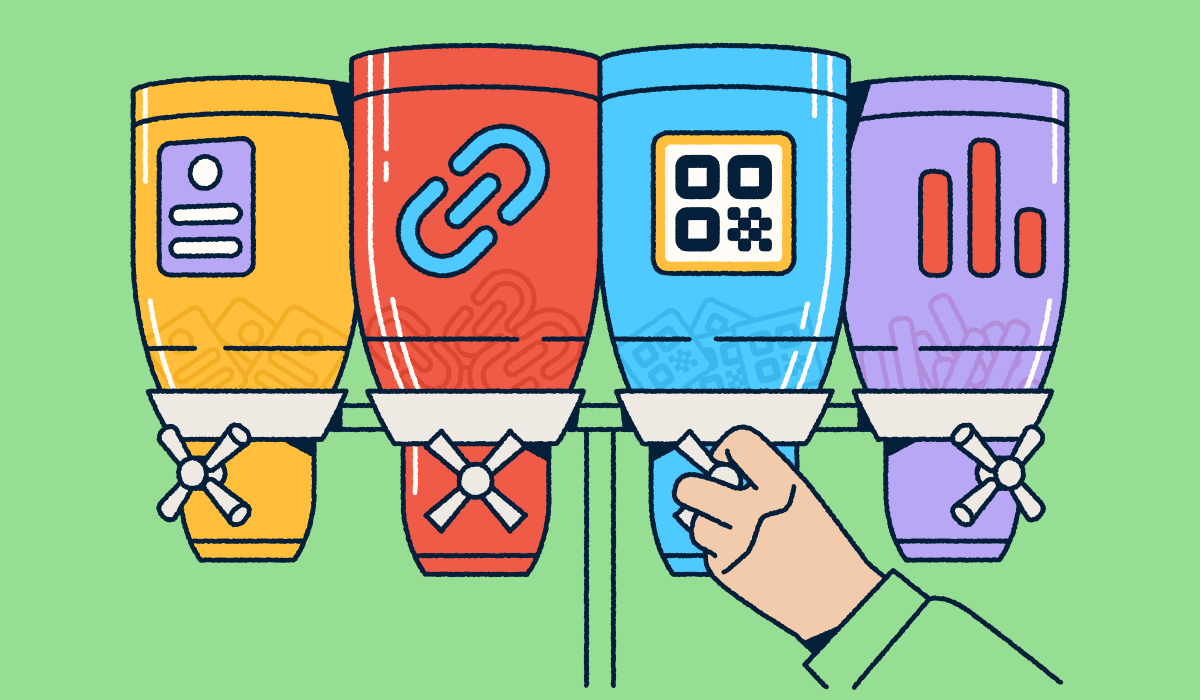
Marketers comparing Bitly and Uniqode generally want more than a QR Code generator. They want clean workflows, sharp reporting, brand control, and room to scale across packaging, signage, direct mail, menus, business cards, events, social posts, email, and landing pages.
Bitly combines multiple products like Bitly Codes, Bitly Links, Bitly Pages, and integrated analytics into the one connections ecosystem. Uniqode centers its story on Dynamic QR Code creation, QR-led campaign management, and real-time scan tracking. That difference matters when your team weighs the value of Static vs Dynamic QR Codes, branded short links, scan and click visibility, landing page development workflow, bulk creation, team access, and, ultimately, plan fit.
A QR-first team may love a dedicated QR workflow. A growth team that manages links, QR Codes, landing pages, and analytics across many channels may want a single, connected command center that serves as far more than a robust URL shortener.
Note: The brands and examples discussed below were found during our online research for this article.
Key takeaways
- Bitly and Uniqode both support QR Code marketing, but serve slightly different priorities: Bitly connects QR Codes to branded links, landing pages, and centralized campaign analytics; Uniqode is positioned more narrowly around QR-first creation, management, and tracking.
- Uniqode may appeal to teams that want a dedicated QR Code platform with dynamic editing, broad QR content support, bulk generation, and QR-specific analytics in one dashboard.
- Bitly is especially relevant for marketers who want Bitly Codes, Bitly Links, and Bitly Pages working together in a single workflow that spans both online and offline engagement.
- Pricing and plan structure matter as much as features, as you’re deciding between a broader connections management ecosystem and a QR-focused tool, not just comparing two code generators.
Bitly vs Uniqode at a glance
Both platforms support QR Code marketing and overlap in QR Code generation, smart links, and landing pages for diverse marketing campaigns. Scope creates the difference: Bitly reaches across links, QR Codes, pages, and analytics, while Uniqode leans deeper into QR-led operations.
| What to compare | Bitly | Uniqode |
| Primary use case | Connected campaigns across links, QR Codes, pages, and analytics | QR-first campaigns and scan tracking |
| Platform scope | Cross-engagement scope | QR Code focus |
| Dynamic QR Codes | Available on Free tier, with editable redirects on paid tiers | Requires a paid plan |
| Static QR Codes | Available as a bulk solution on higher tiers | Available for free |
| Branded links | Offers branded links on higher tiers | Emphasizes QR-led paths over links |
| Landing pages | Integrated Bitly Pages | Integrated Linkpages |
| Analytics | Shows clicks and scans together | Focuses on scan performance |
| Bulk creation | Available on higher tiers | Available on higher tiers |
| Team access | Available on higher tiers | Available on higher tiers |
| Integrations | 65 no-code integrations, plus open API | 15-20 integrations, plus API |
| Best fit | For omnichannel engagement | For QR-first workflows |
QR Code creation and customization
Both tools help marketers turn a scan into action. Bitly lets teams create customizable Bitly Codes as part of a broader toolkit that includes Bitly Links, Bitly Pages, and Bitly Analytics. The free Bitly plan includes limited monthly QR Code creation and unlimited scans, which gives teams a simple way to test packaging, signage, and direct mail ideas.
Uniqode highlights Dynamic QR Code creation, editable destinations, and a wide set of QR content formats for menus, events, business cards, app downloads, PDFs, forms, and product packaging. The strategic question: Do you need variety inside a QR-first workflow, or do you need QR Codes to work alongside branded links and landing pages across a broader spectrum of marketing and engagement efforts?
Dynamic vs Static QR Codes in real campaigns
Dynamic QR Codes give marketers flexibility after launch, allowing them to change the codes’ destination URLs without reprinting. This means that your team can swap a seasonal offer linked to direct mail that has already gone out, change an event page without reprinting signage, redirect a restaurant menu link, or refresh post-purchase support content whenever required.
Static QR Codes work well for destinations that rarely change. A permanent PDF, evergreen FAQ, or stable contact page may not need a dynamic workflow. But when campaigns evolve, dynamic redirects protect your print budget and keep the journey fresh.
Bitly ties link and QR Code redirects to paid plan functionality, which helps teams that need editable destinations over time. Uniqode makes post-print editing a core part of its QR management pitch. Both approaches give marketers more agility than a one-and-done static code.
Analytics, tracking, and campaign visibility
The best platforms show what customers actually do after campaigns launch. Bitly gives marketers click and scan visibility in one place, so your team can review link and QR Code engagement within one campaign workflow. The platform tracks clicks, scans, referrers, devices, locations (city/country), and related engagement signals for retargeting, but it does not directly track purchases, form fills, on-page behavior, or conversions. You need to use one of the dozens of no-code integrations in the Bitly Marketplace, along with Google Analytics, a CRM suite, or e-commerce tools for a deeper look at that layer.
If you want social, email, print links, and QR Codes in the same view, it can help to learn more about Bitly Analytics vs native social analytics. Think about how each source fits your stack.
Uniqode focuses more tightly on QR performance with real-time scan tracking, location and device data, and QR-specific reporting. As a QR Code-first platform, it keeps this information in a single, albeit detailed, silo, segmented from short-link and landing-page analytics. If your workflow revolves around QR Codes as your main form of customer engagement, this setup makes sense.
What to compare in analytics
Start with channel mix. Do you need scan data only, or scans and clicks together? Do you want one dashboard for QR Codes and short links? Does city-level or device-level detail shape your media plan? Do integrations need to move data into reporting, automation, CRM, or business intelligence tools? The right analytics setup gives your team clarity and better attribution to optimize performance, not just more charts.
Link management, landing pages, and connected experiences
These features draw the sharpest line between the platforms. Bitly Links give marketers short, memorable URLs built around branded links for digital campaigns, offline materials, and social sharing. Bitly Pages give teams mobile-friendly landing pages and templates that connect directly to Bitly Codes and Bitly Links. Put those pieces together, and a QR Code on packaging can lead to a Bitly Page while a branded link supports the same launch across social and email.
Uniqode can support QR-led experiences and dynamic destination management, especially when QR Codes drive the campaign. That fit is strongest when the QR Code acts as the main customer touchpoint.
If you want brand trust across every click and scan, the branded vs generic link conversation matters. A custom domain can make links feel familiar, reinforce brand identity through white-label consistency, and align QR Codes with the rest of the journey.
Why connected workflows matter more than isolated features
Marketers rarely need a one-off QR Code. They need a repeatable way to plan, launch, update, and measure customer touchpoints. Think about a product launch with in-store signage, packaging, influencer links, email, and a mobile landing page. Every touchpoint should support the same story.
That scenario favors platform breadth. Bitly helps teams manage branded links and QR Codes together, then review scans and clicks in a single workflow. Uniqode may fit teams that want dedicated QR management. The best choice depends on how many touchpoints your team needs to connect.
Team workflows, scale, and integrations
As campaigns grow, the workflow matters as much as the code. Bitly supports bulk link and QR Code creation, multiple-user coordination, permission controls, integrations, and developer resources inside a broader connections platform. Uniqode supports bulk QR generation, API access, multi-user workflows, and integrations for scalable QR programs.
Ask practical questions before you choose. Will multiple people create, edit, and report on assets? Do teams need permissions and governance to ensure compliance with internal processes or industry regulations? Will bulk creation save hours each month? Does the team plan to scale QR Codes only, or links and landing pages too?
Security and governance considerations
Governance matters when more people touch campaign assets. Bitly delivers enterprise-grade features such as multiple users, group permission management, at-scale link and QR Code generation, high-volume API and webhook access, SSO logins, and 99.9% SLA uptime. Proper controls, along with features like password protection, can help larger teams maintain consistency while they move fast.
Uniqode lists security features such as SSO, multi-factor authentication, anomalous scan detection, and certifications including GDPR, SOC 2 Type 2, and HIPAA. Treat compliance carefully during procurement: Ask any prospective vendor for current documentation and any legal review your organization needs.
Pricing and plan fit
Bitly offers a Free plan, a Core tier at $10/month with annual billing, a Growth tier at $29/month with annual billing, a Premium tier at $199/month with annual billing, and an Enterprise tier with custom pricing. The tiers expand access to QR Codes, links, landing pages, branded links, historical click and scan data, bulk creation, and team controls.
Uniqode’s official pricing page says teams can create Static QR Codes for free, start Dynamic QR Code features at $9/month, use Core plan features at $49/month, and enjoy annual subscription plans for QR Code products. It also points larger teams toward Plus ($99) or Business+ ($399) when they need access for more users, as well as other enterprise-style options.
Don’t just consider the entry price. A lower monthly number can still cost more if your team needs extra tools for branded links, landing pages, permissions, or automated reporting that aren’t part of the package you buy.
How to evaluate value beyond starting price
Use a workflow scorecard. Do you only need QR Codes, or do you also need branded short links and landing pages? Do you need editable assets across multiple campaign types? Do you need a custom domain? Do you need click-and-scan visibility in one place? Do you need bulk creation and team controls?
The better value comes from the platform that reduces friction. When one tool supports the assets, data, and handoffs your team already uses, your team can spend less time stitching work together and more time improving campaigns.
How to choose between Bitly and Uniqode
Choose Bitly if your team runs integrated campaigns across print, social media, email, and landing pages. Bitly makes the most sense when Bitly Codes and Bitly Links need to move together, when you use branded links to build trust, and when teams want QR Codes, links, pages, and analytics in a single, connected workflow.
Choose Uniqode if your team prioritizes QR-only operations, large-scale dynamic QR generation, and scan-based workflows with QR-first management. It can make sense for teams that spend most of their energy creating, editing, organizing, and tracking QR Codes.
Choose the platform that fits your workflow
The right platform depends on how your team plans, launches, updates, and measures campaigns. Uniqode gives QR-first teams a focused way to manage Dynamic QR Code campaigns. Bitly gives marketers a broader ecosystem of connections for QR Codes, links, landing pages, and analytics.
Before you pick a vendor, map your campaign complexity, collaboration needs, and reporting expectations. Then choose the platform that supports the whole journey, not just the first scan.
Ready to get the most out of your connections management solution? Sign up for Bitly today and maximize your engagement and marketing ROI.
FAQs
Is Bitly only for link shortening, or can it support QR Code campaigns too?
Bitly supports much more than basic link shortening. It includes Bitly Codes, Bitly Links, Bitly Pages, and analytics in one platform, which makes it useful for marketers managing branded digital experiences across print and digital channels instead of handling QR Codes as isolated assets.
What’s the biggest difference between Bitly and Uniqode?
The main difference is platform scope. Uniqode is positioned primarily around QR Code creation, editing, and scan tracking, while Bitly connects QR Codes to a broader workflow that also includes branded links, landing pages, and centralized analytics across multiple campaign touchpoints.
Are Dynamic QR Codes better than Static QR Codes for marketing campaigns?
Dynamic QR Codes are often a better fit for ongoing campaigns because marketers can update the destination after printing and keep tracking performance over time. Static QR Codes can work for simpler, fixed destinations, but they offer less flexibility when campaigns need to change.
How should businesses compare Bitly and Uniqode on pricing?
Compare more than the starting monthly cost. Look at what each plan includes, such as QR Code limits, data history, branded links, landing pages, bulk creation, and team features. The better value usually comes from the platform that matches your workflow with fewer extra tools.
Which platform is a better fit for teams that need both QR Codes and branded links?
Teams that need both QR Codes and branded links will usually get more value from a platform built for connected digital experiences. Bitly is especially relevant here because it combines Bitly Codes, Bitly Links, Bitly Pages, and centralized analytics in one workflow.






