
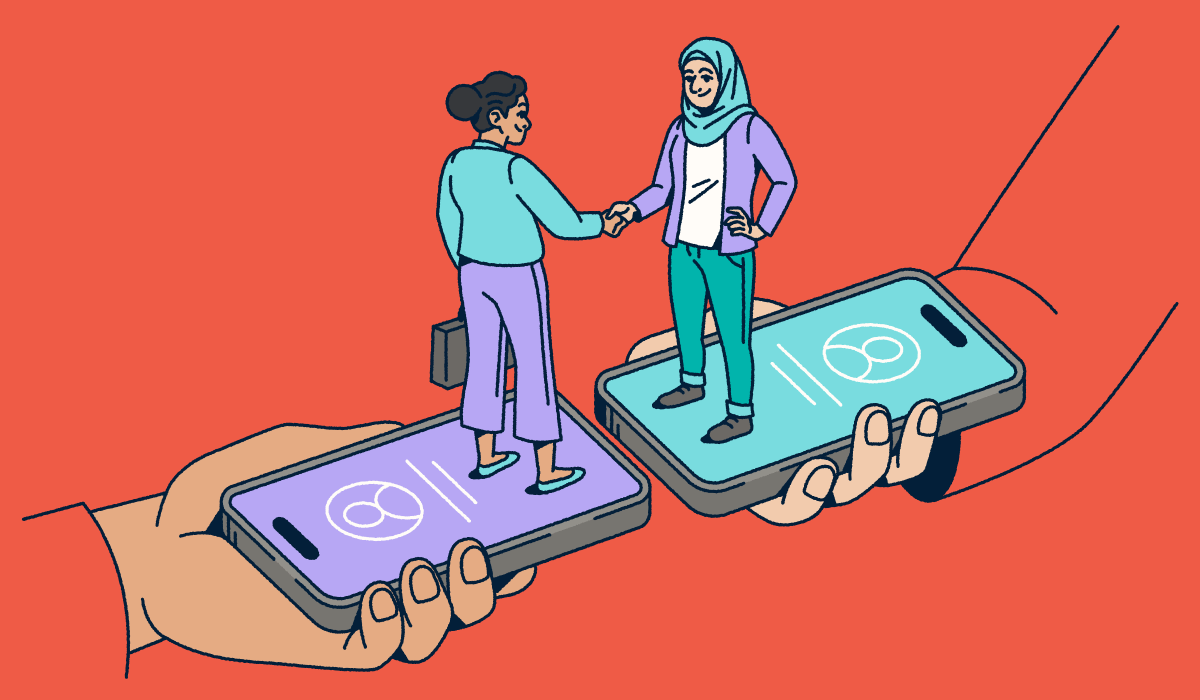
Networking has evolved considerably in the past few years. Professionals no longer rely solely on a physical stack of paper to make a lasting impression. You need a tool that works as fast as you do. Digital business cards offer a seamless, sustainable, and smart way to share your contact information instantly. They allow you to transfer data directly into a new contact’s phone without typing a single digit.
Recent trends show a massive shift toward digital contact sharing, and that makes sense; mobile usage dominates professional interactions in 2026, and digital solutions deliver a 35 percent increase in follow-up rates. If you still hand out traditional paper business cards, you risk ending up in the trash or lost in a drawer. Electronic business cards ensure your details land exactly where they belong: In the contact lists of your potential clients.
Bitly empowers you to modernize this process. You can create customized, trackable connections that bridge the gap between in-person meetings and your online presence. This guide explores how upgrading to a digital business card strategy can save you money and boost your lead generation efforts.
Note: The brands and examples discussed below were found during our online research for this article
What is a digital business card?
A digital business card (also known as a virtual or electronic business card) functions as a shareable profile that houses all your essential professional details. Unlike a static piece of cardstock, it lives on your mobile device. You can share it via a QR Code, a short link, or even through NFC technology.
Modern digital cards integrate directly with the tools you use every day. You can save them to your Apple Wallet or Google Wallet for instant access. They create a contactless experience that feels professional and tech-savvy. Best of all, you can update your job title, phone number, or social media profiles in seconds without ordering a reprint.
Depending on the platform you use, electronic business cards can offer:
- Personalization: Customize your card to reflect your brand with colors, logos, fonts, and media (like a headshot, intro video, or portfolio links). You can also add clear next steps, like pricing pages, key resources, and calendar booking links, so new contacts can act immediately. With Bitly, you can reinforce brand consistency by pairing customizable Bitly QR Codes with branded links that keep your URL presence aligned with your business across every touchpoint.
- Security: Most digital card platforms support modern security protocols like data encryption and single sign-on (SSO). Bitly also helps you share confidently with secure short links and a focus on protecting user privacy.
- Analytics and tracking: See what happens after you share, like how often people open your card, which links they click, what content draws attention, and where engagement is coming from. For example, if you share your digital card at a conference, analytics can show which follow-ups are working (and which aren’t), helping you prioritize the most engaged leads and improve your networking ROI. Bitly adds another layer of visibility with real-time QR scan data and engagement metrics so you can connect campaigns and in-person interactions to measurable outcomes. When you’re trying to track customer engagement, digital business cards provide the ideal medium.
Easy, quick sharing: Share instantly with a tap or scan (via NFC or QR Code) so contacts can access your info without manual entry. Bitly QR Codes make one-scan contact sharing simple across platforms, so your digital card is easy to access whether someone’s on iOS, Android, or scanning from a variety of devices.
You can edit your card’s destination anytime and track exactly how many people scan your QR Code or click the custom link created in our URL Shortener. This setup turns a simple contact exchange into a measurable data point for your marketing team. Implementing digital business cards streamlines your team’s workflow on many levels.
How businesses use digital business cards
Companies across every industry are adopting virtual business cards to solve specific challenges. Whether you run a real estate firm or a large enterprise, these tools adapt to your workflow. Here is how successful teams integrate them into their daily operations:
Networking events
Trade shows and conferences present a chaotic environment for capturing leads. You meet dozens of people in a short span. Fumbling for a physical card slows you down.
Teams can use Bitly QR Codes on their badges or booth signage to speed up this process. A quick scan directs a prospect to a landing page with contact info, product demos, and a meeting scheduler. You capture the lead instantly. Implementing short links and QR Codes across enterprise teams can help you track which events or promo materials drive the most engagement by monitoring scan data from your booth.
Email signatures
Your email signature offers prime real estate for branding. Yet many professionals leave it as a static block of text.
You can embed a Bitly QR Code directly into your signature. This setup allows recipients to save your contact details with a single scan from their computer screen to their phone. By deploying the right digital business cards for company brand consistency in emails, you can ensure every message comes closer to hitting the mark.
Sales and marketing
Sales teams need to know if their outreach works. A paper card provides zero data, while a digital business card turns networking into a trackable funnel.
Marketers can use the Bitly Analytics dashboard to measure the success of their campaigns. You can see how many people clicked or scanned the link on your card and which of your platforms they visited. You can even link directly to a product landing page to drive conversions immediately. Collecting data from these interactions helps you refine your strategy and focus on high-value prospects.
Apps and social media
Your social media accounts often serve as your first introduction to a client. Platforms like LinkedIn and Instagram are vital for modern business.
Professionals use our branded QR Codes on their profiles to direct followers to a central hub. You can share your portfolio, schedule a call, or link to your latest work. This improves your visibility and encourages engagement across all your channels. A branded code reinforces your identity every time someone shares it.
8 Key Benefits of Digital Business Cards
From cost savings to sustainability, here’s why digital business cards are changing the way professionals connect:
1. Instant information delivery
Speed matters when you meet a potential client. You want them to have your contact information immediately. Digital business cards deliver this data instantly.
With Bitly Dynamic QR Codes, you can ensure your links always work because you can update the destination URL in real-time. If you change your website or launch a new portfolio, you simply need to update the link in the dashboard. The QR Code on your phone or any printed material stays the same. You never have to worry about sharing outdated info. This flexibility beats the static nature of traditional business cards every time, and you can even extend it onto physical cards once you understand the difference between Static vs Dynamic QR Codes.
2. Easy-to-track engagement
You hand out a paper card and hope for the best, but you rarely know if the person kept it or tossed it. Digital business cards can solve this mystery if you follow some multi-location QR Code campaign best practices.
Bitly Analytics provides deep insight into how people interact with your card. You can measure scan locations (city/country) to see where you met your most active leads. You can examine referral sources using UTM tracking to understand which channels drive traffic. This integration creates a data-rich view of your networking event performance as you track customer engagement with digital business cards.
3. Less environmental impact
Sustainability is a priority for businesses in 2026. Printing millions of paper cards contributes to waste. Most of them end up in landfills within a week.
Digital business cards eliminate this waste entirely. You reduce your environmental impact by switching to a paperless solution. This approach supports your company’s CSR and ESG goals while appealing to eco-friendly clients. It creates a positive brand image that aligns with modern values.
4. Multimedia integration
Paper limits you to text and a logo. A digital business card allows you to showcase your work in full color and motion.
You can integrate multimedia elements like video introductions, digital portfolios, and direct links to case studies. Pre-built, no-code Bitly integrations with Google Analytics and CRM platforms ensure you capture data from these interactions. You provide a richer experience that tells your full brand story.
5. Flexible customizability
Your brand needs to stand out. Generic templates fail to capture your unique identity. Digital business cards offer extensive customization options.
Teams can use templates to ensure consistent branding across the entire organization, customizing the QR Code itself with your logo, brand colors, and a unique frame. Bitly’s options for creative QR Code design allow you to tailor every visual element to match your corporate style guide. This setup ensures every employee represents the brand perfectly.
6. Cost-effectiveness
Printing costs add up quickly. With traditional cards, every time an employee gets a promotion or a phone number changes, you pay for a reprint.
Bitly’s digital business cards are incredibly cost-effective. You pay for one subscription rather than endless boxes of cardstock, and you can update contact details for the entire team instantly without spending a dime on reprinting. Comparing the price of printing 1,000 cards versus a digital plan reveals significant savings for small businesses and enterprises alike.
7. Simple networking on multiple platforms
You communicate through Zoom, email, WhatsApp, and social media. Your business card should work in all those places.
Digital business cards offer true cross-platform compatibility. You can share your Bitly short link in a Zoom chat, a LinkedIn message, or even an SMS. This approach removes the friction of trying to exchange physical items in a virtual world. You can reach your audience wherever they prefer to connect.
8. Professional appearance
First impressions count. A sleek, branded digital profile looks professional and forward-thinking.
You can create a company-wide template that ensures every team member presents a unified front. Bitly helps you maintain this professional appearance with custom domains and clean designs. It’s easy to leverage digital business cards for company brand consistency and elevate your image from the very first point of contact.
Boost your networking and branding with Bitly solutions
Implementing digital business cards simplifies the way you manage professional connections. They combine the ease of editing with powerful analytics and seamless team management. You stop worrying about printing costs and start focusing on building relationships.
Bitly provides the tools you need to create, track, and scale this strategy. You can design a customizable experience that reflects your brand and provides real value to your contacts, transforming your networking from a manual chore into a strategic advantage.
Start creating your digital business cards today. Log in to Bitly now to find the right plan for your team.
FAQs
What is a digital business card and how does it work?
A digital business card is a shareable, mobile-friendly profile containing your contact information, links, and branded assets. People access it by tapping or scanning a QR Code, opening a short link, or adding it to their Apple Wallet or Google Wallet. Bitly lets you edit your details anytime and track engagement through clicks and scans.
Are digital business cards better than paper business cards?
For most teams, yes. Digital business cards are easier to update, more cost-effective, and far more measurable. They reduce printing waste and let you use analytics to understand how often people view or save your card. They also work across email signatures, social media profiles, landing pages, and in-person events.
Can I customize a digital business card to match my brand?
Absolutely. You can customize colors, logos, brand imagery, and link formats. Bitly lets you create branded Bitly Links and fully customizable Bitly QR Codes with your logo and brand palette. This makes every share feel consistent and professional.
How secure are digital business cards?
Digital business cards follow modern security standards, including encrypted data transfer and secure link management. With Bitly, you also get the added benefit of secure short links, controlled editing access, and reliable privacy protections for your shared content.
How can businesses track engagement from digital business cards?
Digital business cards allow teams to see how new contacts interact with their profiles. Bitly provides real-time analytics on link clicks, QR Code scans, top locations, referral sources, and device types. This helps businesses understand what works and measure the ROI of networking efforts.
Where can I use a digital business card?
Digital business cards work across nearly every channel. You can use them at networking events, conferences, email signatures, sales outreach, LinkedIn profiles, digital portfolios, and even printed materials using a QR Code. Bitly Links and Bitly QR Codes make it simple to share the same card consistently across all touchpoints.
How do I create a digital business card for my team?
Teams typically create a shared template, customize it with branding, and distribute it to employees. With Bitly, teams can manage updates centrally, use consistent branding, and track engagement across every department. You do this all without reprinting or redesigning physical business cards.





