The best link-in-bio tools turn one profile URL into a mobile hub with a clear next step. That hub should not collect every destination you own without providing a clear priority order for your fans.
Instagram, TikTok, and similar platforms still force a hard choice about what a single clickable URL should do. When touchpoints stay fragmented across social, email, print, and ads, your team loses time and can’t see which destinations drive results.
One profile link has to carry product launches, lead magnets, and proof points without confusing the visitor. You can pair Bitly Pages with Bitly Links, QR Codes, and analytics when you want one cohesive landing page and link distribution system for social traffic.
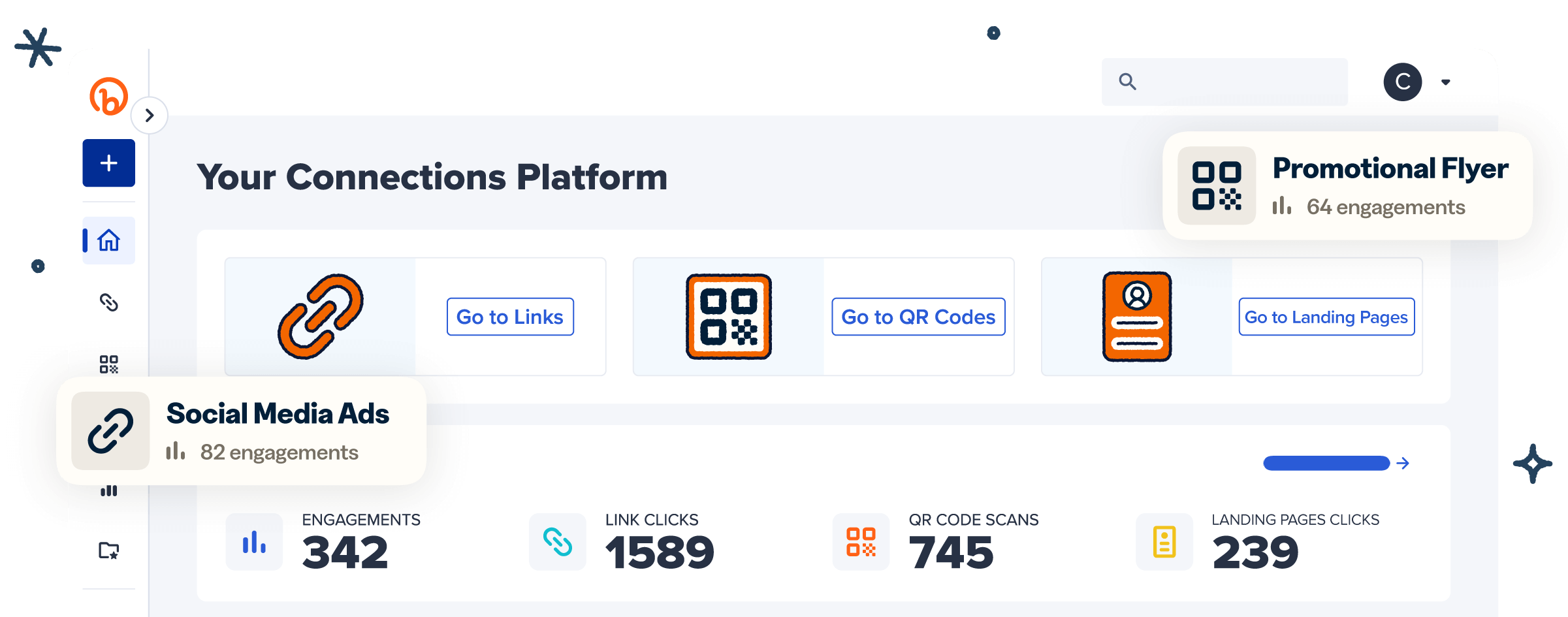
Bitly helps teams see what’s working with simple, clear analytics. Bitly Pages supports link-in-bio pages, landing pages, and digital business cards on a single platform, and this article evaluates our offering against other options in the industry.
Note: The brands and examples discussed below were found during our online research for this article.
Key takeaways
- Choose the hub by outcome first. Simple link lists, brand landing pages, and creator storefronts fill different needs.
- Limit the first screen to one primary action and a few supporting links so visitors can decide faster on mobile.
- Treat your bio URL as a permanent doorway that you update on the page, not a link you rewrite in every profile every week.
- Pair the page with tracking. UTM parameters (campaign tracking tags), click data, and view metrics show which destinations deserve the top spot.
- Bitly Pages fits brand and marketing teams that want a link-in-bio hub connected to short links, QR Codes, and unified analytics.
What a link-in-bio tool actually does
A link-in-bio tool hosts a mobile page behind the single URL available in most social profiles. Visitors can then reach multiple destinations with a single tap. Teams use that single hub to update campaigns across platforms without rewriting every bio field.
Think about it in two layers. The profile field provides the link. The page behind it is the hub.
A link-in-bio is the profile link that sends followers to a separate website or multi-link hub.
People still ask “what is a link-in-bio” in 2026 for practical reasons. Many platforms limit clickable links in captions. Launches need a stable destination you can refresh without rewriting every social bio.
A multi-link hub works like a menu with ranked destinations. A single-purpose campaign landing page usually drives one conversion path. Bitly Pages supports both formats, plus digital business cards, in your link management workflow.
Do you still need a dedicated link-in-bio tool?
Yes. A dedicated link-in-bio tool is still useful when you need hierarchy, branding, updates, or measurement. Native multi-link bios can work for a few static destinations. Marketing teams usually need a dedicated hub once offers rotate or results must be tracked.
Static native links rarely give full control over offer priority, campaign rotation, or outcome tracking, especially when social is one channel in a broader system.
Pew Research Center’s 2024 Teens, Social Media and Technology report found that about six in ten U.S. teens visit TikTok daily. About 16% of U.S. teens say they are on TikTok almost constantly, illustrating the wide market value of a proper TikTok link-in-bio setup.
Use this checklist to determine the type of link-in-bio you need:
- A few evergreen destinations you rarely change → a native multi-link bio may be enough.
- Rotating offers or launches → a dedicated hub is easier to update in one place.
- Lead capture, bookings, or measurable conversions → choose a hub built for hierarchy and tracking.
- Multi-channel brand system across social, email, packaging, and events → connect the bio to short links, QR Codes, and analytics.
When the bio needs to feed a measurable marketing system, Bitly is the next step: One hub you control, track, and share everywhere. Keep the profile URL stable while destinations rotate.
How to choose the best link-in-bio platform
Pick the platform that matches your primary job: routing traffic, capturing demand, selling, or branding a mini destination. Then score tools on hierarchy, mobile speed, analytics, and stack fit. Rank those criteria by the outcome you need most before you compare feature lists.
Score each option on:
- Primary call to action (CTA) control and visual hierarchy so one action dominates the first screen
- Branding depth, including colors, logo, fonts, and a custom domain where available
- Analytics beyond raw visits, such as clicks by destination, referrers, and exports
- Lead capture or handoff into owned channels
- Stable bio URLs while destinations change on the page
- Stack fit with short links, QR Codes, UTMs, and team workflows
Creator storefront features are not the same as brand measurement and multi-channel needs. Bitly Pages works with Bitly Links, Bitly Codes, and Bitly Analytics in one workflow. You can create and control every touchpoint, and see what’s working.
Best link-in-bio tools compared
The best shortlist depends on the job. Match a simple directory, design-led mini site, creator storefront, social-suite bio page, or brand hub inside a link platform. Popular solutions that came up in our research include Linktree, Carrd, Beacons, and Later, as well as Bitly Pages. Use the table below to identify your best approach before you pick a stack.
| Tool approach | Best for | Standout strength | Watch-out | Bitly fit note |
|---|---|---|---|---|
| Simple link directory | Fast setup, basic multi-link lists | Familiar, low friction | Basic lists may offer less visual hierarchy than conversion-focused hubs | Use when you only need buttons |
| Design-led mini site | Visual brand expression | Templates and layout control | Design controls can outpace conversion structure if hierarchy is unclear | Strong when brand polish matters |
| Creator storefront hub | Selling digital products from social | Commerce blocks and audience capture | Oriented to creator commerce workflows | Different job than brand link ops |
| Social suite bio page | Teams already in a scheduler | Content workflow adjacency | Feature set may extend beyond bio-page needs | Evaluate on analytics depth |
| Bitly Pages | Brands and marketers who need a trackable hub | Pages + Links + QR Codes + Analytics in one platform | Not a standalone creator checkout app | Best fit when you need Pages, Links, QR Codes, and Analytics in one workflow |
Linktree and Lnk.Bio fit the simple directory category. They get a multi-button page live quickly and work for a personal list or temporary campaign.
Carrd is a common design-led mini site pick. It emphasizes templates and visual brand expression when polish matters. Keep a clear primary action so design supports conversion.
Beacons and Stan Store focus on creator storefront use cases, digital products, and audience monetization. They support creator-commerce workflows such as product blocks and audience capture.
Later and Buffer offer bio pages next to social scheduling. The scheduling-and-bio-page combination helps teams already working inside a scheduler. Evaluate their analytics depth against your reporting needs.
Bitly Pages is for brands and SMB marketers who want a trackable hub with links, integrated QR Codes, and deep analytics. Build the hub in Pages and share it with a branded short link. Attach a QR Code for offline engagement, then measure results in Bitly Analytics so you can connect the dots and do more of what works.
Estefania G. at Kantox described that centralized approach on UserEvidence. She recognized our easy interface for creating shortened links and noted the centralized QR Codes, event landing pages, UTMs, and tracking metrics she uses daily for social and event work.
Many tools offer free entry tiers. Linktree, Beacons, Carrd, and Bitly all provide free plans with different limits. Free tiers help you launch; paid tiers usually add branding depth, more features, and longer analytics history.
Our Free tier includes two custom landing pages. Paid plans unlock more pages, custom branding controls, and deeper analytics.
Best free link-in-bio options
Free plans from tools like Linktree, Beacons, Carrd, and Bitly can host a basic hub. Advanced branding, longer analytics history, and higher page limits usually sit on paid tiers. A free tier is enough to validate layout; upgrade when tracking history or brand controls become the bottleneck.
Here, “best free” means enough pages and customization to launch, plus a clear upgrade path. Use free tiers to validate layout and offer order. Then upgrade for the custom domains, richer history, or deeper brand analytics your workflow requires.
Best link-in-bio picks by goal
Match the tool to the job, then optimize the page for one primary conversion. Start by naming the outcome you need from the bio click. That outcome should shape both tool choice and first-screen structure.
Brand or marketing team hub: Bitly Pages. Prioritize brand controls, destination-level clicks, and stack fit with short links and QR Codes. Build in Bitly Pages so social traffic sits next to your other measurable touchpoints.
Instagram-first content promotion: Bitly Pages (or Later / Buffer if you already live in a scheduler). Lead with the current Reel, launch, or lead magnet, then add two to four evergreen links. A dedicated link-in-bio page keeps the profile URL stable.
Later or Buffer can work when the bio page must sit next to an existing scheduling workflow. Get more from this social platform by reading our article on how to use a link-in-bio on Instagram.
TikTok traffic that needs one clear offer: Bitly Pages. Put one dominant CTA on the first screen and trim secondary links until the offer earns attention.
Match the video promise on the first screen, then measure destination clicks. Read our TikTok link-in-bio guide for more tips.
Small business booking or contact flow: Bitly Pages. Let users make a booking, call, or contact via the primary button. Add hours, location, or menu links as support.
Pair Bitly Pages with a QR Code on print materials that opens the same hub.
Creator testing for a simple multi-link list: Linktree or Lnk.Bio first; Beacons or Stan Store if you sell. A lightweight directory can be enough while you learn which destinations earn clicks.
Choose Beacons or Stan Store when digital products are the main job. Choose Bitly Pages if you need branded pages, short links, QR Codes, and analytics in one platform.
How to choose a link-in-bio page that converts
Design the page like a tiny landing page with one dominant action, not a 15-link archive. One primary CTA plus a short supporting set beats a long equal-weight list. A shorter link set helps visitors decide faster.
Google’s mobile landing page guidance stresses clear, mobile-first experiences that help visitors act quickly. Bio hubs need the same basics: Fast load, clear hierarchy, and a next step that matches the promise. Google Ads help on landing page performance covers mobile-friendliness and load speed, explaining how people interact with the pages you send traffic to.
Use this structure:
- Identity + one-line value proposition
- Primary CTA button with benefit-led copy
- Two to four supporting links
- One proof element (review, qualitative social proof, or a trusted brand mark)
- Repeat primary CTA
Wireframe to mirror:
[Logo / name]
[One-line value prop]
[Primary CTA — benefit-led]
[Supporting link 2]
[Supporting link 3]
[Supporting link 4]
[Proof: quote, rating, or trust line]
[Primary CTA — repeat]
Keep the message match tight. If a Reel promises a free checklist, open the hub on that checklist, not a generic homepage. Write benefit-led buttons. For more page ideas, see our article on what to include in your link-in-bio.
Measure the full path: Profile visits → bio clicks → destination clicks → conversion. Change one variable at a time so you know what moved the number. Pair page views with UTM tracking for campaign-level attribution.
Avoid these common mistakes:
- Giving every link equal visual weight
- Using vague CTAs like “Click here” or “Link”
- Stacking extra redirects before the real destination
- Letting the hub go stale after a launch ends
Bitly Pages supports mobile-friendly layouts, content blocks, scheduled publish windows, and page-level views and clicks. Engagement analytics depth depends on your plan.
Build your hub with Bitly Pages
Create a Bitly Page from a link-in-bio template, publish it, and place the URL in each social bio. Manage updates on the page instead of rewriting every profile. That keeps campaign changes centralized and tracking consistent.
- Choose a link-in-bio template or start blank in Bitly Pages.
- Add brand basics, a primary CTA, and supporting destinations.
- Embed Bitly Links where useful and keep UTM conventions consistent.
- Publish and copy the page URL into Instagram, TikTok, and other profiles.
- Create a QR Code that opens the same hub for print, packaging, or events (optional).
- Review views, clicks, and traffic sources in analytics, then reorder links.
The same toolkit can support digital business cards, and the core job remains the same: One stable destination, a clear hierarchy, and measurable destinations.
Getting more from every profile click
Choose by outcome first, hierarchy second, and measurement needs third. Apply that order when you shortlist platforms and when you rearrange the first screen. The best link-in-bio tools help visitors act in one tap and show which sources earn engagement.
Build or refresh your hub in Bitly Pages. Keep the same bio URL while offers change, and share that stable destination with short links (and QR Codes offline when needed).
Bitly is a link management platform that helps teams create, share, and track branded links and QR Codes. We help you make the hard-to-measure measurable.
Ready to put link-in-bio pages to work for you? Link your marketing. Get started today for free.
Frequently Asked Questions
These answers cover the most common buyer questions about link-in-bio tools, pages, and tracking.
What is the best link-in-bio tool for brands?
The best link-in-bio tool for brands is the one that supports a clear primary action, brand controls, and measurable outcomes across channels. Bitly Pages fits when your hub needs short links, QR Codes, and analytics in one place instead of a separate button app.
What is a link-in-bio page?
A link-in-bio page is a mobile-friendly hub that opens from the single URL in a social profile. It routes visitors to multiple destinations. It turns one profile field into a doorway for shops, sign-ups, content, and contact paths.
Link-in-bio tool vs Instagram multi-links
You may not need one if you only share a few static destinations and don’t track performance. You still benefit from a dedicated hub when you need hierarchy, scheduled updates, stronger branding, or cleaner measurement across campaigns.
Link-in-bio vs landing page
A link-in-bio page works like a menu with several destinations. A landing page usually drives one conversion with a single primary call to action. Many teams use the bio hub as the doorway and send high-intent traffic to a focused landing page next.
What should I put on a link-in-bio page?
Lead with identity and one primary CTA, then add a short set of supporting links that match current campaigns. Keep the first screen scannable on mobile and update the order when priorities change.
How do I track clicks on a link-in-bio page?
Use platform analytics plus link-level tracking such as UTMs and destination click data. Bitly Analytics can show page views, clicks, and traffic context so you can promote what works and retire weak links.