Bitly and Canva both make QR Codes, but only one lets you change the destination after you print. That one difference decides which tool fits your campaign.
Bitly makes Dynamic QR Codes for marketing. You can edit the destination, track every scan, and add your brand to the code. Canva makes Static QR Codes inside its design tools. The link is fixed the moment you create the code.
Dynamic QR Codes lead the market because they offer features that static codes simply can’t match. This guide compares both platforms feature by feature. It also shows how to use them together.
Key takeaways
- Bitly makes Dynamic QR Codes. You can edit, redirect, and track them after you print, so one code powers a whole campaign.
- Canva makes Static QR Codes. The destination is fixed, so you cannot change it after you create the code.
- Choose Bitly when tracking matters. Bitly Analytics shows scans by location, device, and referrer. Canva shows no scan data.
- Choose Canva for quick design work. It fits a simple, permanent code inside a graphic.
- Use both together. Add Bitly QR Codes to your Canva designs, and you get Canva’s design tools with Bitly’s tracking and link update capabilities.
What to know about Bitly QR Codes
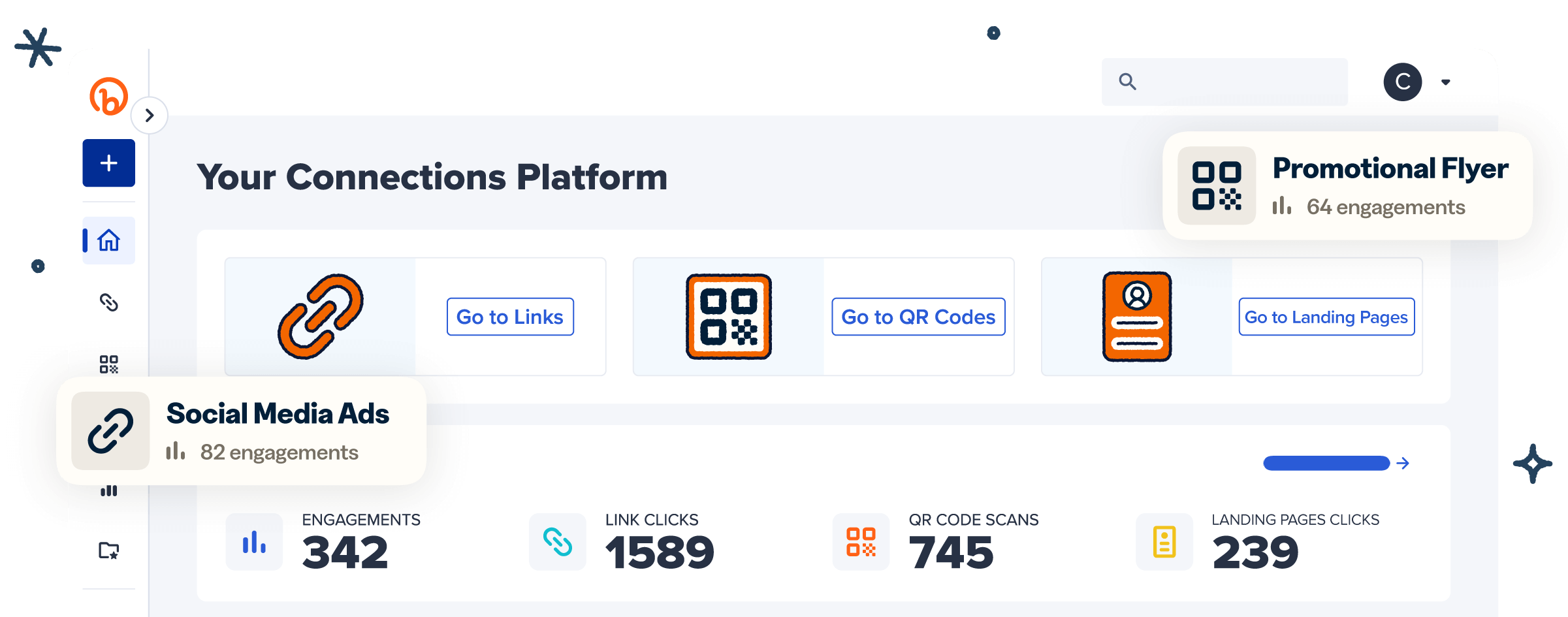
Bitly makes Dynamic QR Codes. Each code points to an editable short link, so you can change the destination URL and track every scan without ever reprinting or building scan tracking software. Bitly QR Codes turn any URL into a branded code built for marketing campaigns.
Three features define what you get with a Bitly QR Code:
- Customization: Add your logo, colors, gradients, patterns, custom corners, and frames, so every code matches your brand.
- Detailed analytics: See real-time scans by country, city, device, and referrer in Bitly Analytics.
- Editable destinations: Redirect a live code at any time. Fix any address typo or point to a new destination without a reprint.
You can start in minutes. Sign up, paste your URL, customize the design, and download a print-ready file. Our full walkthrough shows how to create a free Dynamic QR Code.
These three features make a Bitly QR Code a long-term marketing asset, not a one-time graphic. You can add UTM parameters to tie scans to a campaign, then compare that performance against your short links in one dashboard.
That link between the printed code and your campaign data is what most design tools leave out.
Bitly QR Code pricing
Bitly has five plans, so you can start free and scale as your campaigns grow:
- Free: $0
- Core: $10/month, billed annually
- Growth: $29/month annual, or $35/month monthly
- Premium: $199/month annual, or $300/month monthly
- Enterprise: Custom pricing
Dynamic QR Code counts, data retention, and customization scale with the plan. Higher tiers unlock advanced branding and more codes each month.
What to know about Canva QR Codes
Canva makes Static QR Codes. You add the code to a Canva design, and the destination URL stays fixed after you create it. You cannot edit or track a Canva QR Code. To create one inside the Canva editor, add the QR Code app, enter a URL, and place the code in your design.
Canva runs a freemium model, so QR Code generation is free. Paid plans cover its wider design features. The code is always static, so the design and the destination lock together when you export the file. That works for a poster or a social graphic with a link that never changes. It limits you when one code must carry a campaign for weeks or months, and it never collects any data about who scans your codes, where, or when.
Bitly vs. Canva QR Codes at a glance
Here is how Bitly and Canva QR Codes compare across the features that matter most to marketers.
| Feature | Bitly | Canva |
| Code type | Dynamic (editable) | Static (fixed) |
| Edit destination after printing | Yes | No |
| Scan tracking and analytics | Yes (location, device, referrer) | No |
| Customization | Logo, colors, gradients, patterns, frames, corners | Colors and margin |
| UTM and campaign tracking | Yes | No |
| Best for | Campaigns that need tracking and flexibility | Quick, one-off designs inside Canva |
| Free plan | Yes | Yes |
| Integration | Works inside Canva through the Bitly integration | Third-party design apps |
Static vs. Dynamic QR Codes: the difference
Bitly creates Dynamic QR Codes and Canva creates Static QR Codes. This one difference shapes how each code performs over the life of a campaign.
A Static QR Code holds the destination inside the code, so the URL can never change. If you make a typo or the page moves, the code breaks. Your only fix is a new code and a reprint of everything that carried the old one. That cost is real when the code sits on packaging, signage, or thousands of flyers.
Dynamic QR Codes point to an editable short link instead of a fixed URL. You can update the destination and view scan data at any time. One printed code can run a summer promo, then a fall launch, then a customer survey. You keep the same code and change where it sends people.
This flexibility also changes how you plan a campaign. You can print codes before the landing page is ready, then point them where you need at launch. If a page underperforms, you redirect the same code to a better one.
How to choose between Bitly and Canva
Your choice comes down to whether you need to track and update the code over time. The four factors below cover the differences that matter most.
Customization
Both tools let you customize a QR Code, but Bitly gives you more control over the look. Canva adjusts colors and margins. Bitly adds your logo, gradients, patterns, custom corners, and frames, so the code matches your brand.
Customized QR Codes see a 3.8x increase in scans versus uncustomized codes. Our QR Code customization features show the full range of what you can brand.
Analytics and tracking
Bitly tracks every scan. Canva tracks none. Our dashboard shows total scans plus scan data by location, device, and referrer. You can see which channels drive results and do more of what works.
Canva is a design tool with no scan tracking. A Canva code tells you nothing about how many people scanned it, let alone where, when, and on what type of device.
That type of data turns a QR Code into a measurable channel. You can see which cities scan most, which devices your audience uses, and where scans spike after a launch. Then you can shift the budget to the placements that earn it.
Editing and redirects
Bitly lets you change a code’s destination URL after you print it. Canva does not.
With Bitly, you can edit the destination in seconds, and every printed code points to the new page. Nothing needs a reprint. With Canva, a Static QR Code stays locked to its first URL. Any change means a new code and a swap everywhere the old one appears. Our guide on how to edit a QR Code without reprinting shows the difference in practice.
Integrations
Bitly connects to the marketing tools you already use, and it works inside Canva, with over 3,400+ connected apps & workflows and 60+ marketplace integrations. You can drop trackable Bitly QR Codes into your designs with the Bitly Canva integration, so your design work and your tracking stay together.
Canva’s QR Code generator relies on third-party design apps. It adds no analytics and offers no way to edit the destination of any link it creates.
When to use each tool
The right tool depends on whether the code is part of a campaign you will measure or a one-time design element.
Choose Bitly QR Codes for:
- Marketing campaigns that need scan tracking
- QR Codes for product packaging and signage
- Codes that need brand customization
- Codes you may want to redirect or update later
Choose Canva QR Codes for:
- Quick, one-off designs with a destination that never changes
- Simple codes inside a graphic you already built in Canva
- Projects that do not need scan data
For businesses of all sizes, the deciding factor is time. If the code will live in the world for weeks and carry a campaign you need to measure, Bitly earns its place. If it is a one-time graphic, Canva is the faster path.
In short, Bitly fits a campaign you will measure and update. Canva fits a simple code inside a time-limited design.
Using Bitly and Canva together
You don’t have to choose. You can add trackable Bitly QR Codes inside Canva. The Bitly Canva integration puts branded Dynamic QR Codes into your Canva designs. You then view the scan data in Bitly. You get Canva’s design tools with Bitly’s tracking and editable destinations in one workflow.
This pairing suits teams that design in Canva and market with Bitly. Your designers keep the tools they know. Your marketers keep the scan data and editable destinations they need. These creative Bitly Canva use cases show some examples of what you can build.
Choose your QR Code generator
Canva works for a simple Static QR Code inside a design. Bitly works when you need codes you can track, edit, and brand across a campaign.
Most teams don’t have to pick one. The Bitly Canva integration brings both tools into a single workflow.
Bitly is the marketing platform that helps businesses of all sizes see what’s working. Simply and clearly.
Link your marketing. Get started for free and create trackable, customizable QR Codes with Bitly today.
Frequently Asked Questions
Does Canva have a QR Code generator?
Yes. Canva has a QR Code generator in its app directory, so you can add a code straight to a design. It makes Static QR Codes, so the destination URL is fixed once you create the code.
Do Canva QR Codes expire?
Canva QR Codes don’t expire, but they are static. You can’t change where they point after you create them, so a new destination means a new code. Bitly’s Dynamic QR Codes let you update the destination without a reprint.
Can you track scans on a Canva QR Code?
No. Canva is a design tool with no scan tracking. Bitly shows you how many people scan your code, where they are, and what device they use.
Create the code in Bitly, or add a Bitly QR Code to your Canva design.
Is Bitly or Canva better for QR Codes?
It depends on your goal. Bitly is better for marketing campaigns that need tracking, branding, and editable destinations. Canva is better for a quick, one-time design that needs no scan data.
Can you use Bitly and Canva together?
Yes. The Bitly Canva integration adds branded, trackable Bitly QR Codes to your Canva designs. You get Canva’s design tools with Bitly’s scan analytics and editable destinations in one workflow.
Are Bitly QR Codes free?
Yes. The Bitly Free plan lets you create QR Codes at no cost. Paid plans add more codes, advanced customization, and longer analytics history.