How to Troubleshoot Short Link Issues and Build a Better Link Strategy

Picture this: You’ve made your latest and greatest short link, checking every detail from the custom back-half to UTM parameters. You start to distribute it across channels and wait for the clicks to roll in. There’s just one problem: The clicks aren’t rolling in.
What can you do? We’ve got you covered with a quick, straightforward, and tactical guide to what can go wrong, how to troubleshoot issues, and how to fix them quickly. We’ll also share five best practices to help you create reliable, high-performing short links every time.
Short links most commonly fail due to broken destination URLs, typos, firewall blocks, malicious-link flags, or analytics discrepancies. If you suspect something is wrong with a short link but can’t pinpoint the issue, here are five common problems and how to fix them.
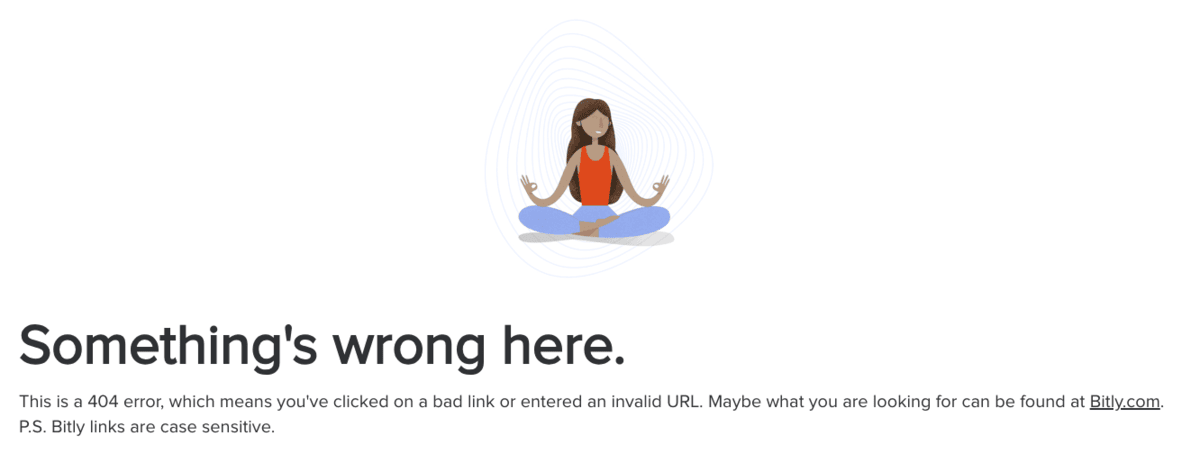
If clicking your short link leads to an error page, the destination URL is likely down or broken. Test it a few times to rule out a connection issue—if it still won’t load, the original URL is probably inactive.
This typically happens for one of two reasons:
What to do next: If you know the link’s destination URL, head to the page itself to confirm whether it’s working or not.
If you don’t know the destination URL, Bitly can help. Bitly’s Link Checker lets you check the destination of a link before you click or select it. Simply copy and paste the short link into the search bar:
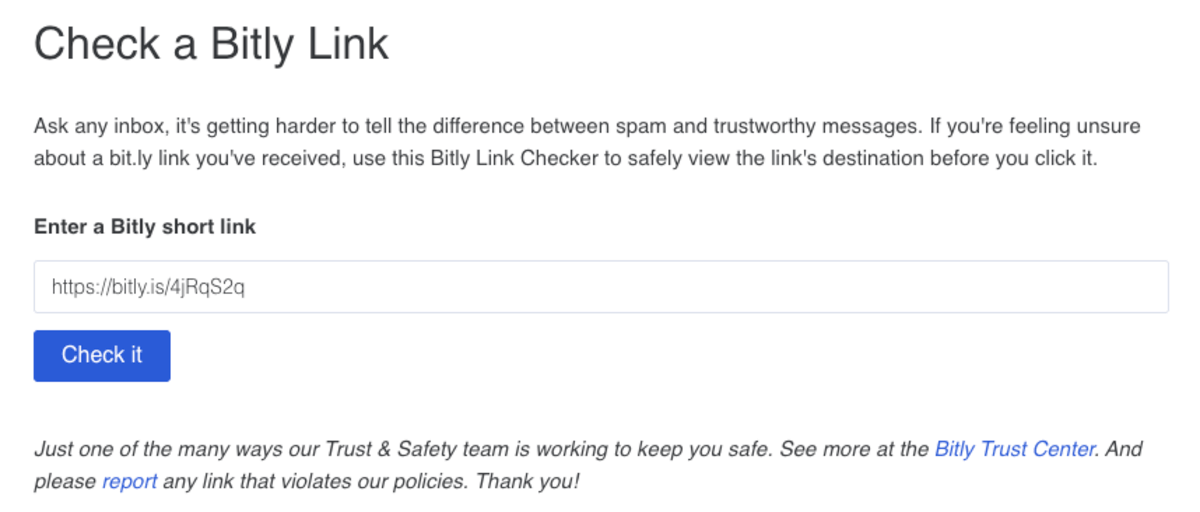
We’ll show you the title of the page and the destination URL:

From there, you can confirm the destination to troubleshoot why the page or site isn’t working. If you need to change the link destination, you can redirect the link with certain paid Bitly plans.
A single misplaced letter or number can break your short link—if clicks aren’t landing where expected, check for character errors.
A typo might happen:
What to do next: If you created the short link, first check the destination URL to ensure it’s entered correctly:
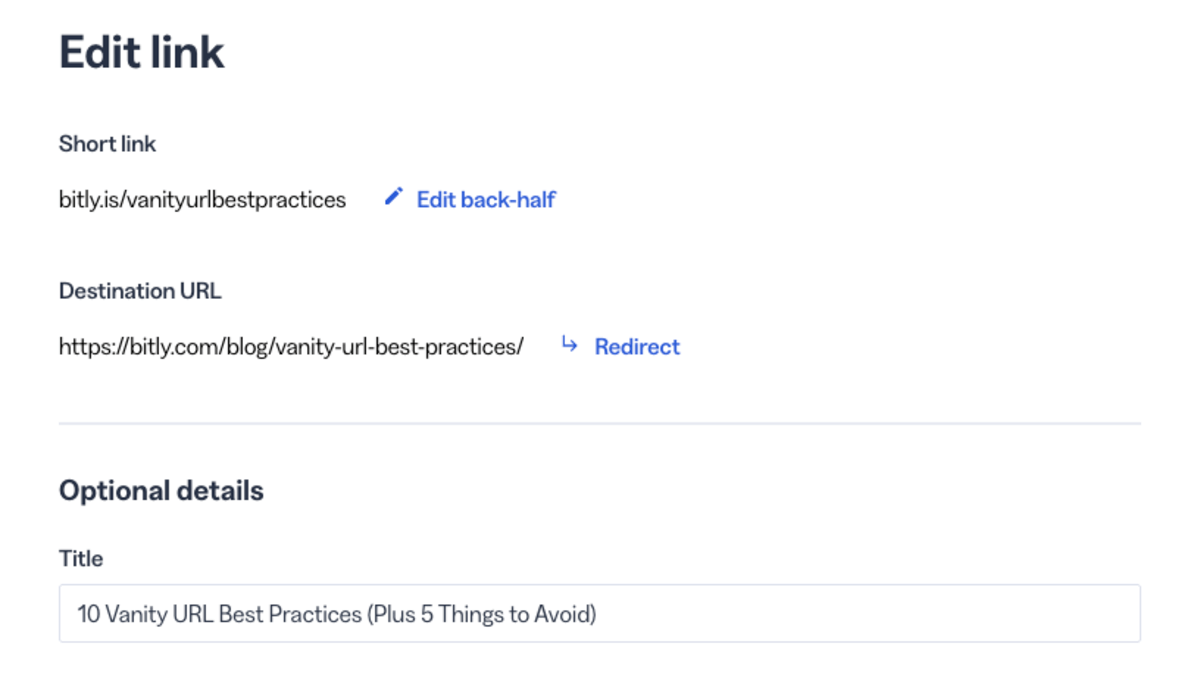
If it’s correct, the issue probably comes down to the short link itself. Always make sure you copy the short link from Bitly instead of typing it out.

If you didn’t create the short link, reach out to the organization or team that shared it with you to let them know it’s not working.
If your short link works for some people but not others, the domain is likely blocked by an organization’s or network’s firewall. This is common on corporate networks with strict content filters.
What to do next: You might not be able to solve this issue for everyone. But especially for internal audiences at your organization or local audiences near you at a live event, you might be able to troubleshoot. If you or your customer is using a work network, check with your IT department to confirm whether the domain used for the link has been blocklisted.
We recommend that all internal firewalls and content filters allow the “bit.ly” and “bitly.com” domains, as blocking these domains impacts the availability of Bitly Links. Talk to your security experts to check and hopefully resolve these issues.
To keep everyone safe from harmful content, Bitly blocks a link when it’s flagged as suspect or known to lead to a malicious page. If you see the image below instead of the destination, this is what’s happening.
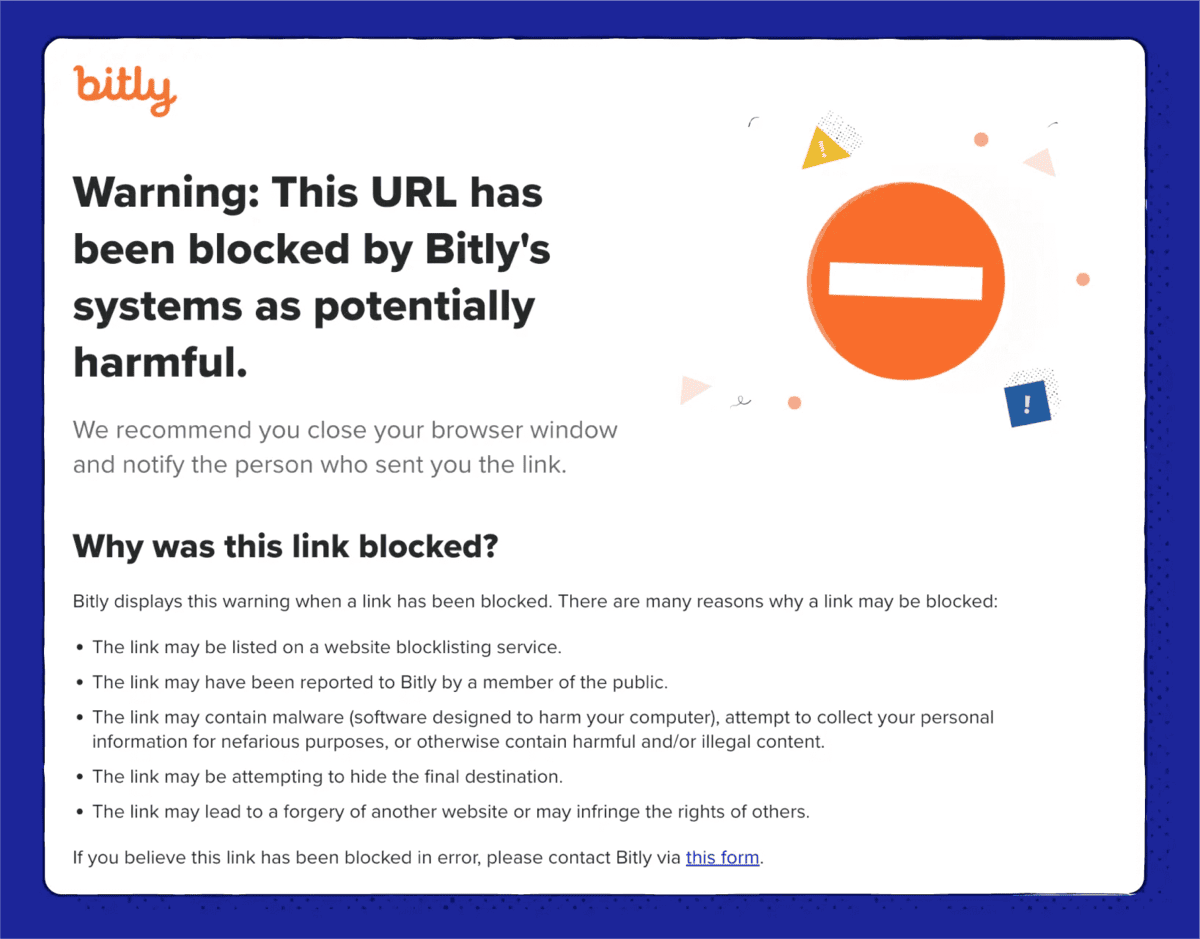
What to do next: Double-check your link to make sure the destination URL is correct. If nothing seems out of place, head to our appeal form to notify the Bitly team and request a review of the decision.
After launching a campaign with a Bitly Link, you might compare data across tools and spot a difference—the numbers in Bitly Analytics may be higher than in your email or social media platforms.
Each platform measures traffic differently:
What to do next: Know what you’re looking at when you review your metrics. For instance, Bitly counts clicks each time the shortened Bitly Link is expanded to the long URL, while your email marketing platform might be measuring email opens or other metrics.
For the most accurate click measurements, filter by specific dates or change the date range to match your campaign timeframe. When reporting, treat platform-specific metrics as a subset of your total Bitly Link clicks.

Your short links should be back on track with these troubleshooting steps. Whether you’re building your strategy from scratch or just need a refresher, here are a few short URL best practices to help keep your links working their best.
Your short links are only as good as the service behind them. Free link shorteners might work as a quick fix, but when you’re engaging your audience at scale, you can’t afford broken links or missing the analytics that show what’s working.
It’s worth investing the time, energy, and even budget to find a link shortener that sets you up for long-term success. Bitly’s been a trusted leader in link management since 2008, giving you the reliability, scale, and innovation you need to build lasting connections with your audience. Plus, you can start with our free plan to test out QR Codes and landing pages as well—then, as your needs scale, your plan should, too.
Short links let you build trust and brand recognition by customizing both your custom domain and the back half of your links for unique campaigns. This clues your audience into what they’ll get when they click.
Experiment with different keywords in your short links to learn what your audience responds to and what leads them to click. Try A/B testing—sending two campaigns to unique subsets of your audience with different short links to see which one performs better. Send a campaign to part of your audience with a back-half about the offer, such as “/free” or “/loyaltygift,” and send the rest of the audience a link that has a back-half mentioning the product name or category, such as “/sfliving” or “/qrcodes.” Pay attention to which one performs better, and use that information to inspire links for your next campaign.
Ideally, you want to identify issues with your links as quickly as possible to recover traffic and avoid losing business, preferably before your audience notices. Make it a habit to regularly review the health of your short links, especially those tied to launches, upcoming offerings, or limited-time deals. You might not be able to check every short link, especially if you send personalized links at scale (like Koozie Group does with order updates). But keep an eye on your highest-impact campaigns to spot any of the issues we’ve already highlighted and address them before they affect your results.
In addition to checking your links, establish a routine of reviewing your Bitly Analytics dashboard to monitor your short link performance. Keep an eye on any unusual dropoff that could signal a problem with your links. Pay attention right after a major campaign launches, and review your analytics often enough to understand typical behavior and engagement for your audience. That way, if your link performance falls far outside the typical range, you’ll know to confirm whether the link is working as expected.
The only thing better than a short link is a branded short link—one that uses your domain name for instant audience recognition and trust. Following vanity URL best practices by incorporating your brand name into your links helps build credibility and increases click-through rates. Creating branded redirect links with certain Bitly paid plans is easy, and they’re perfect for driving more clicks with your audience, from your link-in-bio to SMS marketing campaigns.
Use them to create both evergreen landing pages and limited-time offerings for a season or event. Once these offerings are finished, you can update the link to a more relevant and current destination so everything still links back to your brand.

The more formats and channels you have to deliver short links to targeted, relevant offerings for your audience, the better. In addition to sending friendly, trustworthy short links in text messages or emails, use them to make the most of your other marketing tools.
Creating a QR Code? Instead of linking to your homepage or a long URL, use a short link destination to capture audience data and make the most of both tactics. Creating a mobile-friendly landing page? Drop Bitly Links into each button or call-to-action to enhance landing page design elements that encourage action and make your Bitly Pages go further. The more you use short links, the more opportunities you have to reach your audience with engaging, user-friendly touchpoints—and gain valuable insights into what they love about your brand.
The days of asking your audience to click (or worse, type) a long, convoluted URL are long gone. Short links let you send a reputable, branded touchpoint via text, capture real-time click metrics via email, and make an enticing digital offer via a physical format. When you combine them with other tools like QR Codes and landing pages, you create engaging, interactive experiences for customers, wherever they are on their journey.
Get started for free and see how Bitly can help you create, manage, and track short links that drive real results.
A short URL typically fails because the destination URL is broken, there’s a typo, a firewall is blocking the domain, or the link has been flagged as malicious. Start by confirming the destination URL loads correctly, then check the short link for character errors.
Check whether the destination page is live and whether the short link was copied correctly. If the destination has changed, you can redirect the short link to a new URL with certain paid Bitly plans—for firewall blocks, work with IT to allowlist the relevant domains.
Each platform measures traffic differently. Bitly Analytics counts every time a shortened link is expanded to the long URL across all channels where it’s shared. Other platforms may only report clicks within their own ecosystem, such as email opens or social post clicks.
Yes—some organizations’ firewalls and content filters block short link domains like bit.ly. If your audience is on a corporate or restricted network, the domain may need to be added to the organization’s allowlist.
If a short link has been flagged, users will see a warning page instead of being redirected to the destination. To resolve this, double-check your destination URL and submit an appeal through Bitly’s trust and safety review process.