Smart links are shareable URLs and, for many teams, matching quick response codes (QR Codes). These links and codes select a destination at the time of click or scan, based on rules you set. They do not send every visitor to one fixed destination. Global campaigns, app installs, and print assets still often force teams to juggle separate links for each country or device. Teams can also scramble when a destination changes.
The wrong landing experience costs clicks and trust. A desktop page on mobile, a US store for a UK shopper, or an expired promo that’s still live on product packaging all miss the mark.
This article will provide you with a clear definition of smart links, including how music “smart links” differ. You’ll also see how rule evaluation works and where marketers use these features. Bitly’s dynamic routing lets you assign geo, device, platform, and expiration rules to links and QR Codes.
Bitly is the marketing platform that helps businesses of all sizes see what’s working. Simply and clearly. As a link management platform, Bitly helps your team create, share, and measure short links and QR Codes at scale. We build seamless dynamic routing for multichannel teams.
Key Takeaways
- Smart links choose a destination when someone clicks or scans. They use rules based on location, device, platform, or campaign timing instead of a single fixed URL for every visitor.
- Dynamic routing evaluates ordered rules quickly, sends each person to the first match, and relies on a fallback destination so the experience never dead-ends.
- Marketers use smart links to run a single campaign URL or QR Code across social, SMS, email, ads, and print while still localizing offers and app store paths.
- Music smart links that list streaming services on a landing page are a related but narrower pattern. Marketing smart links focus on automatically selecting the destination behind a single shareable URL.
- Bitly dynamic routing applies those rules to Bitly Links and QR Codes, supporting up to 10 rules per asset. It reports performance by destination so you can see which conditions drive engagement.
What a smart link is (and what it is not)
A smart link is a single shareable URL that resolves to different destinations based on visitor attributes or the campaign state at the time of click or scan.
Web searches often surface two conflicting definitions:
- Marketing/dynamic routing smart links automatically redirect based on geo, device, platform, or time variables.
- Music smart links present a landing page listing Spotify, Apple Music, and other services, so fans can choose a store.
This article focuses on the marketing definition, while noting the music pattern so search results do not pull you off course.
You may also see product-specific “Smart Links” features in unrelated software, or unrelated brand logins. Those are different tools with the same label. Bitly offers the marketing capability of dynamic routing on links and QR Codes, the practical implementation marketers mean in a campaign context.
Smart links turn one public URL into many private journeys without asking the visitor to choose a market or device path. Some vendors also use the term “smart URL” for the same concept.
Related branded redirect links maintain a single trusted public URL while keeping the destination flexible.
Why static short links stop being enough
A standard short link still helps sharing, branding, and tracking. It usually points everyone to the same destination until you manually redirect it. That model breaks down fast.
Mobile users land on desktop pages. Regional pricing misses the shopper. App users reach the wrong store, and printed QR Codes outlive a promo.
Routing rules resolve those mismatches while keeping a single public slug for creatives, influencers, and packaging. You keep a single shareable asset and still deliver the right experience for each click or scan.
Teams that already redirect Bitly Links when campaigns change now get the same control, with rules applied at interaction time.
How smart links work
When someone opens a smart link, the platform reads available signals and walks your rules from top to bottom. It then redirects to the first matching destination or to your fallback. The evaluation loop stays simple: The platform takes in the request, detects signals, checks rules in order, issues a redirect, and records analytics.
First-match logic matters. Put the most specific rules first, broader rules later, and always define a fallback. On Bitly, you can add up to ten rules per link or QR Code, and Bitly evaluates them in the order you’ve specified.
When you set rules well, the visitor should experience a normal, direct redirect, not a multi-step “pick your country” detour.
Signals marketers route on
Marketers typically route on a few core signals that map to campaign needs:
- Location: Country and, where available on plan, region, for localized pages, language experiences, regional offers, and compliance-sensitive paths.
- Device and platform: Mobile, tablet, or desktop; iOS or Android; app stores vs. web; or mobile-optimized pages vs. full-site experiences.
- Campaign timing: Expiration dates with a fallback destination when a window closes, so print and ever-shared links do not strand people on dead offers.
Bitly dynamic routing supports expiration, country- and platform-based routing in Growth plans and on higher tiers. Region and device routing are available on Premium and above. We don’t offer language-based routing, city-level rules, or weighted A/B (split-test) destination splits as dynamic routing features.
Mobile links and deep-link destinations pair well when an app path is the right match. For market-aware page experiences, pair routing with location-based targeting with landing pages.
Analytics that prove the route worked
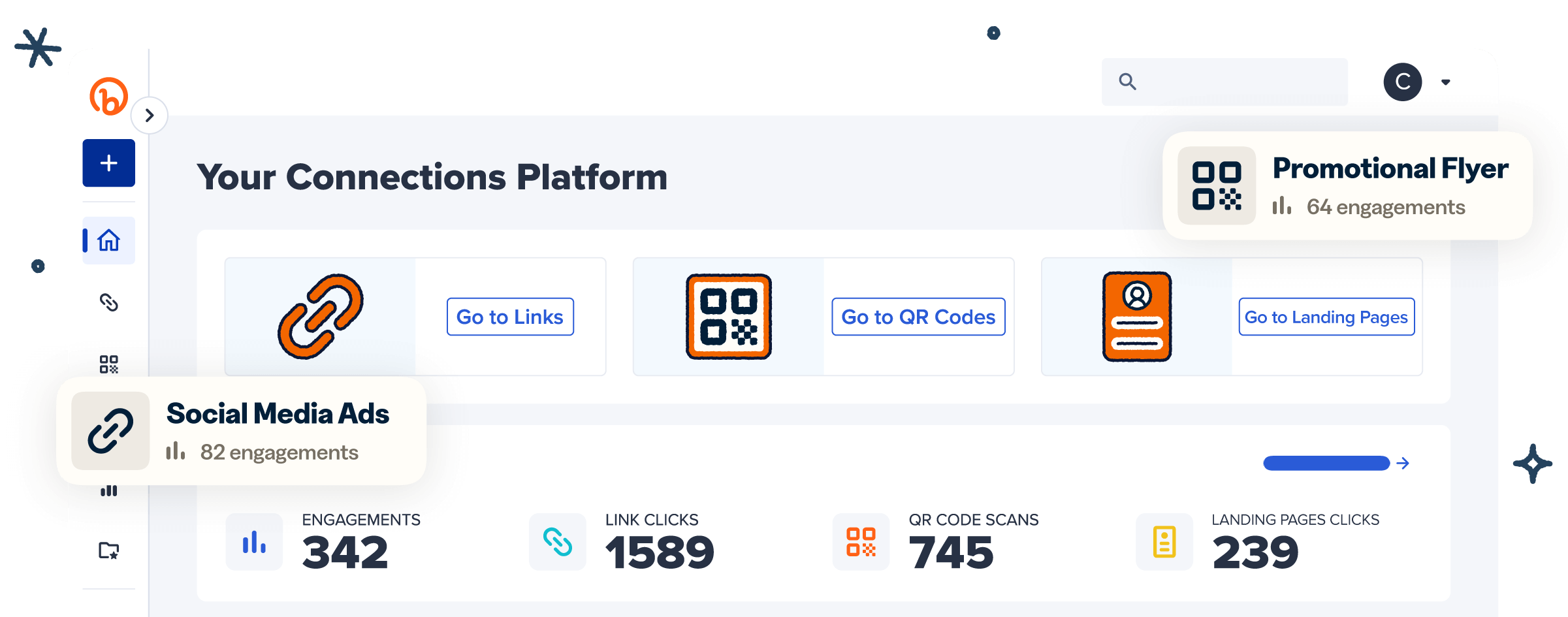
Per-destination or per-rule reporting shows which condition drove engagement, rather than just a blended click total. Bitly unifies clicks and scans reporting so you can review destination performance.
On supported plans, you can also ask Bitly Assist in plain language and connect the dots across channels. Deeper campaign analytics help teams compare routes. Keep UTM parameters (campaign tracking codes) on underlying destination URLs so analytics tools still attribute campaigns correctly after the smart redirect.
Our guide to what UTM codes are covers the basics. Google Analytics documents how campaign URL parameters attach that context in its Campaign URL Builder guidance.
Smart links vs short links, deep links, and QR Codes
Smart links sit next to short links, deep links, and QR Codes. Effective setups often combine them.
| Type | Main job | What the visitor experiences | Best fit |
|---|---|---|---|
| Short link | Shortens and tracks a URL | One destination until you edit it | Everyday sharing, branding, and click tracking |
| Smart link (dynamic routing) | One public URL; destination selected by rules at interaction time | A redirect to the matching path or fallback | Multichannel campaigns that need geo, device, platform, or timing logic |
| Deep link | Opens a specific in-app location when the app is installed | App content when available, often with store or web fallbacks | App engagement and product deep dives |
| Dynamic QR Code | Encodes a redirect you can update | A scan that follows the same redirect logic as a link | Print, packaging, signage, and out-of-home (OOH) |
A short link mainly shortens and tracks. A smart link maintains a single public URL, with rules determining the destination at the time of interaction. A deep link opens a specific place inside an app when possible.
Google Ads Help defines deep links that open app content and contrasts them with ordinary web destinations. Android App Links and Apple Universal Links describe how HTTPS links open installed apps. They also cover store- or web-fallback patterns.
A Dynamic QR Code encodes a redirect you can update. With routing rules, it becomes a physical-world smart entry point. Our Static vs. Dynamic QR Codes breakdown shows why updateable destinations matter after print.
Effective setups combine them: A branded short smart link, optional deep-link destinations, and a QR Code that uses the same routing logic.
Where marketers use smart links
Use smart links whenever a single public URL or QR Code must drive traffic to multiple correct destinations across channels.
| Use case | Routing pattern | Example outcome |
|---|---|---|
| Global campaigns and ecommerce | Country or region routes | Shoppers reach local offers, inventory, or market pages |
| App growth | Platform routes | Visitors land in the right store or mobile web experience |
| Events and tours | Geo routes | One creative drives the right registration or city page |
| Print, packaging, and out-of-home (OOH) | QR Codes with editable routing | One scannable mark stays fixed while destinations evolve |
| Hospitality, media, and regulated journeys | Market-aware routes | Guests and readers reach local properties, content, or disclosures |
Global campaigns and ecommerce use country- or region-based routes, so a single campaign URL still localizes offers and inventory. App growth uses platform routes, so iOS and Android traffic split cleanly between stores and mobile web.
Events and tours use geo routes, so one creative can direct people to the correct registration or city page. That same one-link discipline supports omnichannel marketing with short links. It keeps social, email, SMS, and ads aligned.
Print, packaging, and OOH keep a single scannable mark while destinations evolve. Bitly QR Codes and links share one workflow. Teams are not stitching single-purpose tools into every channel.
Our guides on QR Codes in print advertising and QR Codes on product packaging show why editable routing matters once creative is already in market.
As one Sports Information Director shared on UserEvidence: “The ability to update link destinations and QR Code destinations is really useful and something that we couldn’t do before. Knowing that if we print a mailer and need to change the destination of a QR Code on it down the road gives peace of mind.”
Hospitality, media, and regulated journeys route to local properties, localized content, or market-appropriate disclosures. Music streaming chooser pages remain a related pattern. They help fans pick a store from a list. Marketing smart links focus on automatic destination selection behind one shareable URL.
How to create and run smart links with Bitly
Create the public link or QR Code first, set a trustworthy fallback destination, then layer ordered routing rules and measurement.
- Create a Bitly Link or QR Code for the campaign slug you will actually share.
- Set the default fallback destination every uncategorizable visitor should receive.
- Add rules from most specific to broadest (for example, a single-country mobile path before a generic mobile path).
- Attach UTM parameters to the destination URLs for downstream analytics.
- Test each major path (countries, devices, and platforms you care about) before launch.
- Share one URL or QR Code across channels, and you can update the routing rules later without changing the public asset when destinations shift.
Dynamic routing by country and platform, plus expiration, starts on our Growth tier and above. Region and device routing are available on Premium and Enterprise tiers. Direct redirects are available on all paid tiers, subject to plan limits. Teams that create links programmatically can manage automated routing rules through the Bitly API and Bitly MCP (Model Context Protocol).
Remember these rules:
- Guardrails keep routing honest and usable.
- Route transparently without cloaking.
- Always maintain a sensible fallback.
- Avoid over-ruling a simple campaign.
- Keep branded domains on customer-facing links when available for trust.
Branded links see a 2.3x increase in clicks compared to unbranded links, which strengthens the public URL people actually share.
Build one link your whole audience can use
Smart links replace multiple separate links with rule-based destinations, so every click or scan feels local, device-aware, and up-to-date. To put that into practice:
- Map one live campaign that still uses multiple URLs.
- Pick the public slug.
- Define a fallback plus two or three priority rules.
- Test before you replace the old links.
Get started for free by creating links and QR Codes, then apply dynamic routing on a plan that includes it.
Frequently Asked Questions
What is a smart link?
A smart link is a shareable URL that selects a destination at the time of click or scan, based on rules you define. Those rules can include location, device, platform, or campaign timing. Marketers use smart links so one public link can power many correct experiences.
How does a smart link work?
The platform reads signals from the visit, checks your rules in order, and redirects to the first match or to a fallback destination. The evaluation happens during the redirect, so the visitor moves straight to the right page.
Are smart links only for music releases?
No. Music tools have popularized landing pages that list streaming services, but marketers also use smart links for geo-routing, app store paths, localized offers, and expiring campaigns. Bitly dynamic routing focuses on that automatic destination selection for links and QR Codes.
What is the difference between a smart link and a short link?
A short link mainly shortens and tracks a URL. A smart link can also redirect users based on rules. Two people who open the same public URL can reach different destinations.
What is the difference between a smart link and a deep link?
A deep link’s job is to open a specific place inside an app when possible. A smart link’s job is to choose the right destination based on rules. That destination might be a deep link, a store page, or a web URL.
Can smart links work with QR Codes?
Yes. When a QR Code uses an editable redirect with routing rules, each scan can follow the same smart logic as a link. Bitly supports dynamic routing on QR Codes as well as links. That includes codes already used in print and packaging.
Is dynamic routing available on Bitly?
Yes. Bitly dynamic routing lets you send visitors to different destinations by attributes such as country, region, device, and platform. You can also set links or QR Codes to expire to a fallback when a campaign ends. Country and platform routing start with Growth plans; region and device routing are available on Premium and Enterprise plans.
How many routing rules can I add on Bitly?
You can add up to ten rules per link or QR Code. Bitly evaluates them in order, so the most relevant match can win.