
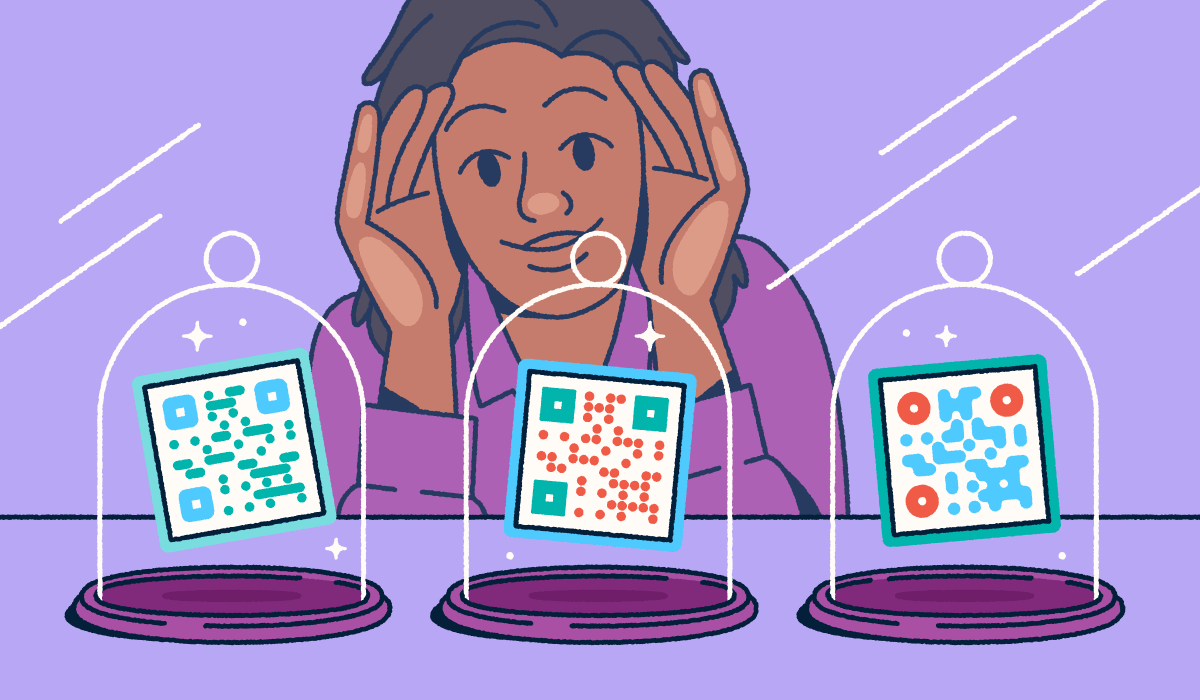
Marketers often invest heavily in printed materials and marketing campaigns only to realize they cannot update their destination links later. After you send a flyer to the printer, you might discover a typo in the website URL or realize you cannot track how many people scan your new touchpoint. Dynamic QR Codes solve these problems by offering total flexibility and clear visibility into scan data. These trackable codes use a short, editable redirect URL to point users to your final landing page.
Bitly serves as the trusted partner for marketers who want to create Dynamic QR Codes that collect real-time analytics and provide completely editable destinations. This comprehensive guide will show you exactly what Dynamic QR Codes are and how you can create them using a high-quality online QR Code generator. You will also learn why capturing scan-level data matters for making smarter marketing decisions.
Note: The brands and examples discussed below were found during our online research for this article.
Key takeaways
- Dynamic QR Codes use a short redirect URL, which allows you to update the destination at any time without reprinting your marketing materials. This flexibility saves your team valuable time, preserves your budget, and eliminates last-minute stress.
- Every scan captures actionable data, including the user location, device type, and date stamp, giving your team the exact insights you need to help measure campaign ROI and optimize your strategy in real-time.
- Customizing your QR Codes with your specific brand colors and logos actively increases your total number of scans. This process also keeps the code highly compact and scannable across various lighting conditions.
- Testing your Dynamic QR Code across multiple smartphones and environments before you launch your campaign prevents embarrassing scan failures and ensures a remarkably smooth user experience.
- Bitly features a centralized dashboard that lets you manage, track, and compare your QRcode scanning performance right alongside your short URLs. This means your physical and digital campaigns live conveniently in one single place.
What is a Dynamic QR Code?
A Dynamic QR Code is a smartphone-scannable 2D barcode that encodes a short redirect URL instead of locking in fixed content. This smart functionality allows you to make destination changes instantly while consistently capturing real-time use data.
When you create a dynamic code, the generator encodes an intermediary link, like “bit.ly/example” directly into the barcode pattern. When users open their camera app on their iOS or Android device and scan this pixel pattern, they hit the short link first. The short link then instantly forwards them to your destination website URL or other digital asset.
This redirect mechanism offers a powerful advantage over Static QR Codes. You gain the flexibility to support evolving marketing campaigns, update product packaging inserts, and adjust event signage on the fly. When regular destination updates and exact user engagement measurement are essential to your workflow, Dynamic QR Codes deliver the perfect solution.
If you are just getting started with scannable technology, you should brush up on QR Code basics to ensure a smooth, error-free launch.
Dynamic vs. Static QR Codes at a glance
To choose the right solution for your next campaign, you must understand the key differences between Static vs. Dynamic QR Codes. We built this quick comparison table to help you understand the core differences between.
| Feature | Dynamic QR Codes | Static QR Codes |
| Destination Editing | You can change the link anytime. | You cannot edit the link after creation. |
| Analytics and Tracking | You capture detailed scan data. | You get zero built-in scan tracking. |
| Code Density and Size | Codes look smaller and scan more reliably because they encode shorter URLs. | Codes become dense and harder to scan if you use a long URL. |
| Best Use Cases | Marketing campaigns, product packaging, trackable print materials. | Permanent uses Wi-Fi passwords or basic contact information. |
Static codes work perfectly well for permanent, one-time uses like sharing Wi-Fi passwords. However, static codes do not support built-in scan analytics or editable destinations the way dynamic codes do.
<<insert image: https://d3gribjq2zt3oj.cloudfront.net/blog/wp-content/uploads/2023/02/01-desktop@2x.webp Caption: Dynamic QR Codes have a shorter URL and a less dense pattern than Static QR Codes.>>
Why marketers choose Dynamic QR Codes
Now that you understand what these codes do, you need to understand why top brands rely on them daily. Marketers select Dynamic QR Codes for QR Code tracking because these touchpoints provide operational agility, accurate engagement data for calculating ROI, and strict brand consistency.
Edit destinations and prove ROI with scan analytics
Imagine launching a massive print campaign only to discover a typo in one of your URLs. Dynamic QR Codes let you fix this error instantly or redirect users to a new seasonal offer without ever reprinting your materials, saving considerable time and costs.
Furthermore, dynamic codes capture critical metrics. You can review the total number of scans, analyze geographic data (city/county), identify the device type or OS, and log the datestamp for each scan. These concrete metrics help you answer important questions like “Is anyone scanning our packaging?” and “Which retail location drives the most engagement?”
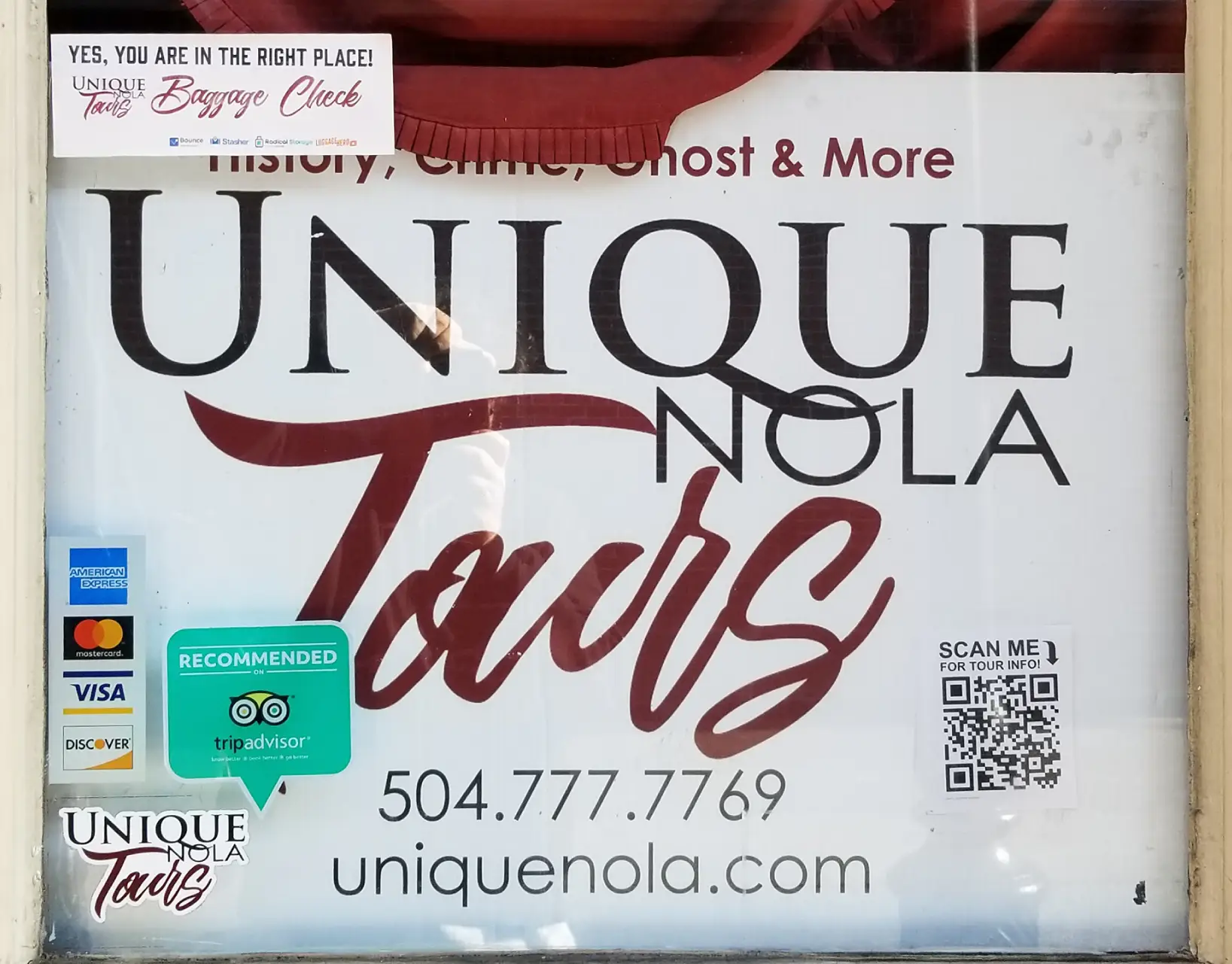
Tour company Unique NOLA tours, a ghost tour company in New Orleans, uses QR Codes in its storefront and printed material. Co-owner Christopher Falvey points out, “Tourism-based industries, like our company, have seasonal campaigns which often are associated with new (and sometimes temporary) URLs. With Dynamic QR Codes, we can direct old printed QR Codes, on brochures, for example, to new URLs. That way, an older brochure that found its way to a potential customer can still direct them to new URLs when we want to highlight special events and tours that are more recent than the print date of our physical marketing assets.”

Falvey continues, describing another way he uses QR Codes. “We have a storefront in the popular French Quarter district that sees regular foot traffic, 24/7. Because we can only maintain certain business hours, we provide a QR Code right on our window that sends people to a link where they can book a variety of tours, equipped with all the UTM keys that Google needs to track our clicks. Now, when our signage changes—based on a holiday, for example—we change the destination URL.”
Bitly provides a robust dashboard containing real-time insights and exportable reporting. The dozens of no-code integrations available from our marketplace make it easy to automate the delivery of this data across your tech stack, so you can use it to build a deeper understanding of your ROI and other insights.
Keep codes visually on-brand (without sacrificing scannability)
You can use deep customization options to build custom QR Codes that include your company’s log, specific background colors, and unique shape styling. These design choices keep your QR Codes highly recognizable. Branded QR Codes can earn much higher scan rates because they look professional and trustworthy rather than generic.
Many booksellers use QR Codes in their ebooks to market new releases or direct readers to educational material. Paki Perkins, an author, speaker, and co-owner of Perks Publishing, uses Dynamic QR Codes in his company’s marketing material.

“Because we can change where the Code is directed to, we save money by not having to print different fliers or material every time we want to promote something new,” Perkins explains. “We also put QR Codes inside our book and change the call to action.”

Perkins also describes other ways his publishing company takes advantage of Dynamic QR Codes. “For marketing, we use a QR Code for each book launch location that we change as each date nears. We also have a QR Code that we have for each author, which we customize based on the audience. Finally, we include QR Codes inside our print and digital books. These links direct toward learning courses that readers can sign up for. If the courses change, we can update the link without anyone knowing.”
Dynamic QR Codes feature short redirect URLs, which means the resulting pixel pattern looks much less dense. These smaller, cleaner codes fit perfectly on product packaging and other items with limited physical real estate.
How to create a Dynamic QR Code
It only takes a few seconds to learn how to make a QR Code for a link so you can start sharing your website seamlessly. The creation process is incredibly straightforward when you use the right Dynamic QR Code generator. You just need to follow a few simple steps to launch your first trackable code.
Create your Bitly Link, then generate and customize the QR Code
First, you create or shorten your destination address using our URL Shortener. This new short link becomes the secure redirect encoded directly into your QR Code. When you use a Bitly link, your QR Code and your short link share the exact same analytics backend. We strongly recommend that you include UTM tracking parameters on your long URL if you want Google Analytics to track your QR Code as a distinct traffic source.
Next, you should customize your QR Code. Upload a high-quality logo, select your exact brand colors, choose fun corner styles, pick a good call-to-action border, and adjust the internal pattern. You should always keep your visual contrast high by placing a dark pattern over a light background color to ensure easy error correction and highly reliable scans. Customization doesn’t just improve aesthetics; it signals legitimacy and encourages your audience to scan with confidence.
Test across devices before you print
It’s important that you do some rigorous pre-launch testing. You should scan your new code using multiple smartphones in completely different lighting environments, at various physical distances, and from challenging angles to ensure it always scans correctly.
During this testing phase, you must verify that the redirect lands precisely on the correct destination landing page and that the page loads exceptionally fast on mobile networks. This diligence addresses the complete user experience beyond just the initial scan functionality.
You can use Bitly tools, such as our preview and validation steps within the workflow, to securely confirm the final destination before you execute a wide distribution. Bitly Pages provides mobile-ready landing site solutions you can create yourself without any developer overhead.
Best practices for reliable scans
Even a perfectly generated QR Code can fail miserably if your placement, sizing, or physical context misses the mark. You must treat the physical printing process with extreme care.
Design and place for effortless scanning
We recommend a minimum size of 0.8 inches (2 cm) for close-range scanning, and you should scale the code up significantly for posters or large signage viewed from much farther away (aim for one inch of code side length per foot of scanning distance). Maintain high visual contrast by keeping a dark code on a light background and actively avoiding busy images behind the code.
CEO Barbara Casey from Mobile High 5, an SMS Marketing Agency, advises, “Make sure that the resolution is appropriate for the size you will be using them.”
You should place codes precisely where people naturally pause. Great locations include retail checkout counters, lobby waiting areas, restaurant table tents, and product packaging. Avoid putting codes on moving vehicles or fleeting digital billboards. Always consider the scan environment. You need to account for indoor lighting, outdoor glare, and whether your users actually have a free hand to hold their phone steady.
Add a clear reason to scan
A standalone QR Code alone does not communicate any real value to your audience. You should always pair your code with a short, compelling call to action like “Scan for 20% off,” “Get the full recipe,” or “See it in action”.

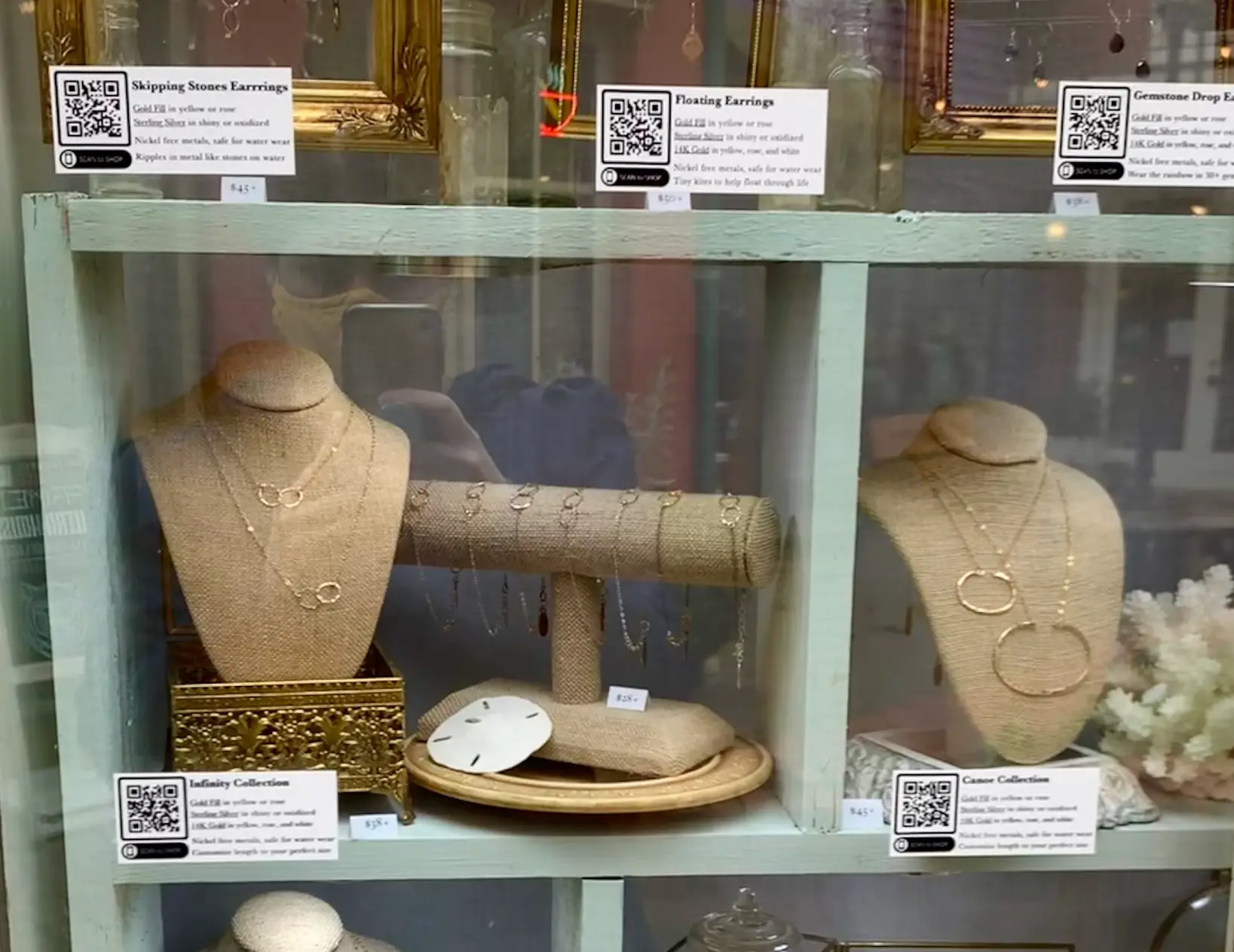
Alexa Allamano, owner of Foamy Wader jewelry and author of The Scan to Shop Solution, uses Dynamic QR Codes as part of window displays in her jewelry store in Washington state.
“As the public is still becoming aware of QR Codes, providing a CTA is important,” Allamano says. “A simple ‘scan to order’ gets the point across clearly.“
Giving users clear instructions can drastically reduce their hesitation and increase your overall scan rates, especially for audiences who feel less familiar with QR Code scanning technology.
Real-world ways to use Dynamic QR Codes
Let us look at concrete examples that can help you envision Dynamic QR Codes thriving within real marketing campaigns. These brief, benefit-focused examples all tie back directly to flexibility and tracking.
Packaging inserts
You can place QR Codes on your product packaging or inside unboxing inserts to link buyers directly to helpful setup guides, quick warranty registration forms, or exclusive VIP offers. Dynamic QR Codes let you update these digital destinations seasonally or swap in exciting new promotions without ever changing the physical printed insert.
Allemano uses scannable QR Codes in her storefront windows at Foamy Wader. “Shoppers use their smartphone camera to scan the QR Code next to an item in the window, leading them to order that exact item on my website,” she says. “I also use QR Codes to feature mini-collections, capture new email subscribers and social media followers, and book appointments.”
Allamano has seen direct results from her QR Code campaign. “The added benefit of this omnichannel approach has been an increase in both my online and in-store average order value (AOV) of 10 percent and 19 percent, respectively. The business has surpassed pre-pandemic levels, and we recently expanded into a second, larger showroom.”
Events and direct mail
For event signage, you can place QR Codes on massive banners, busy booth displays, and attendee badges. These codes drive attendees straight to digital schedules, deep session materials, or fast lead capture forms.
Television and film company Marvel Studios incorporates QR Codes into in-person marketing events like Comic-Con. While fans wait for actor appearances at the Marvel booth, they can scan the QR Code to download Marvel’s comic book or buy other items.
You also may notice QR Codes in episodes of the Marvel series “Moon Knight.” Fans who find the semi-hidden QR Codes can quickly pause the episode, scan the code, and visit a website that contains a webcomic featuring the new characters. This strategy gives viewers a reward for spotting the codes, and Marvel can change the URL destination for each episode.
In addition, this setup increases users’ knowledge of the rather obscure Moon Knight comic, boosting customer loyalty and brand engagement. The QR Codes have proven their worth to Marvel. According to Disney, the Marvel QR Code has registered over 1.5 million visits to their landing page and over 500,000 downloads of the Moon Knight bonus comic book.
For direct mail campaigns, you can track customer response by individual segment and compare scan volumes across different target audiences by using UTM parameters. This strategy brings crystal clear attribution to traditionally hard-to-track offline touchpoints. Adding a scannable element to your printed postcards is one of the most effective strategies for leveraging QR Codes in direct mail marketing.
From pilot to scale: Managing thousands of codes
As your business grows beyond one simple campaign, you face the reality of scaling your QR Code solutions without losing control of your destinations, asset ownership, and reporting accuracy.
Bitly Campaigns helps you organize codes by specific initiative, geographic region, or distinct product line. You can use smart tagging for instant searchability and quick filtering, which helps your team rapidly find and update specific codes. This centralized oversight integrates with highly consistent Bitly Analytics, empowering your enterprise to manage hundreds or even thousands of links and QR Codes seamlessly.
Move forward with measurable engagement
Dynamic QR Codes give your team the ultimate flexibility to update destinations anytime and the deep visibility to measure every single scan. They help you successfully turn static print materials into highly trackable touchpoints.
Bitly acts as the premier platform that perfectly unifies QR Code and link management. By bringing everything together, your physical and digital campaigns finally share one single source of truth.
Ready to take control of your offline marketing analytics? Get started with Bitly now and put the power of Dynamic QR Codes to work for your team today.
FAQs
Do Dynamic QR Codes work without internet?
Dynamic QR Codes require an active internet connection to redirect users to the destination URL. The scanning device needs a cellular mobile data connection or Wi-Fi for the code to function properly.
Can I convert an existing static code to dynamic?
Static QR Codes encode fixed data that you cannot change. You need to generate a brand-new Dynamic QR Code to enable destination editing and scan tracking.
How long do Dynamic QR Codes stay active?
Dynamic QR Codes stay active as long as your underlying redirect service and user account remain active. With Bitly, your links do not expire, so your printed QR Codes can keep working wonderfully for the long-term.
Are there any free Dynamic QR Codes?
Some software tools offer a free QRcode generator with highly limited edits, basic analytics, or restricted branding. For full reporting, deep customization, and reliable support, a paid plan like Bitly typically provides the most secure and powerful option.
How do I generate a Dynamic QR Code?
You simply create or paste your destination URL into a generator like Bitly. Next, you generate your dynamic code, customize the QRcode design to match your brand identity, download a clean PNG, JPEG, or SVG file for your print materials, and launch your campaign. You can then update the destination later while keeping the exact same QR Code.





