
Perplexity
Shorten links, create QR Codes, and check performance with Bitly and Perplexity.
Developed by: Bitly
Support Email: extensions@bit.ly
About Perplexity
Perplexity is an AI-powered answer engine that delivers fast, accurate responses with cited sources—helping you research, explore ideas, and make decisions without switching between tabs.
Perplexity and Bitly
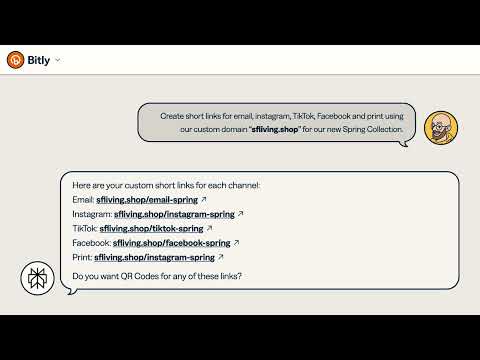
Bring Bitly's link and QR Code management directly into Perplexity. Connect your Bitly account to create branded links, generate customized QR Codes, and pull performance insights through natural conversation, while you research and plan.
Key Features:
- Quick URL shortening with custom domains
- QR Code generation and management
- Basic analytics with data visualization
- Bulk link creation capabilities
Best For:
- Quick link creation and basic management
- Teams who rely on Perplexity for daily research and workflows
- Marketers who want instant access to core Bitly features
Note: Bitly's Perplexity connector helps save time by keeping you in your workflow. Create and manage links and QR Codes directly in Perplexity, then access them anytime in your Bitly account for advanced customization, detailed reporting, or account management. Accessing Perplexity connectors requires a paid Perplexity Pro plan or above; custom domain and analytics require a paid Bitly plan.
Media


Use cases
- Shorten one or multiple links
Create one or more branded links with your custom domain. Sample prompt: Create short links for the following URLs using our custom domain: <URL 1>, <URL 2>, <URL 3>
- Create campaigns through conversation
Add titles, tags, and UTM parameters to your marketing campaigns by describing what you need. Sample prompt: Add UTM parameters, title them as “Spring 2026 - <website name>”, and tag them as “Spring 2026 Campaign”.
- Track your performance
Analyze the performance of your links and QR Codes to understand what's resonating with your audience. Sample prompt: Create a graph that compares the performance of our main product page link across different quarters to see seasonal trends.